
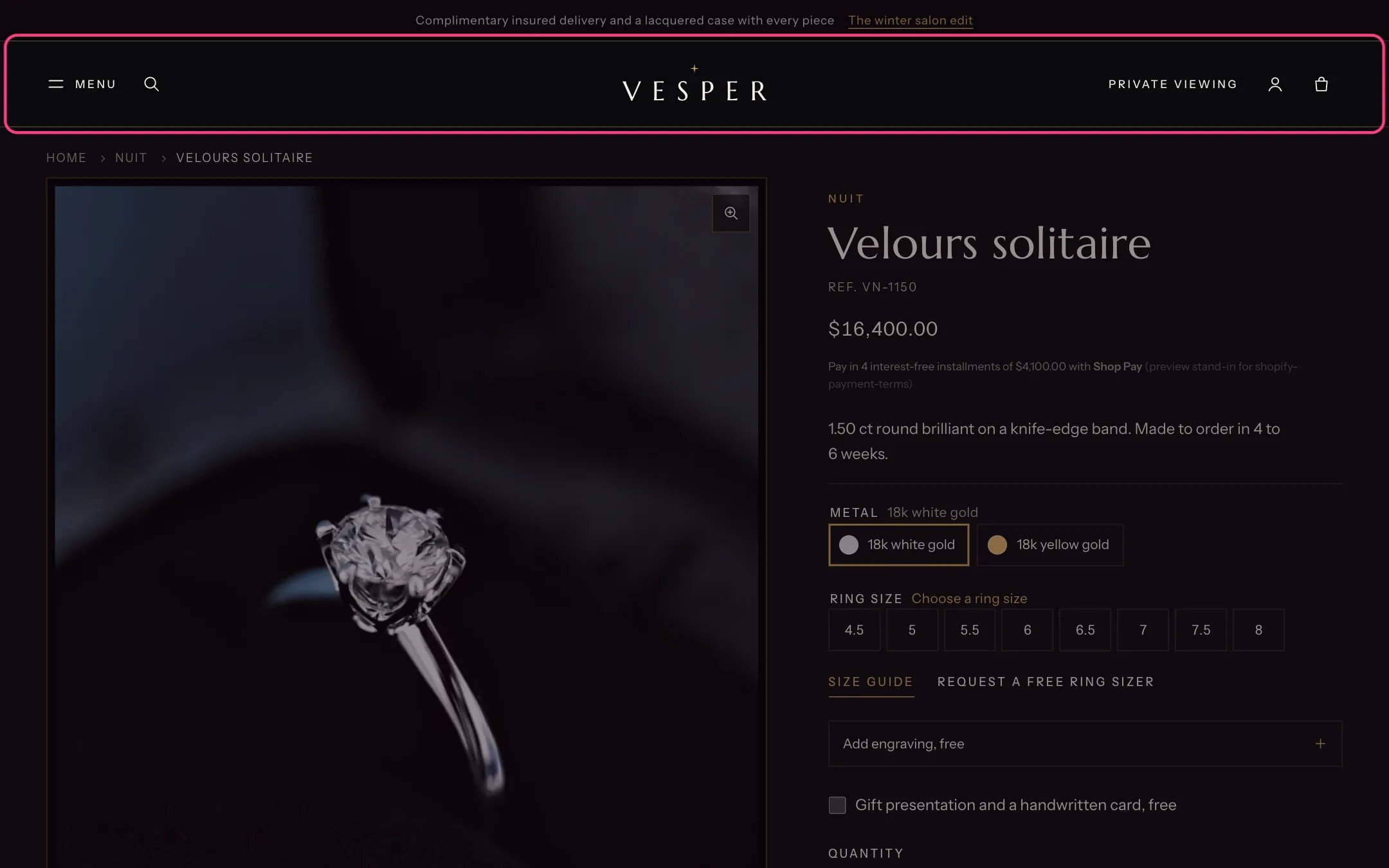
Header, highlighted with the demo content
Where to find it
Every page. In the theme editor open any page, then select Header in the Header group of the sidebar.How it works
- The logo sits in the middle. The menu button and search are at the start, and the service link, account and bag at the end. In right-to-left languages the sides swap.
- The menu button opens a drawer mega menu from the side. Top-level menu items form the list, their children become columns, and the grandchildren become the links in each column.
- A Menu promo block shows a picture card beside one top-level item in the drawer, for example a featured ring beside Bridal.
- The drawer can end with a button (for example Book a private viewing), a telephone number and the country and language selectors.
- With Float over the first section on the home page on, the header sits over the Hero film and turns solid once the shopper scrolls.
- With Keep the header in view while scrolling on, the header stays at the top of the screen.
- The account button is Shopify’s own account menu. It offers Sign in with Shop and shows the Customer account menu once a customer is signed in.
- The search button opens a search panel with popular searches and live suggestions. See Search suggestions.
- When the Spin wheel section is on, a link to the wheel appears in the menu drawer.
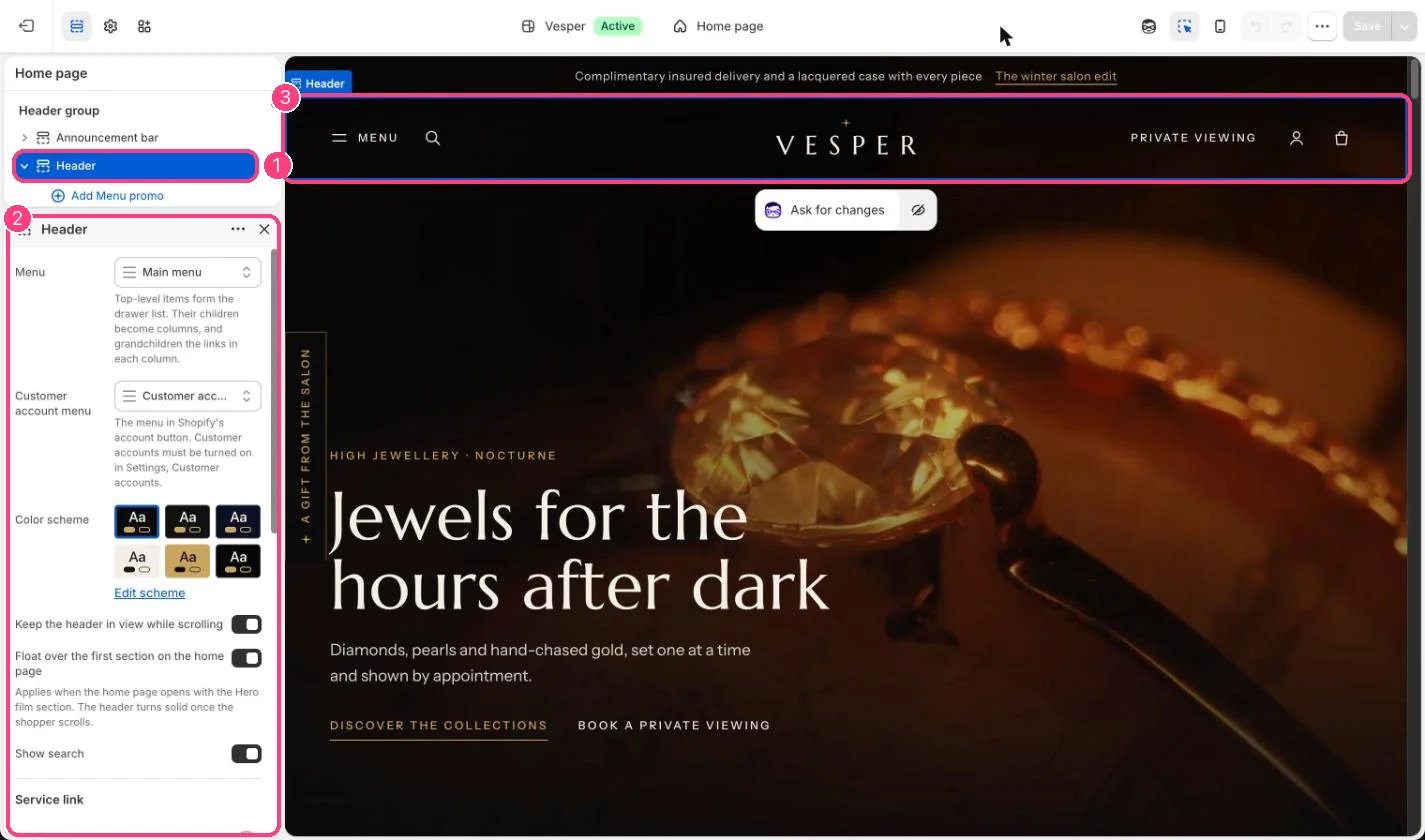
In the theme editor: 1 the section in the sidebar · 2 its settings · 3 the section in the preview
Edit it
- Choose the menu under Menu. Build it in Online Store, Navigation, with three levels: items, columns and links.
- Add a Menu promo block, type the top-level item title exactly as it appears in Navigation (for example Bridal), then add an image, title, text and link.
- Fill in Service link, Label and Link, for example Private viewing linked to your contact page. It shows on tablets and desktops.
- Fill in the Menu drawer button label, button link and telephone number. Your contact page works well as the link: appointments are requests, not bookings.
- Turn on Show country and language selectors in the drawer if you sell in more than one market or language.
- Upload the logo and set its width in Theme settings, Logo and favicon.
Settings
Service link
Menu drawer
Blocks
Up to 12 blocks. Add a block with Add block under the section in the sidebar; drag blocks to reorder them.Menu promo
The account button only shows when customer accounts are turned on in Settings, Customer accounts.The header logo is never a heading. On the home page the main heading is the Hero film title.