
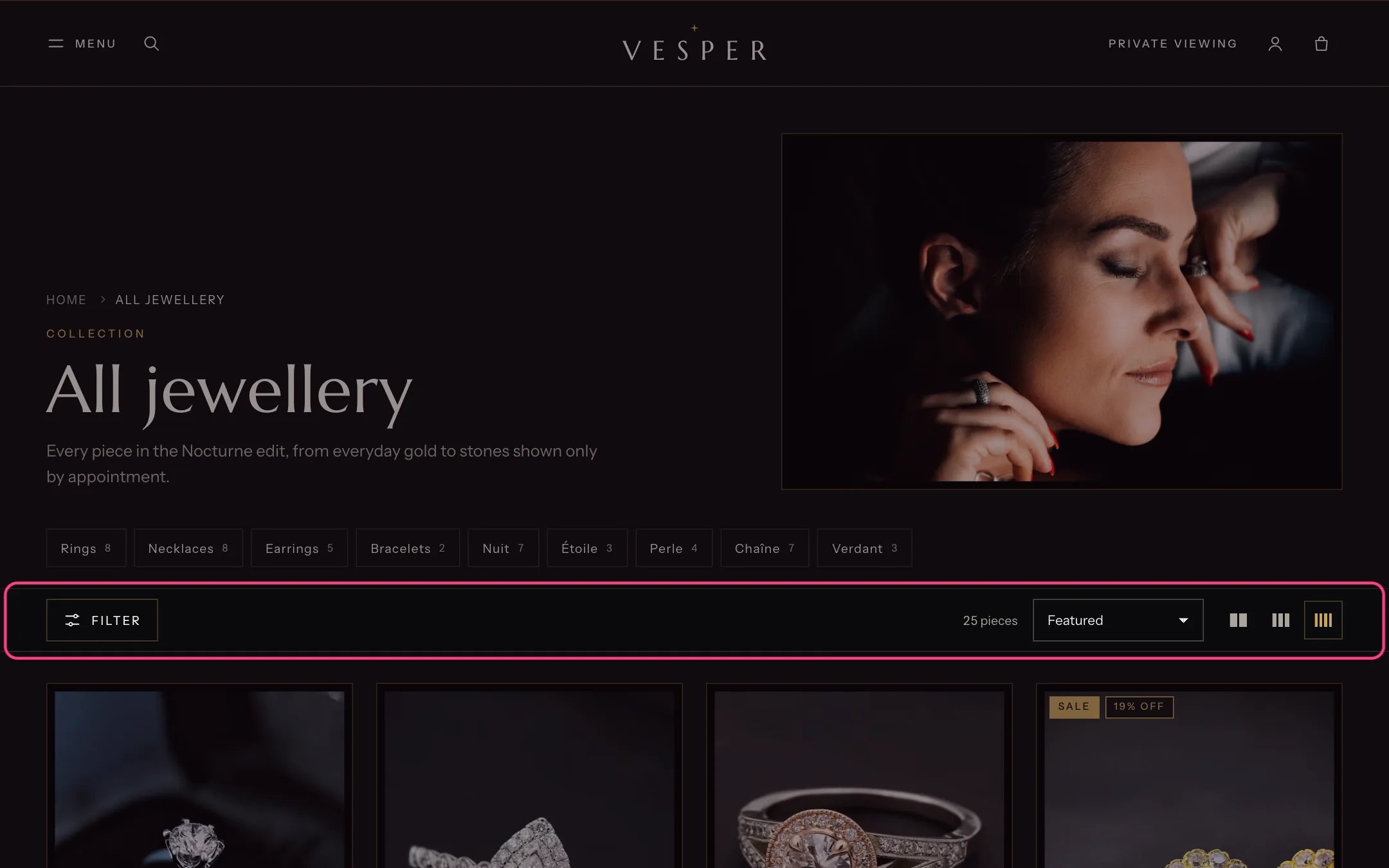
The collection toolbar: filters, chips, count, sort and density
- custom.stone: the main stone, one value, for example Diamond, Emerald, Sapphire or Pearl;
- custom.stone_shape: for example Round, Oval or Pear;
- custom.carat_band: one band per value, for example 1.00 to 1.99 ct;
- custom.length: for necklaces and bracelets, for example 18 in;
- custom.certificate: the grading report.
- Availability
- Product type
- Collection, if you keep a collection name in a product metafield
- Metal (the variant option; give it swatches)
- Stone (custom.stone)
- Stone shape (custom.stone_shape)
- Carat weight (custom.carat_band)
- Chain or strand length (custom.length)
- Price
- Ring size (the variant option)
- Certificate (custom.certificate)
- Engravable (custom.engravable)
- Sale (a tag or a true or false metafield; Shopify has no built-in on-sale filter)
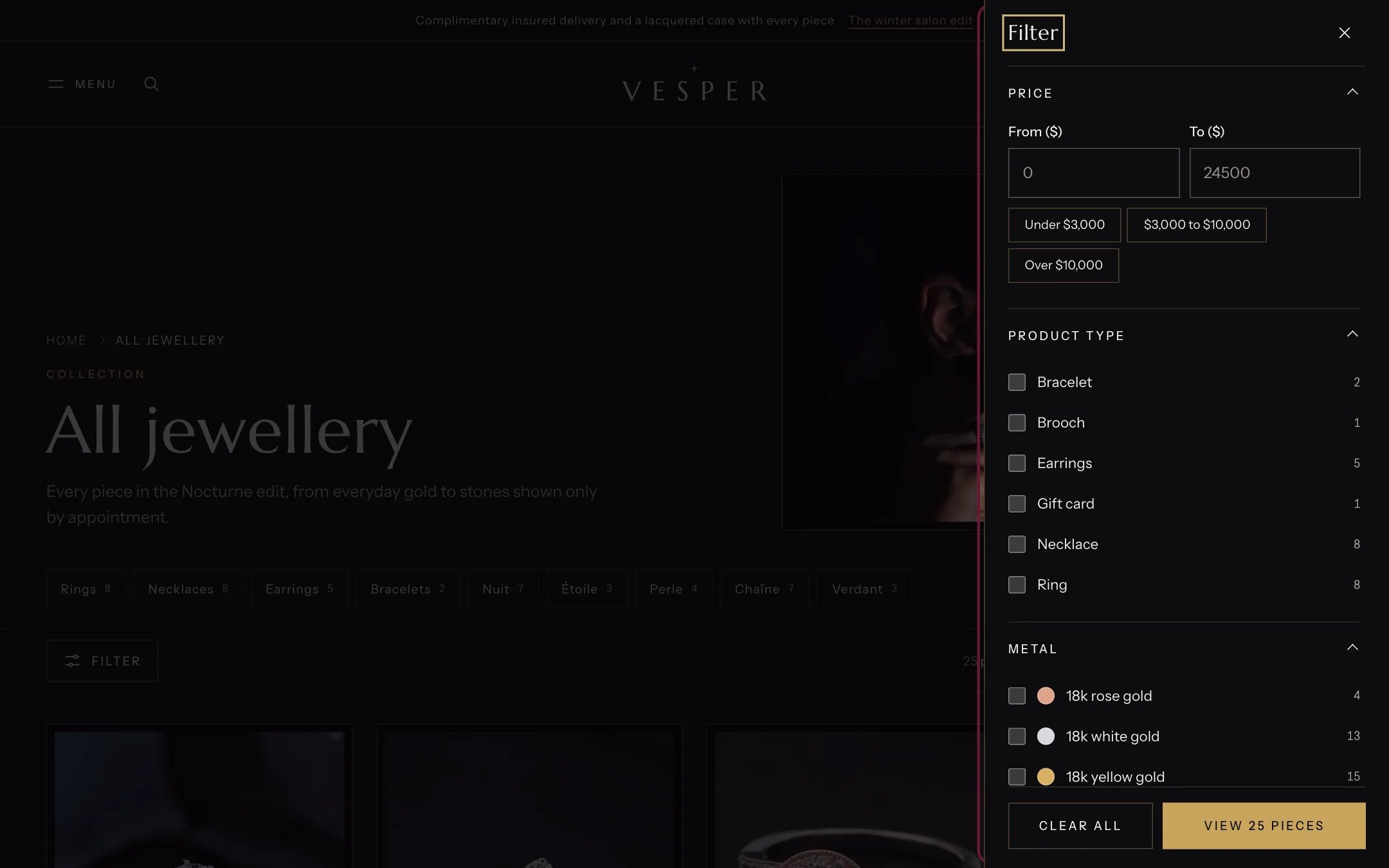
The filter drawer with metal swatches and stone chips
- Metal shows as swatches, from Shopify’s option swatches, or as yellow, white and rose dots drawn from the value names.
- Stone shows small gem chips for Diamond, Emerald, Sapphire, Pearl and Gold alone.
- Ring size shows as boxes, because Ring size is listed in Filters shown as size boxes.
- True or false filters, such as Engravable, show as switches under More.
- Values with no matching pieces are disabled, not hidden.
In the theme editor
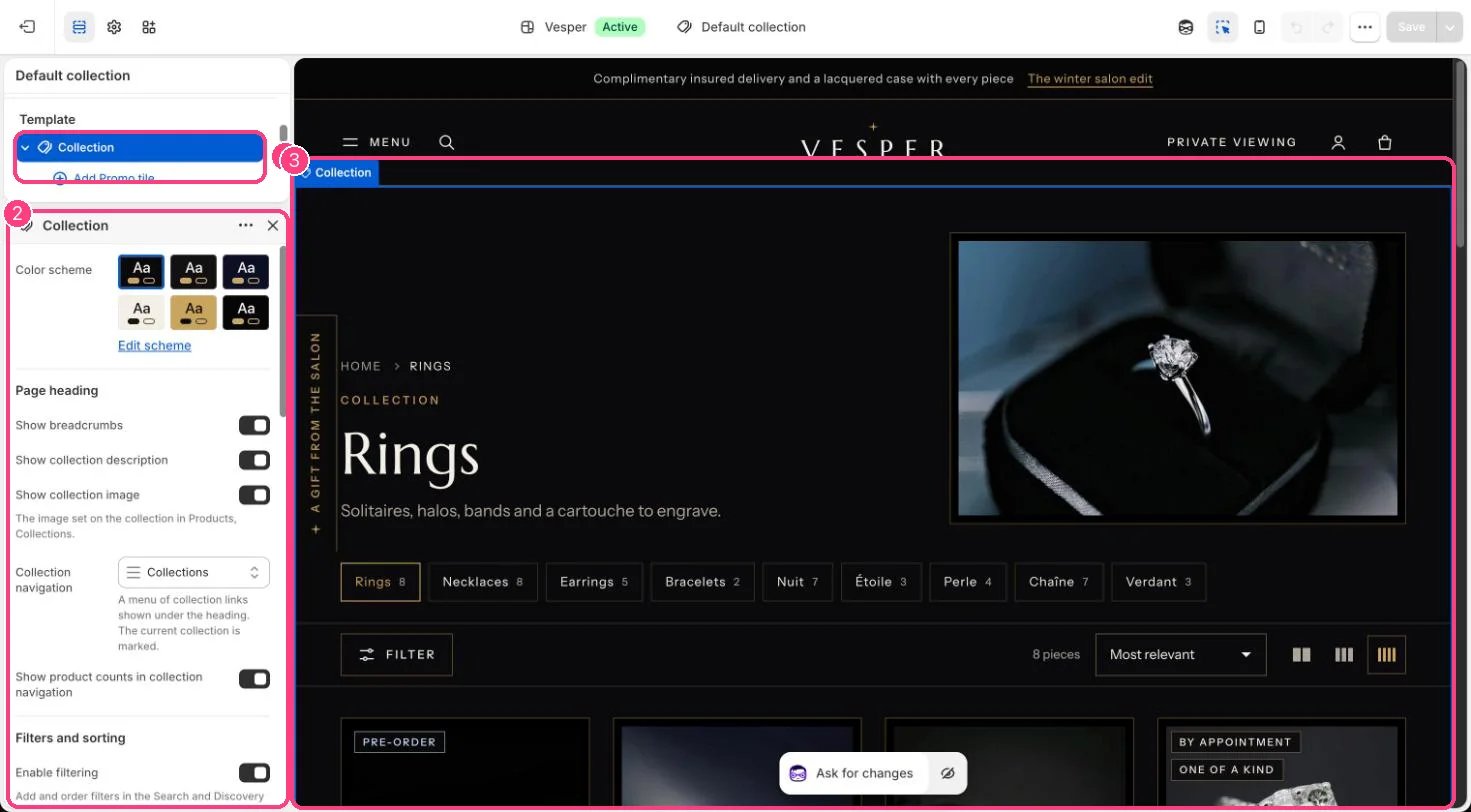
Filtering, sorting and the collection navigation: 1 Collection · 2 its settings · 3 the preview