
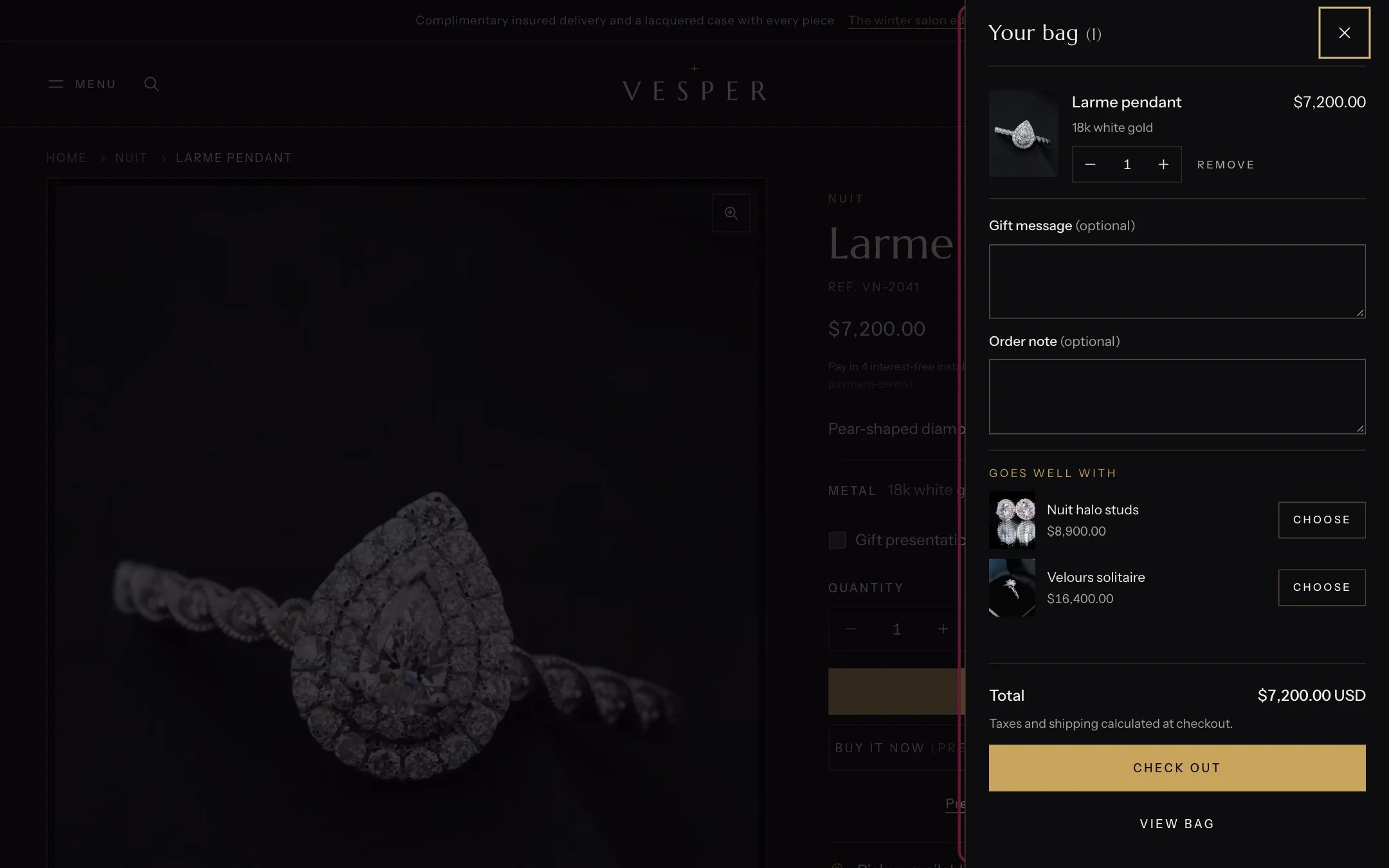
Goes well with, under the lines in the bag drawer
Where to find it
Inside the bag drawer, under the lines. It has no settings of its own and does not appear in the theme editor sidebar.How it works
- Shows up to three available pieces that are not already in the bag.
- Pieces come from the complementary products of the newest item in the bag (set in the Search & Discovery app), then from Products to suggest in Theme settings, Cart.
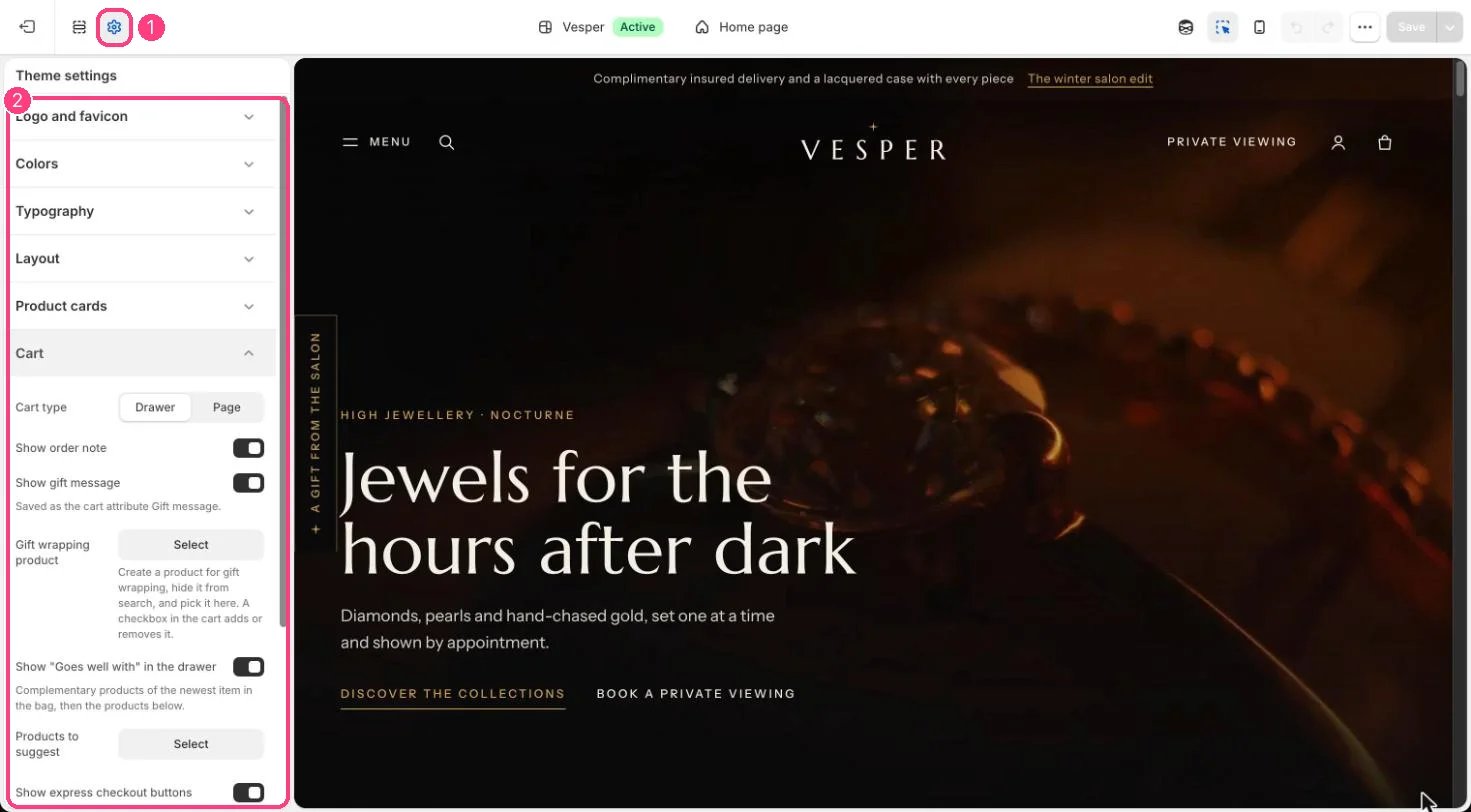
Goes well with is set in 1 Theme settings · 2 Cart
Edit it
- Turn it on or off with Show “Goes well with” in the drawer in Theme settings, Cart, and pick Products to suggest there.
- Add complementary products in the Search & Discovery app.