
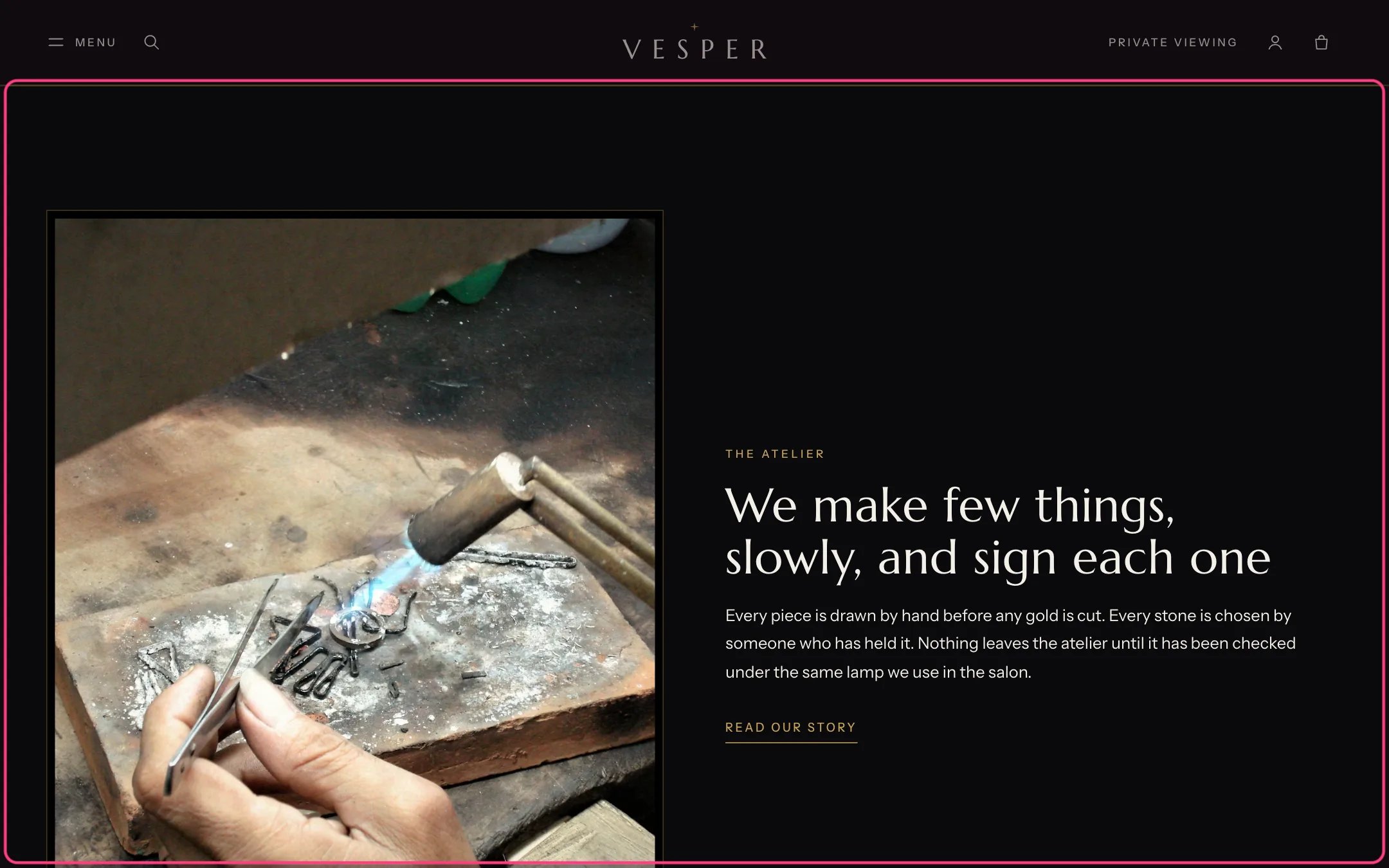
Image with text, highlighted with the demo content
Where to find it
Not on a page by default. In the theme editor click Add section on any page and choose Image with text.How it works
- Media can be an image, a Shopify-hosted film (muted loop or with controls) or a YouTube or Vimeo link that loads only after a click.
- A muted loop plays only while on screen, never with reduced motion or data saving, and has a pause button.
- Image shape is Portrait, Square, Landscape or As uploaded, with an optional gold frame and caption.
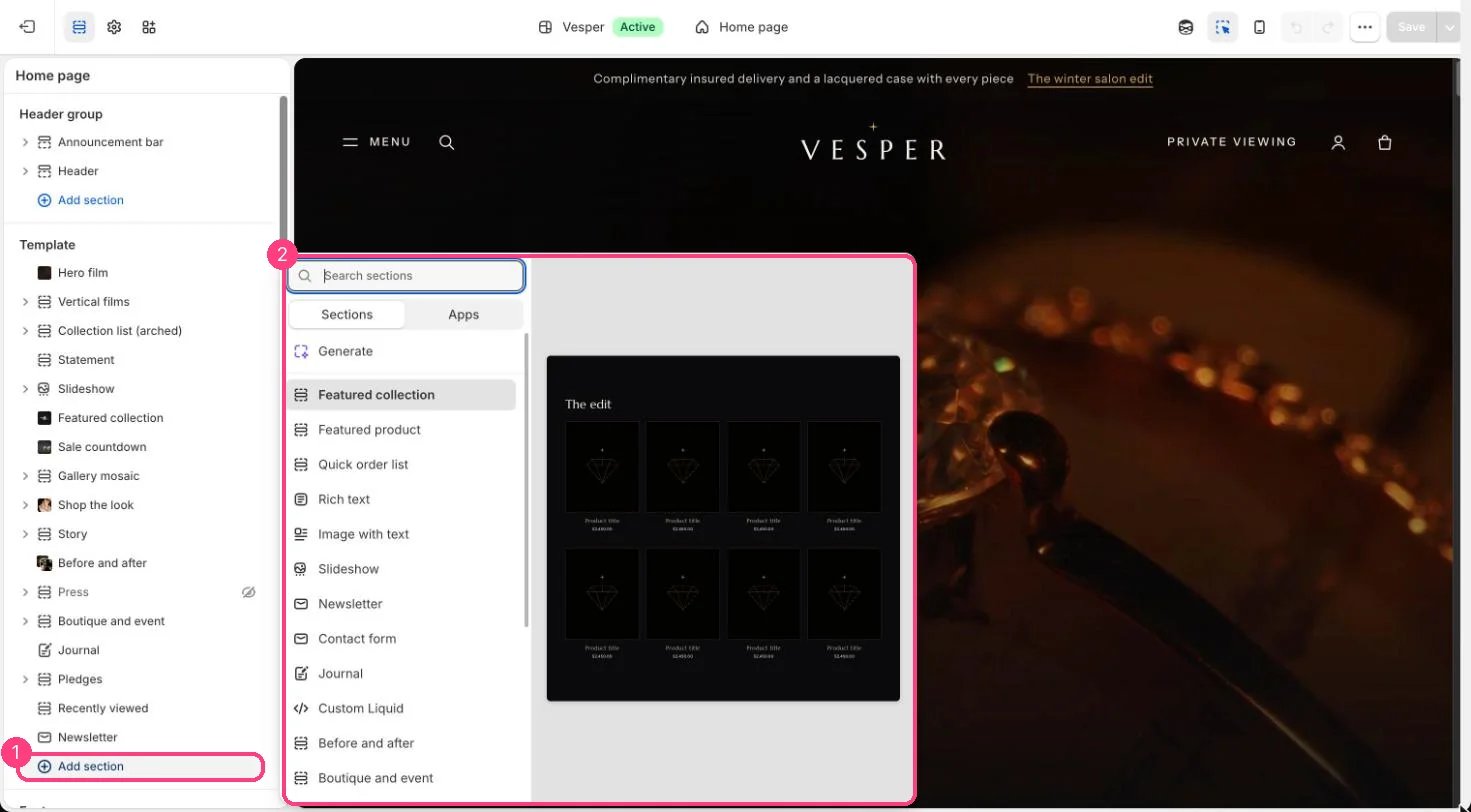
Not on the demo pages: add it with 1 Add section, then pick it in 2 the list
Edit it
- Upload the Image (also the film’s poster), and optionally a Film or a YouTube or Vimeo link.
- Choose Image shape, Media position on desktop and Gold frame around the media.
- Add Eyebrow, Heading, Text, Signature and Buttons blocks.