
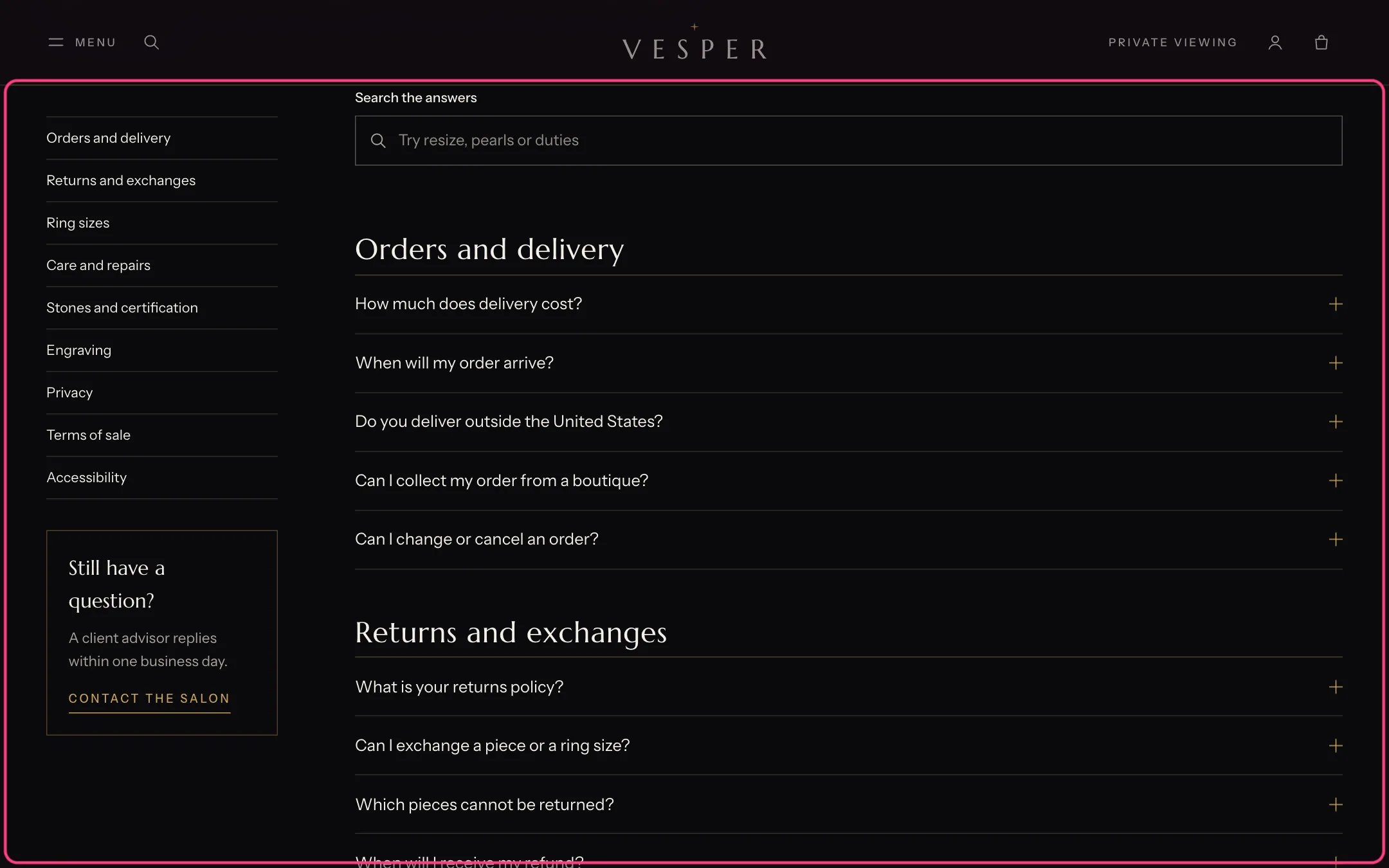
Questions and answers, highlighted with the demo content
Where to find it
The Questions and answers template (page.faq). In the theme editor choose Pages, then faq, and select Questions and answers.How it works
- Topic blocks start a group; the Question blocks after them belong to it.
- Each topic gets an anchor, so other pages can link to #delivery or #ring-size. A link to a topic opens its first answer.
- The search field filters the answers as shoppers type. It shows when there are more than three questions.
- An answer can include a table: one row per line, cells separated by a vertical bar, the first row as the header.
- Add questions to search results data adds FAQPage structured data.
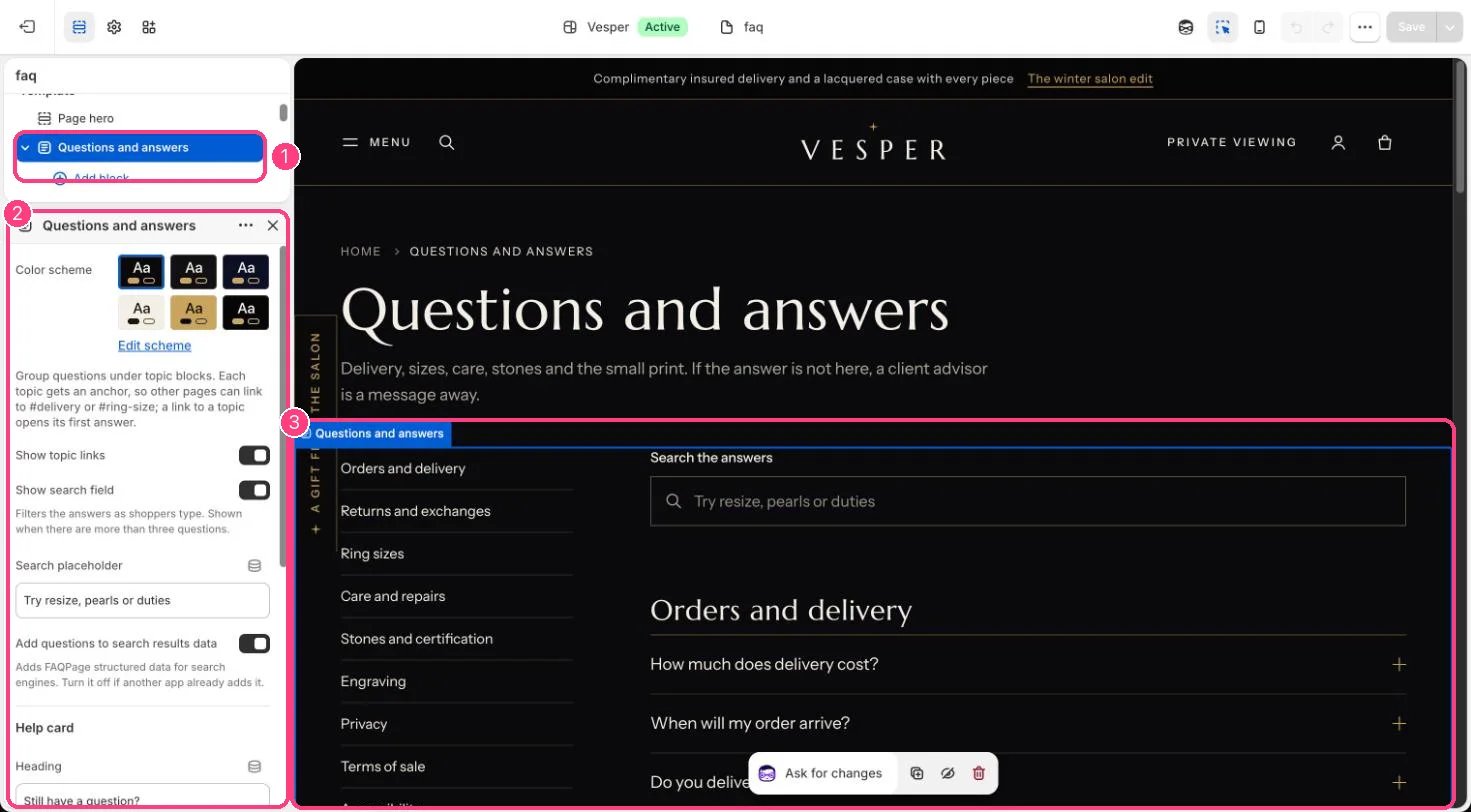
In the theme editor: 1 the section in the sidebar · 2 its settings · 3 the section in the preview
Edit it
- Add a Topic block, then Question blocks under it (up to 50 blocks in all). Drag to reorder.
- Set a topic’s Anchor, for example ring-size, to keep links from other pages working when you rename the heading.
- Edit the Help card heading, text and link.
- Turn off structured data if another app already adds it.
Settings
Help card