
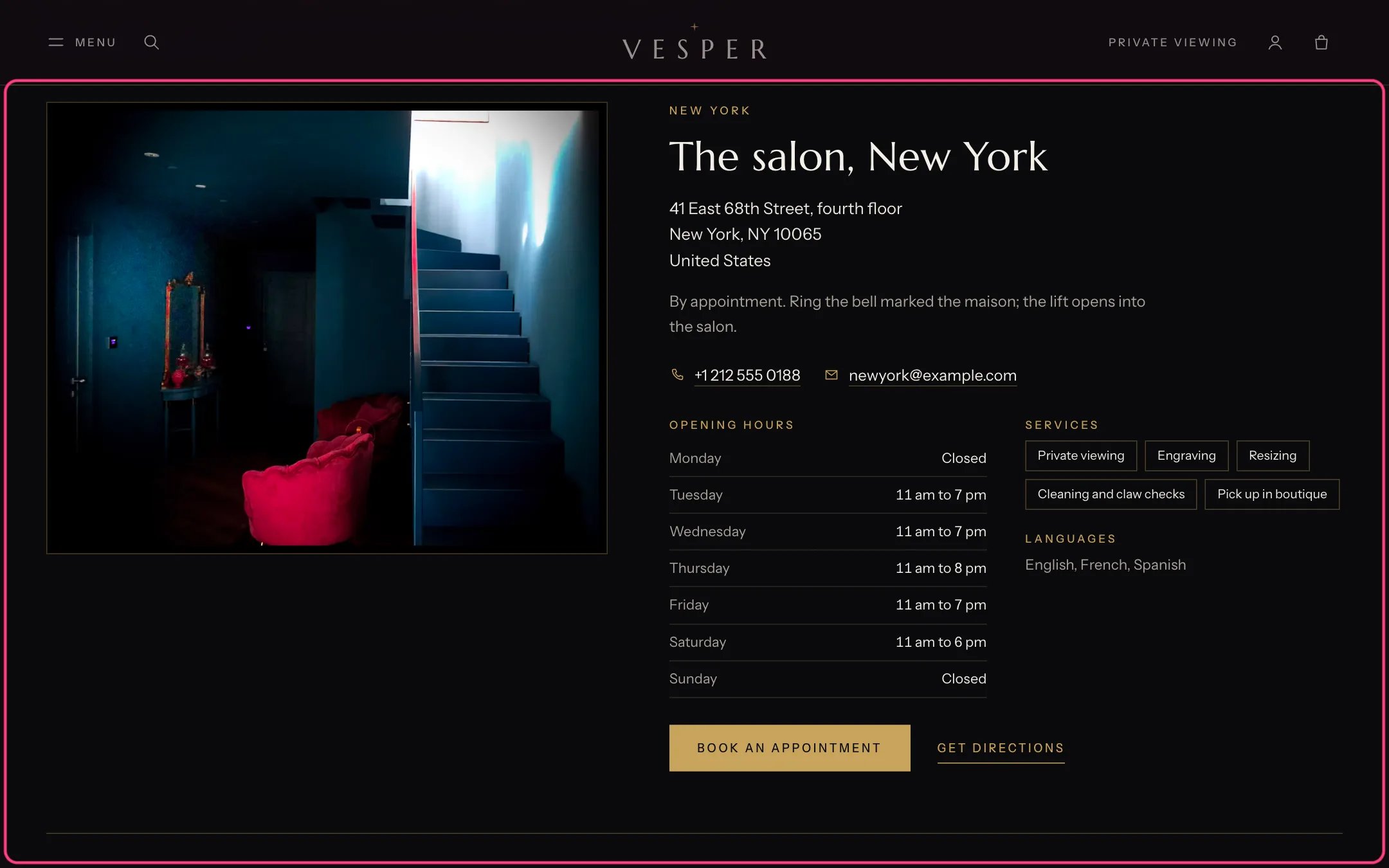
Boutiques, highlighted with the demo content
Where to find it
The Boutiques template (page.boutiques). In the theme editor choose Pages, then boutiques, and select Boutiques.How it works
- Get directions opens Google Maps with the address in a new tab. No map loads in the page.
- Shoppers on phones can tap the phone number to call.
- Opening hours show as a table, one day per line. Services show as small labels.
- The appointment button opens your contact page with the boutique filled in as the topic, or the link you set.
- Each boutique has an anchor, such as #boutique-new-york, so events and other pages can link to it.
- Search engines get each boutique’s details as a jewelry store.
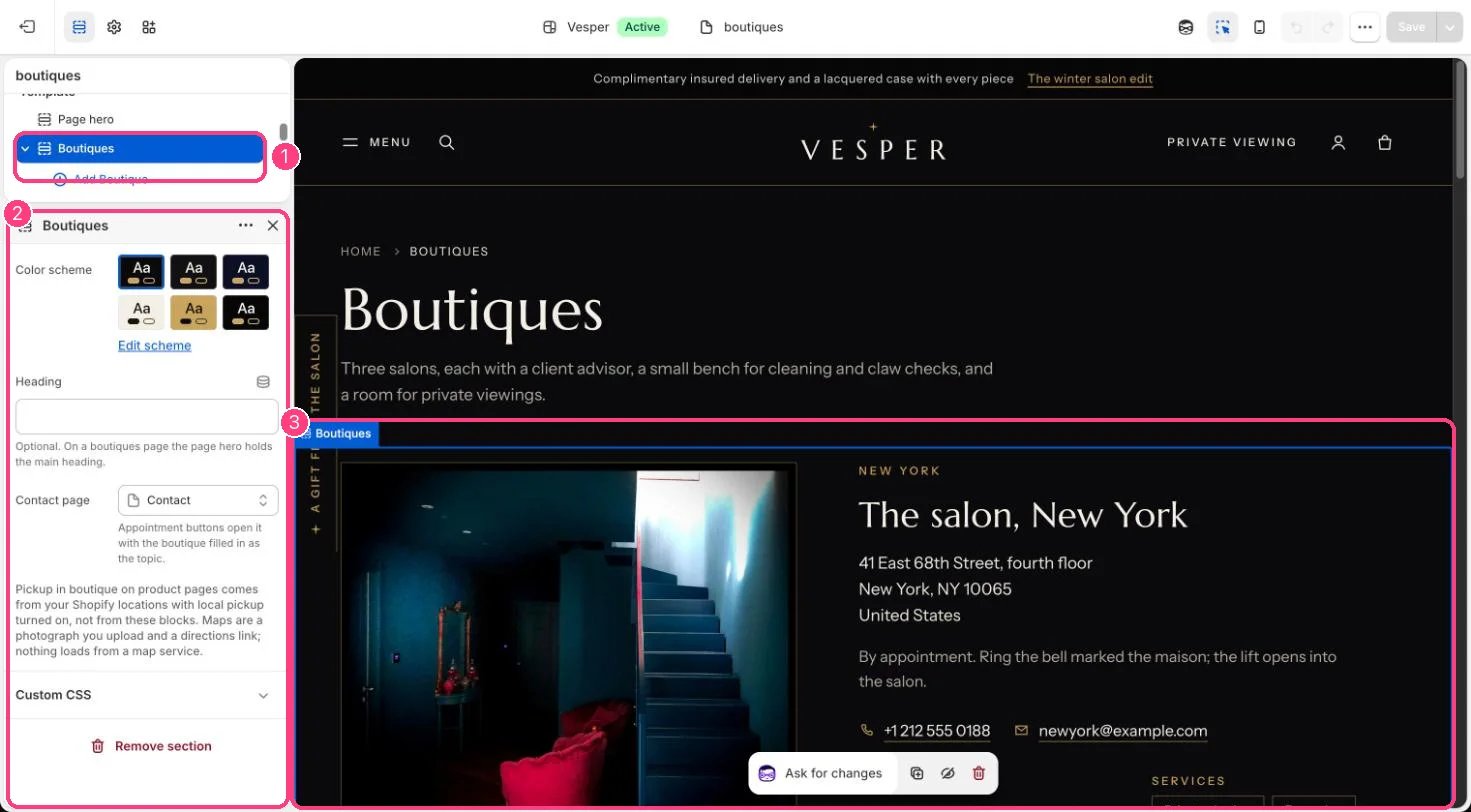
In the theme editor: 1 the section in the sidebar · 2 its settings · 3 the section in the preview
Edit it
- Add a Boutique block per boutique (up to 12). Fill in Name, City, Address (one line per row), Phone, Email and Opening hours (for example Tuesday: 11 am to 7 pm).
- Type Services one per line and Languages spoken.
- Upload a Map image if you like: a picture of the street map, linked to directions.
- Set the section’s Contact page for the appointment buttons.
Settings
Blocks
Up to 12 blocks. Add a block with Add block under the section in the sidebar; drag blocks to reorder them.Boutique
Pickup in boutique on product pages comes from your Shopify locations with local pickup turned on, not from these blocks. See Pickup in boutiques.