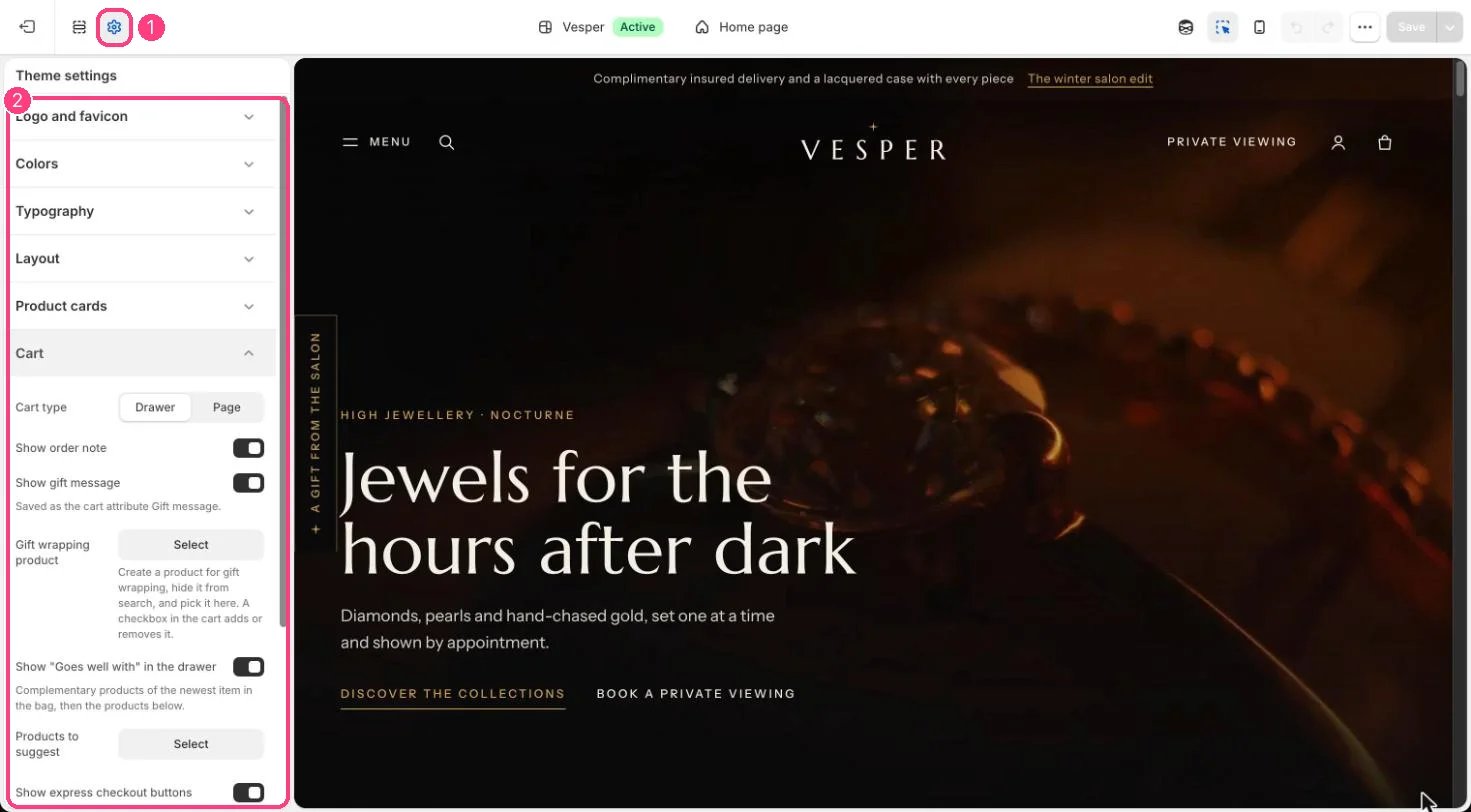
All of these are set in Theme settings, Cart, and show in both the bag drawer and the cart page. Gift wrapping.
  1. Create a product called, for example, Gift wrapping, with its price and a photograph.
  2. Keep it out of your collections, and out of search with Shopify’s search settings or the Search & Discovery app.
  3. Choose it under Gift wrapping product.
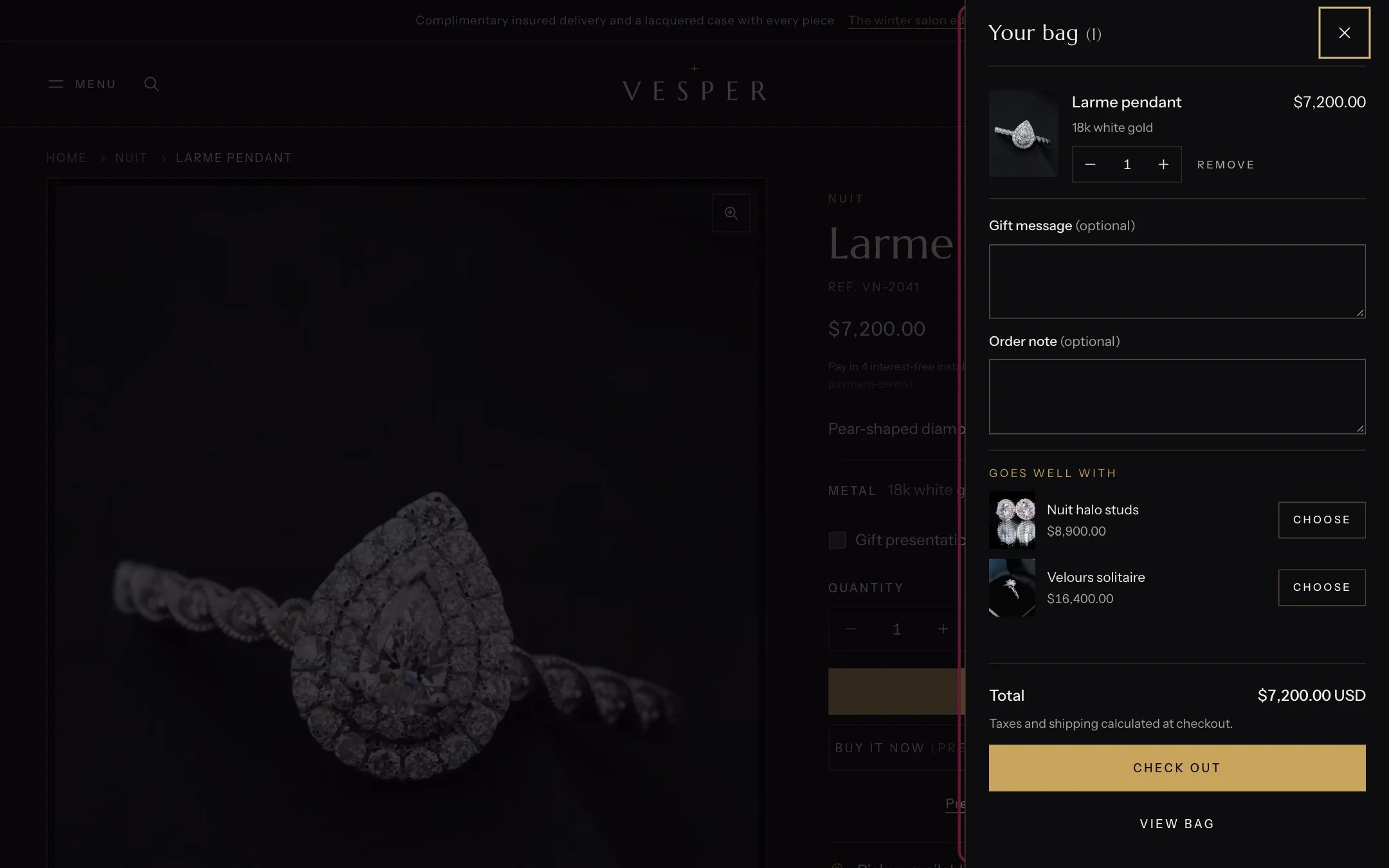
A checkbox in the bag then adds or removes that product. Gift message. With Show gift message on, the bag has a message field saved as the cart attribute Gift message. It shows on the order under Additional details. Order note. With Show order note on, the bag has a note field that saves with the order. Goes well with. With Show “Goes well with” in the drawer on, the drawer suggests up to three pieces: the complementary products of the newest item in the bag (set in the Search & Discovery app), then the Products to suggest you pick. Pieces already in the bag and sold-out pieces are left out.
The bag drawer

The bag drawer after adding a piece

Express checkout. Show express checkout buttons shows Shop Pay, Apple Pay and the other methods you turn on in Settings, Payments. Drawer or page. Cart type Drawer opens the drawer after Add to bag; Page goes to the cart page.

In the theme editor

Cart settings

Gift wrapping, gift message, note and Goes well with: 1 Theme settings · 2 Cart