
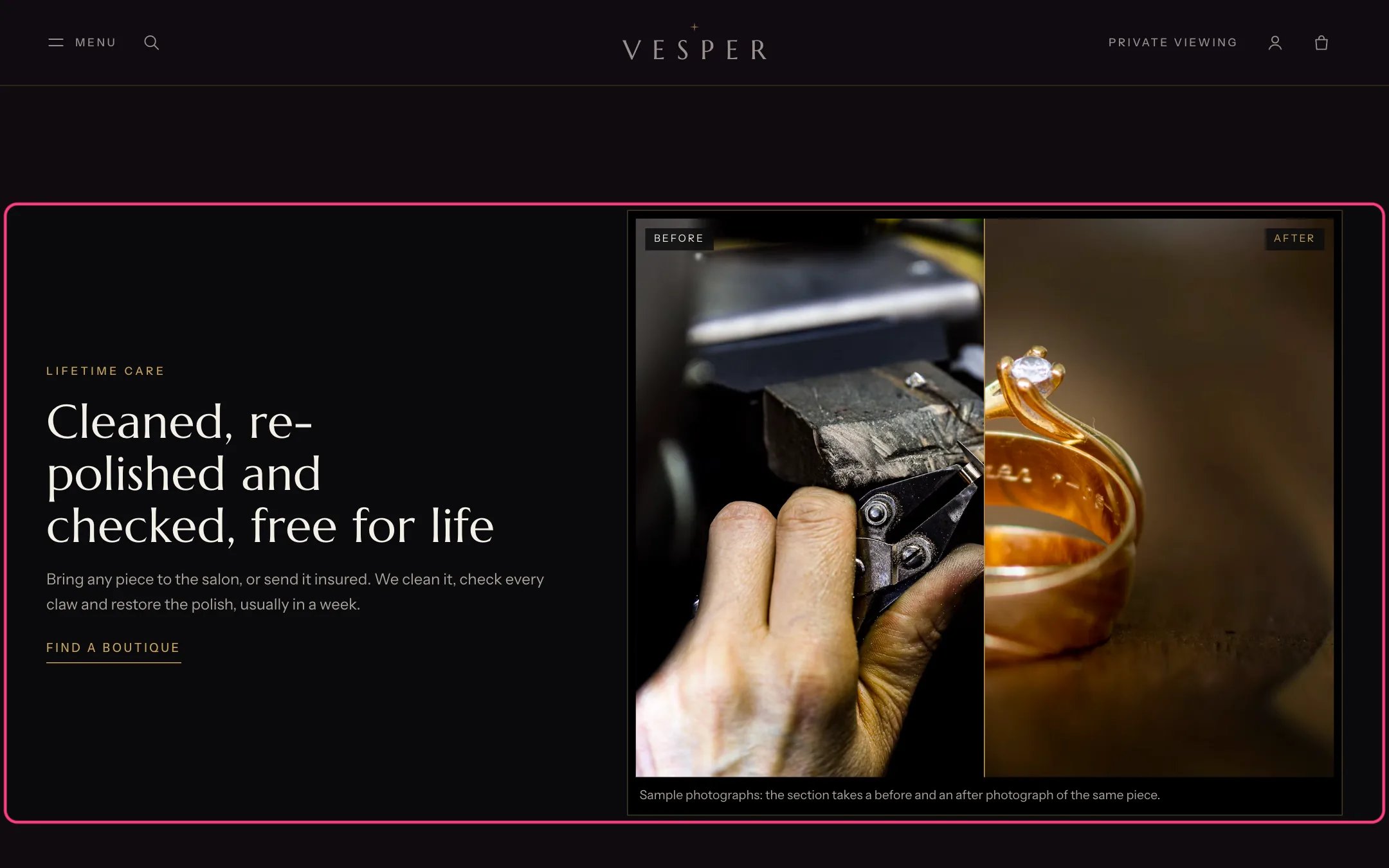
Before and after, highlighted with the demo content
Where to find it
Home page. In the theme editor choose Home page, then select Before and after.How it works
- Shoppers drag the slider, press it, or use the arrow keys to compare the two images.
- Both images are cropped to 5:4. Starting position sets how much of the before image shows when the page opens.
- In right-to-left languages the before image sits on the right.
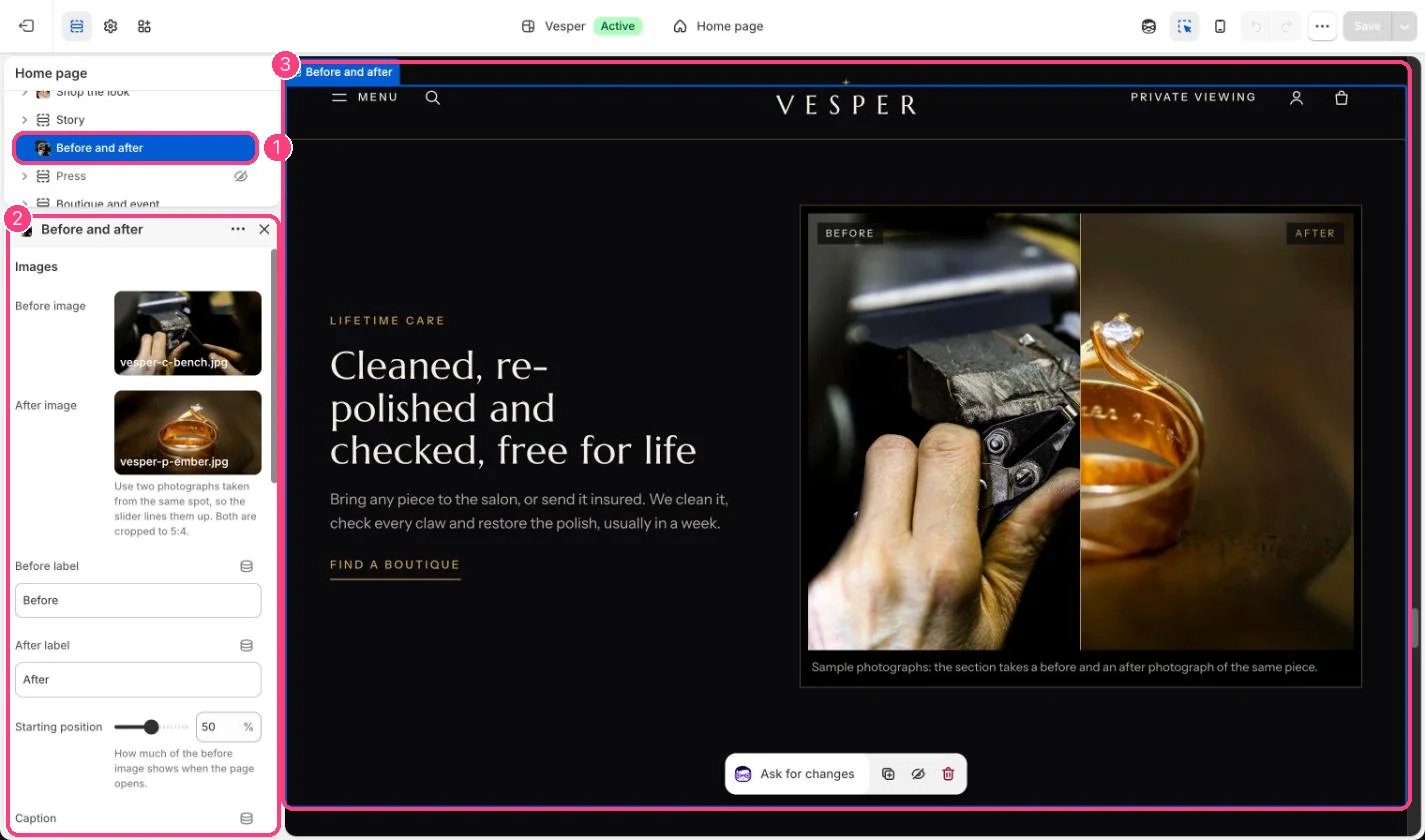
In the theme editor: 1 the section in the sidebar · 2 its settings · 3 the section in the preview
Edit it
- Upload a Before image and an After image taken from the same spot, so they line up.
- Edit the Before label and After label, and add a Caption if you like.
- Edit Eyebrow, Heading, Text, Link label and Link, for example Find a boutique.
- Choose Images position on desktop: First or Second.
Settings
Images
Text