
- it has the tag in Theme settings, Product cards, Pre-order product tag (default pre-order);
- its variant tracks inventory, is at zero stock, and has Continue selling when out of stock turned on.
- A Pre-order badge on cards and on the product page.
- The button reads Pre-order instead of Add to bag.
- The text of the product metafield custom.preorder_note shows above the button, for example Ships from 4 December.
- The note is added to the cart line as the property Pre-order, so the order says when it ships.
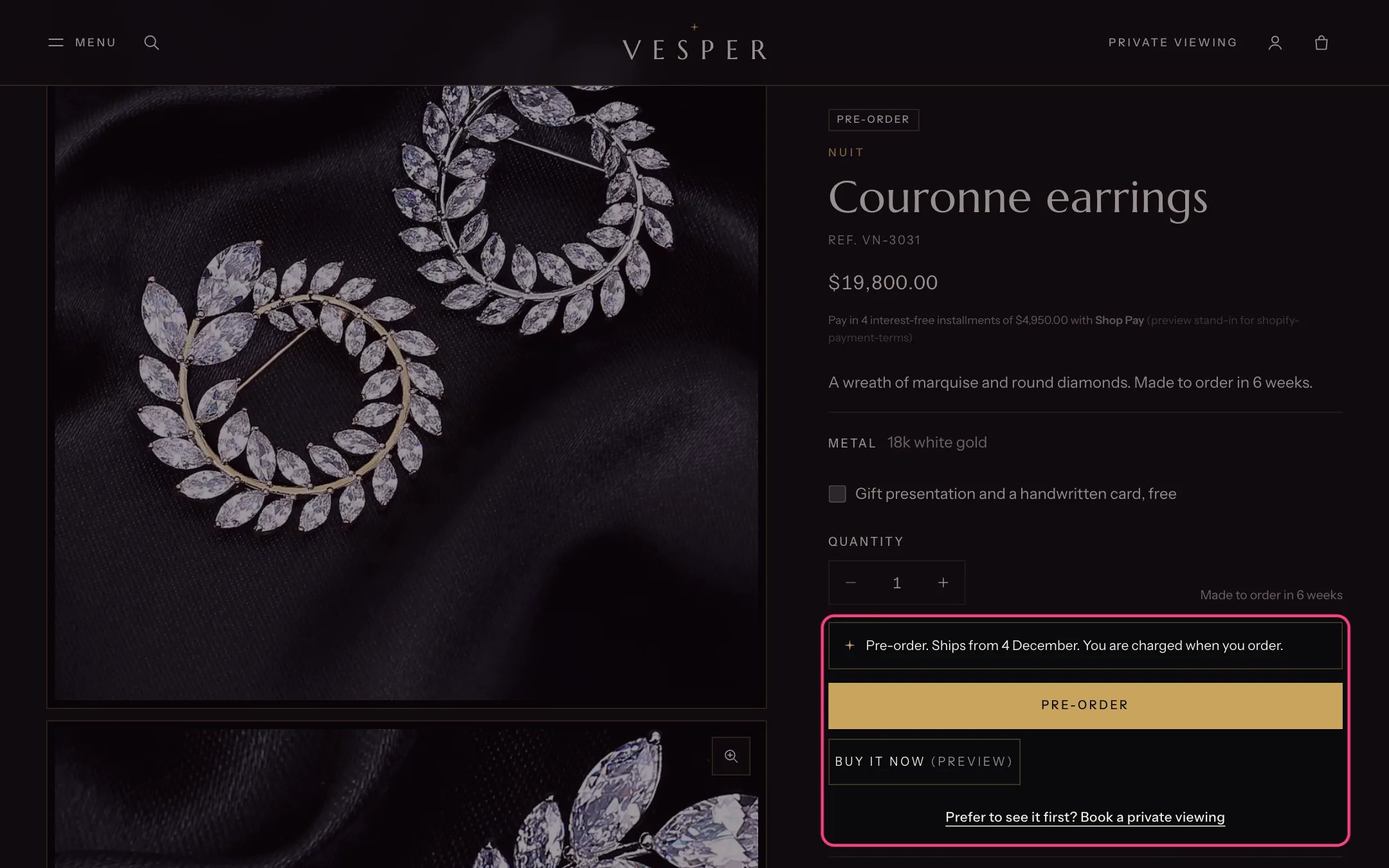
A product on pre-order with its note and button
- In Settings, Custom data, Products, add custom.preorder_note as Single line text.
- On the product, add the tag pre-order, or turn on Continue selling when out of stock for its tracked variants.
- Fill in the Pre-order note with the ship date.
In the theme editor
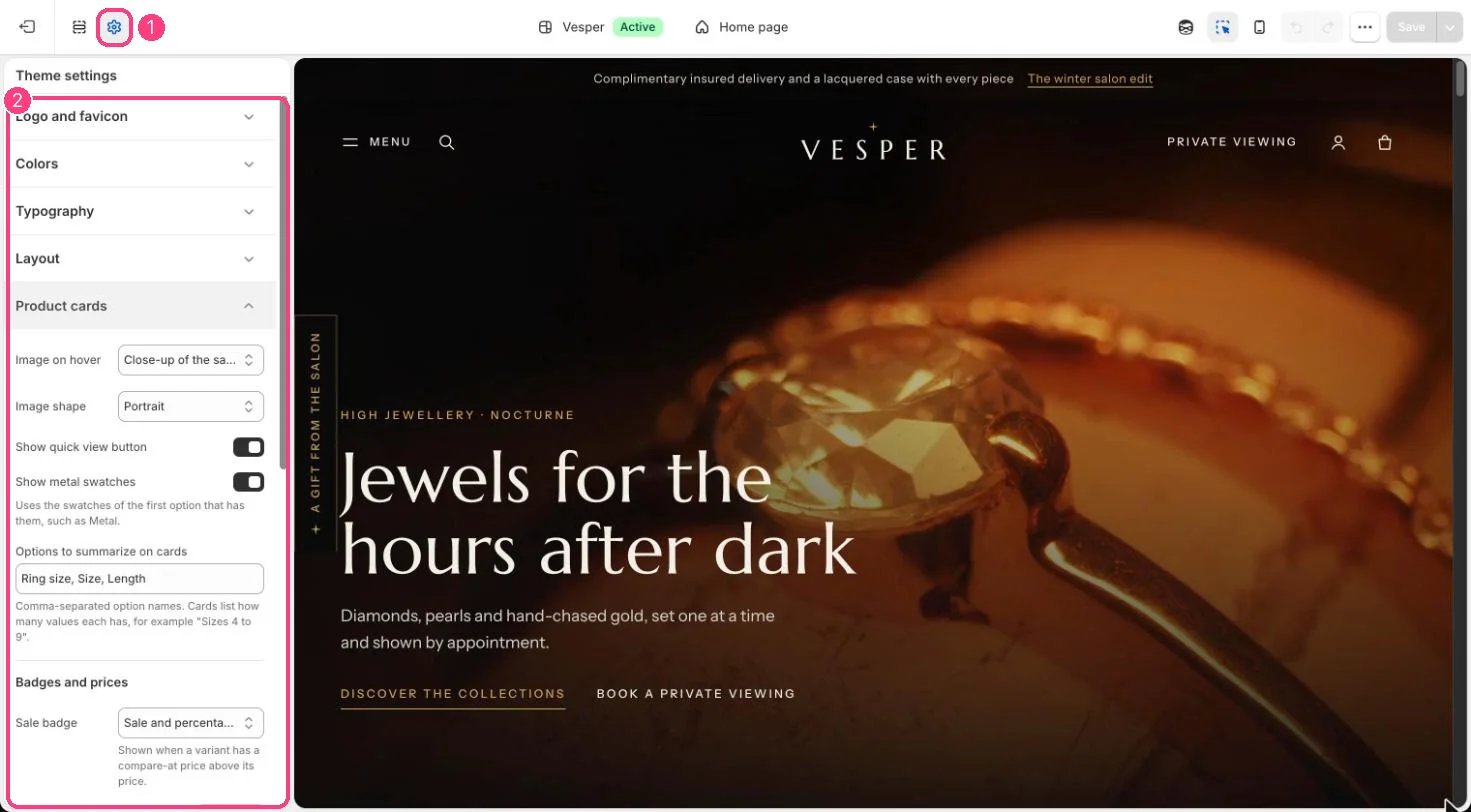
The pre-order tag is set in 1 Theme settings · 2 Product cards