
- Portrait 9:16, 6 to 15 seconds, under 3 MB each.
- No text burned in; the caption is added by the theme.
- Upload them to Shopify (Content, Files, or straight from the section). YouTube and Vimeo are not used in this section.
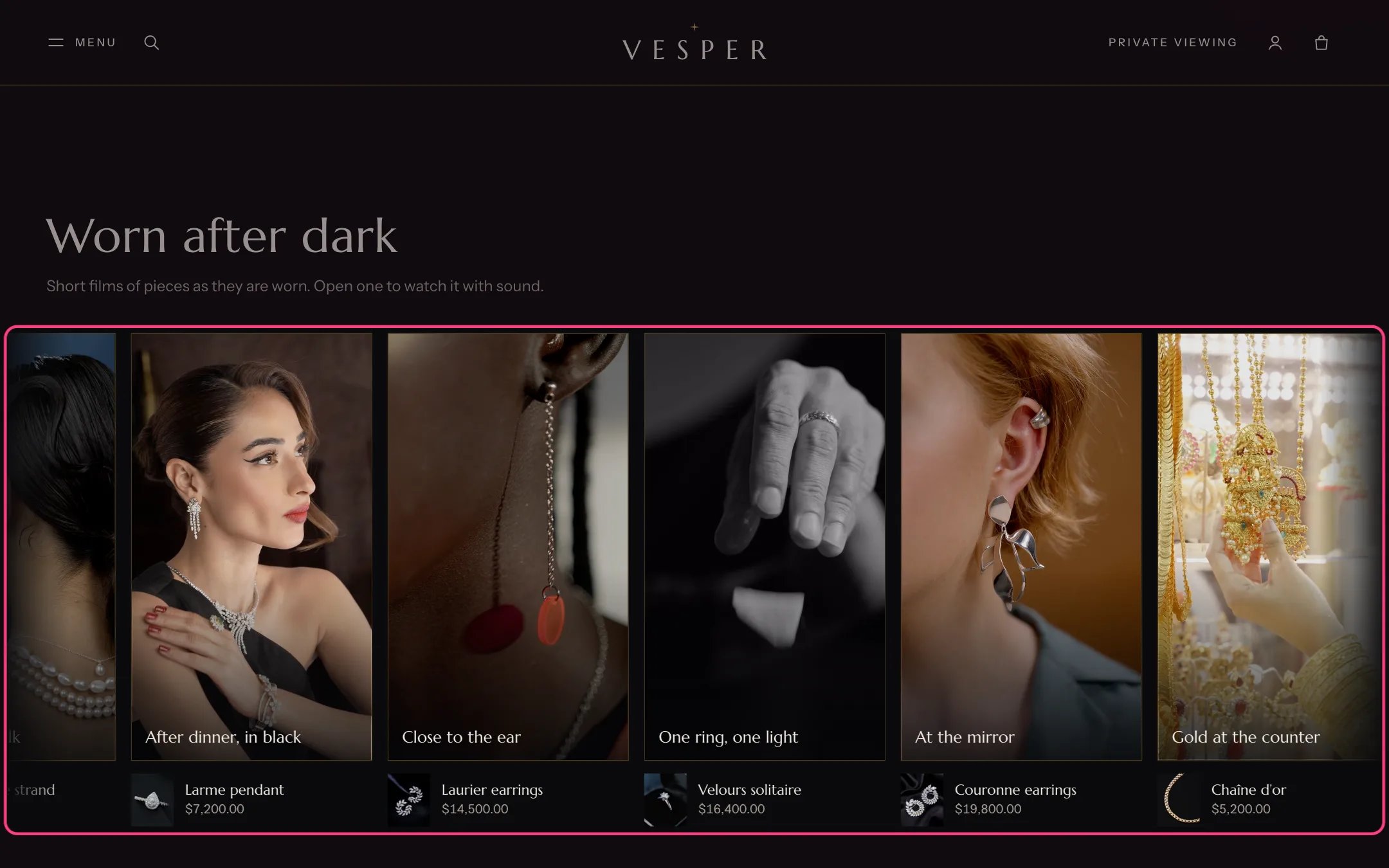
The vertical films strip on the home page
- Films play muted, with no controls, only while the strip is on screen.
- The strip stops while the pointer, keyboard focus or a finger is on it, and for 2 seconds after the finger lifts. Shoppers can hold and drag it.
- It also stops while the viewer is open and while it is off screen.
- There is no pause button on the strip. This was decided for the theme: it stops by hover, focus and touch instead.
- Visitors who ask for reduced motion see a still grid of posters with nothing playing. Visitors saving data see posters.
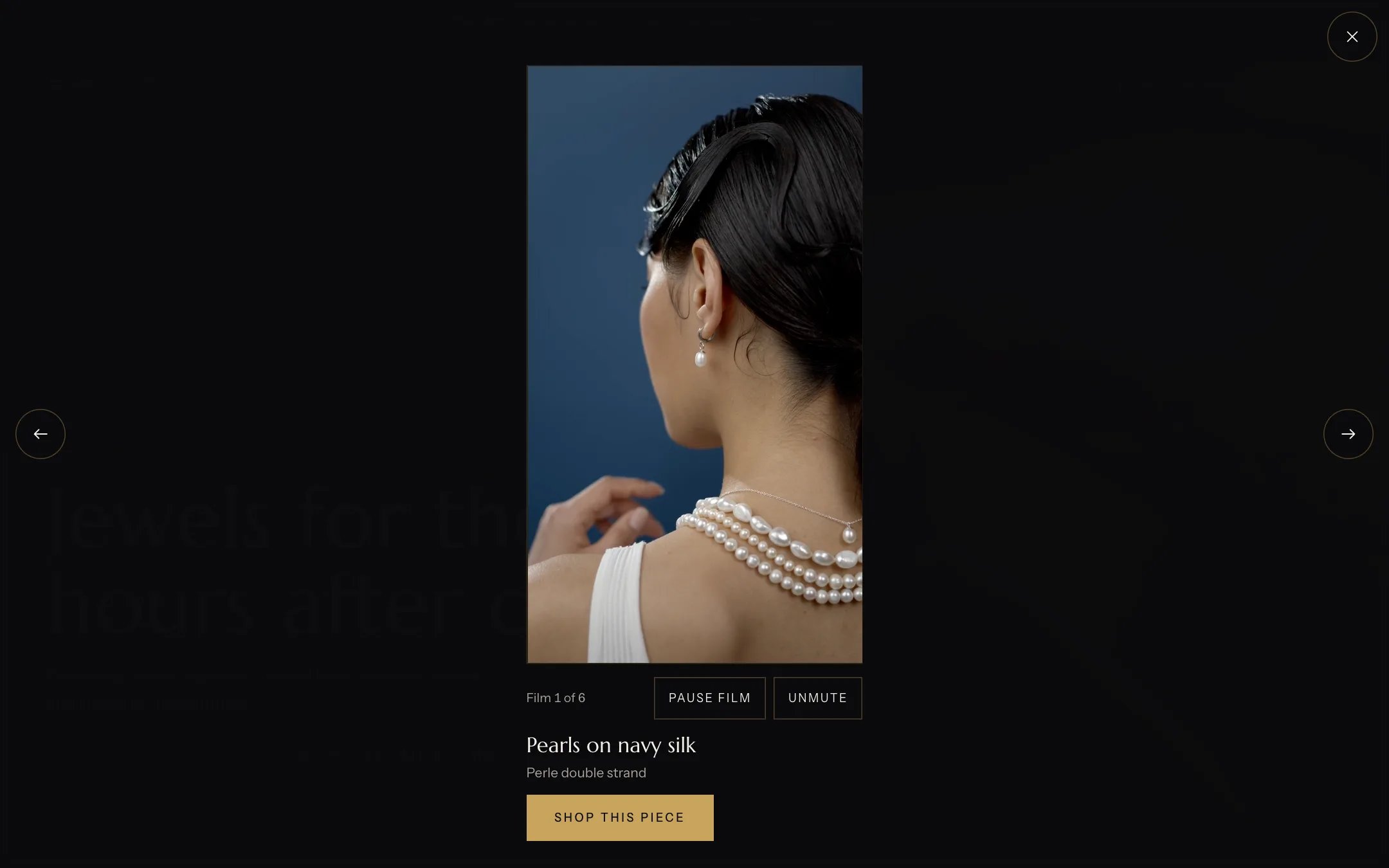
The full-screen viewer with sound, controls and the piece
In the theme editor
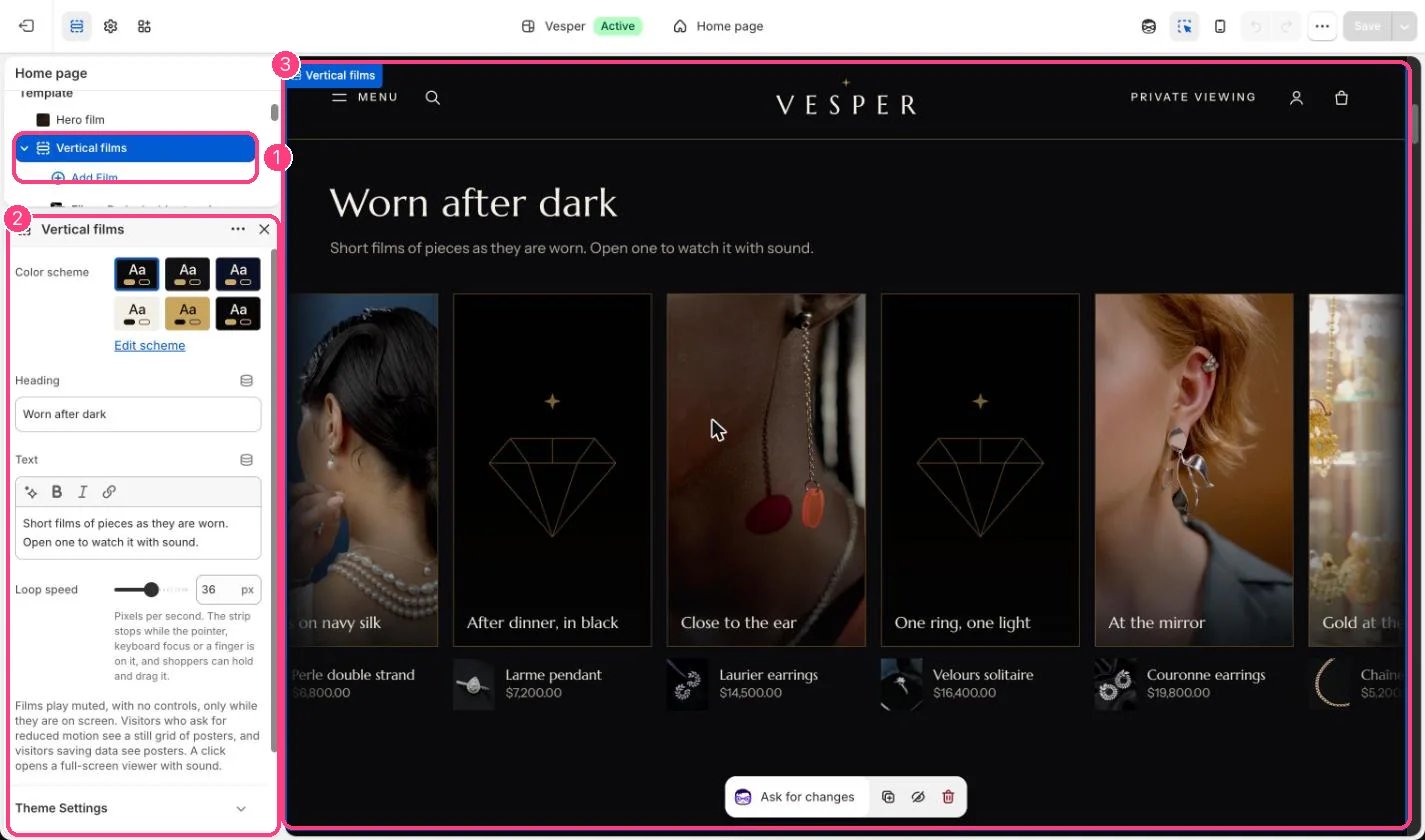
1 Vertical films, with its Film blocks · 2 its settings · 3 the strip in the preview