
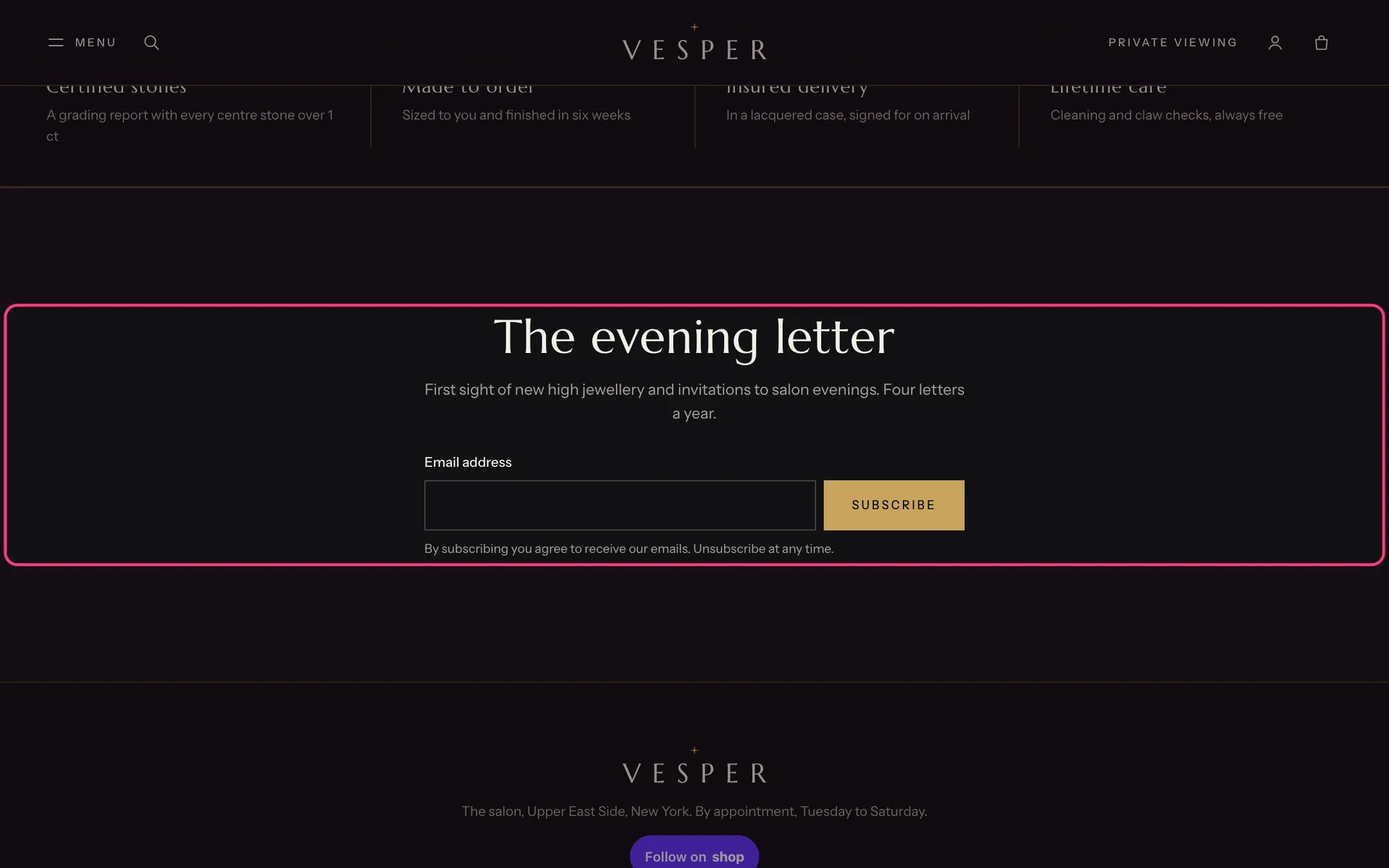
Newsletter, highlighted with the demo content
Where to find it
Home page, the events page and the events blog. In the theme editor select Newsletter on the page where it appears, or add it with Add section.How it works
- Subscribers are added to Customers with email marketing consent and the tag newsletter.
- Empty and invalid addresses get a message next to the field. After signing up the form shows a thank-you line.
- The section uses the Velvet color scheme (scheme 2) by default.
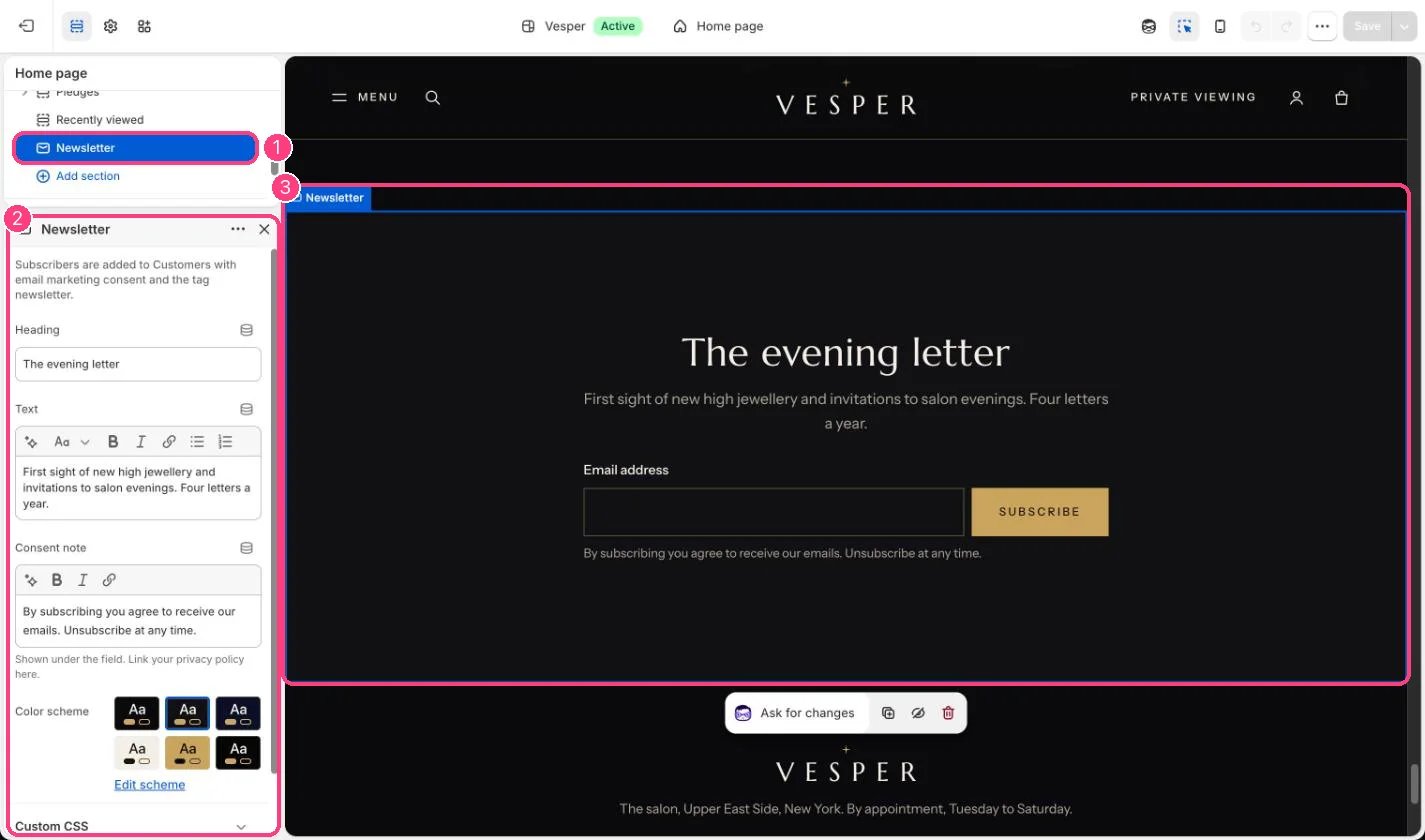
In the theme editor: 1 the section in the sidebar · 2 its settings · 3 the section in the preview
Edit it
- Edit Heading and Text.
- Edit Consent note and link your privacy policy in it.