
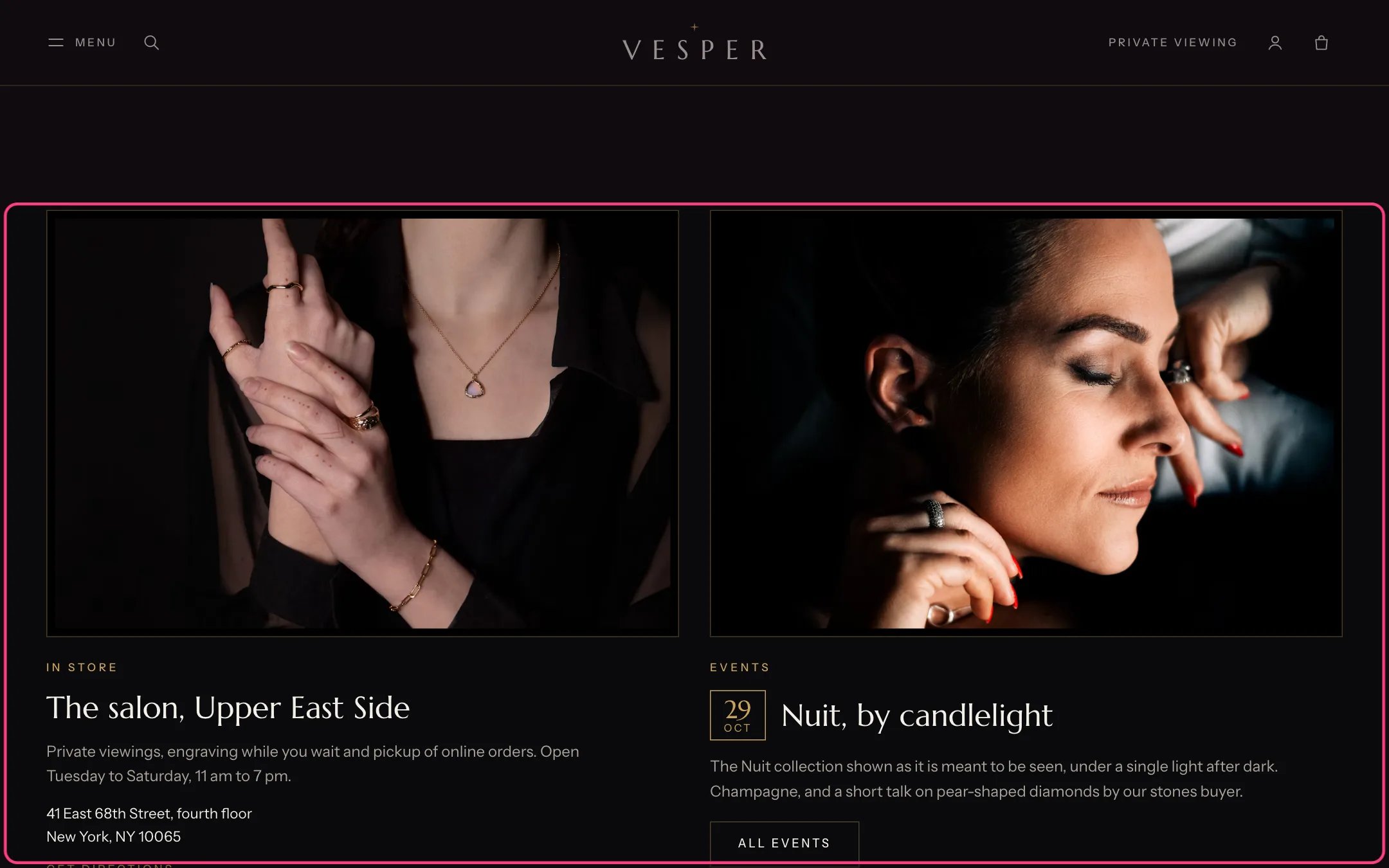
The Boutique and event section on the home page
- Create a page called Boutiques and choose the page.boutiques template.
- In the theme editor select Boutiques and add a Boutique block per boutique with the name, city, address, phone, email, opening hours (one day per line, for example Tuesday: 11 am to 7 pm), services and languages.
- Set Contact page so the appointment buttons open your contact form with the boutique as the topic.
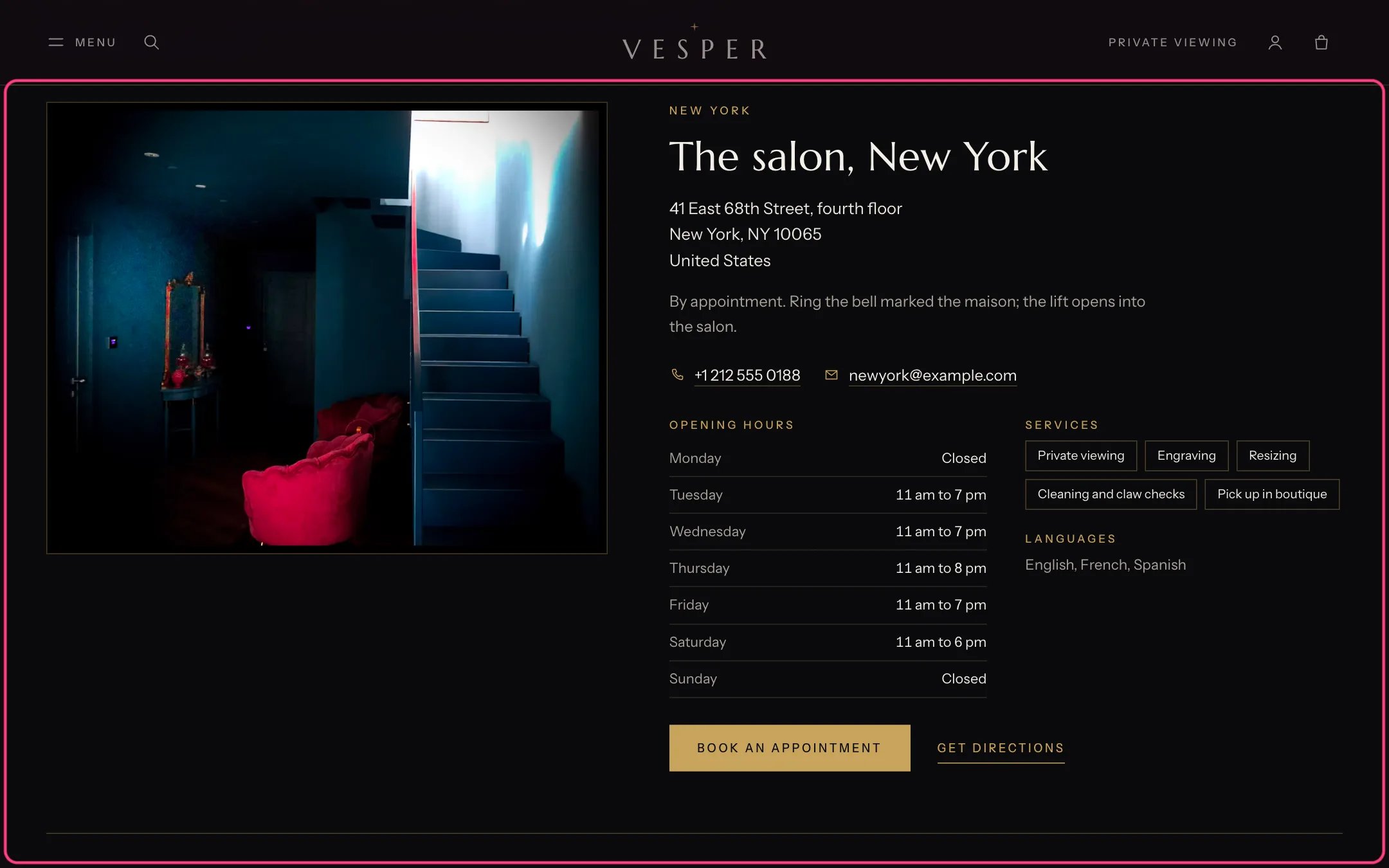
Boutique cards with hours, services and directions
- In Online Store, Blog posts, Manage blogs, create a blog called Events and choose the blog.events template.
- In Settings, Custom data, Blog posts, add these definitions with namespace custom: start and end (Date and time, or Single line text), location and event_type (Single line text).
- Write one post per event. Fill in start, for example 2026-11-20T19:00-05:00, and optionally end, location (match the boutique’s city, such as New York) and event_type (such as Trunk show).
- No metafields? Use tags instead: date:2026-11-20T19:00-05:00, end:2026-11-20T21:30-05:00, place:New York and kind:Trunk show. Tags with a colon are hidden from shoppers.
- In the Events blog section, set Boutiques page so places link to their boutique, and add Reply form field blocks.
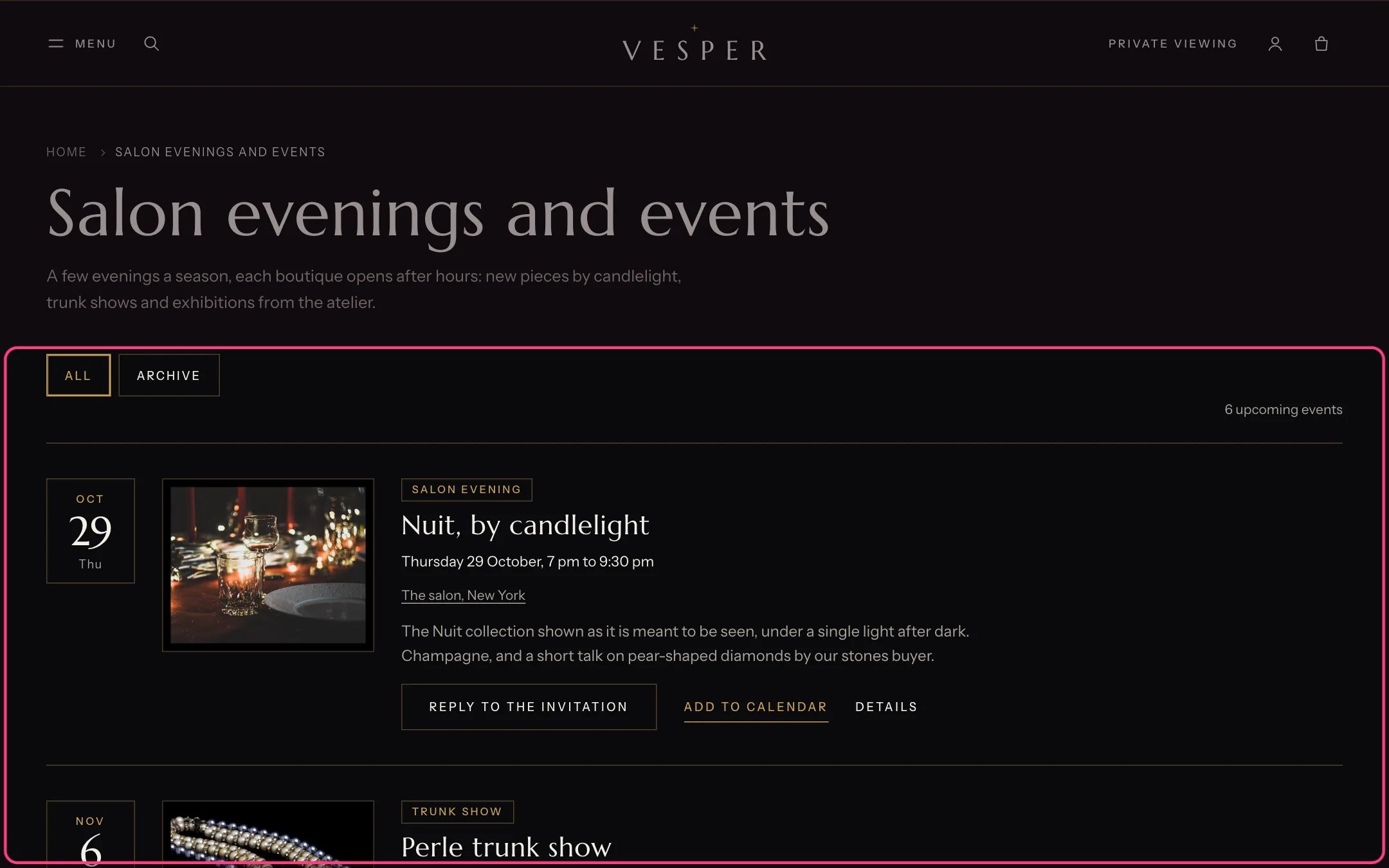
The events blog with date tiles, places and reply buttons
In the theme editor
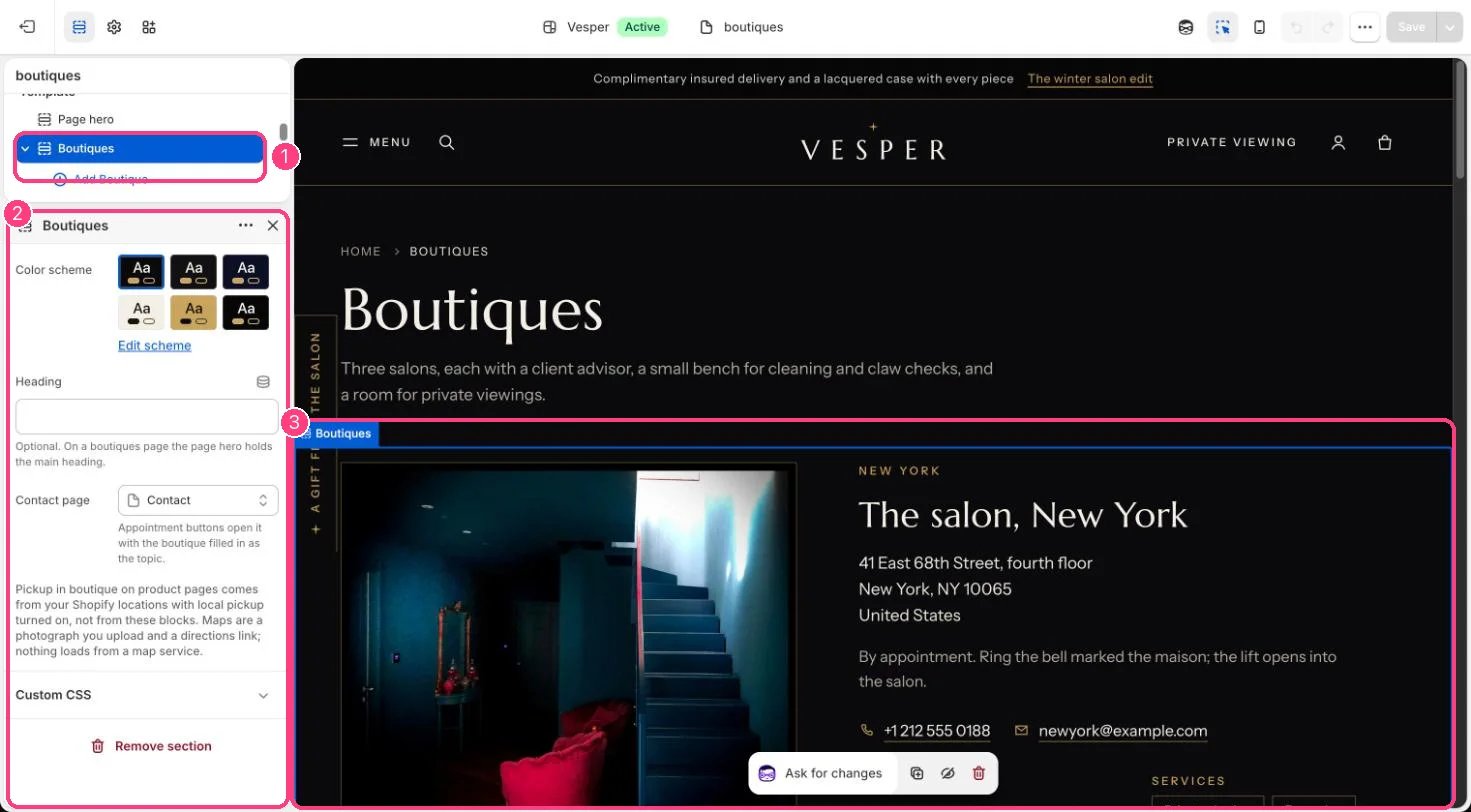
1 Boutiques, with a Boutique block per salon · 2 its settings · 3 the preview
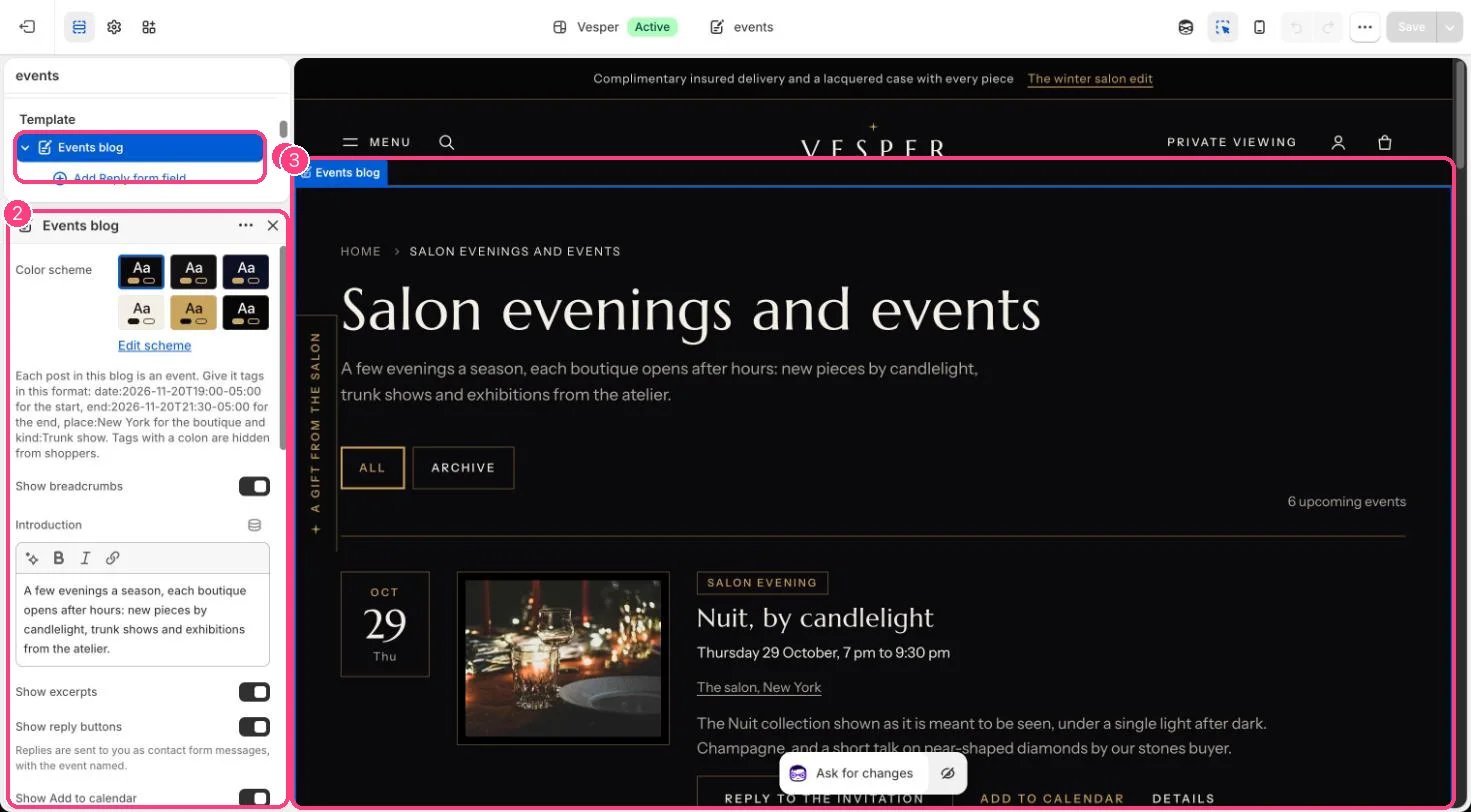
1 Events blog · 2 its settings, with the tag format for dates and places · 3 the preview