
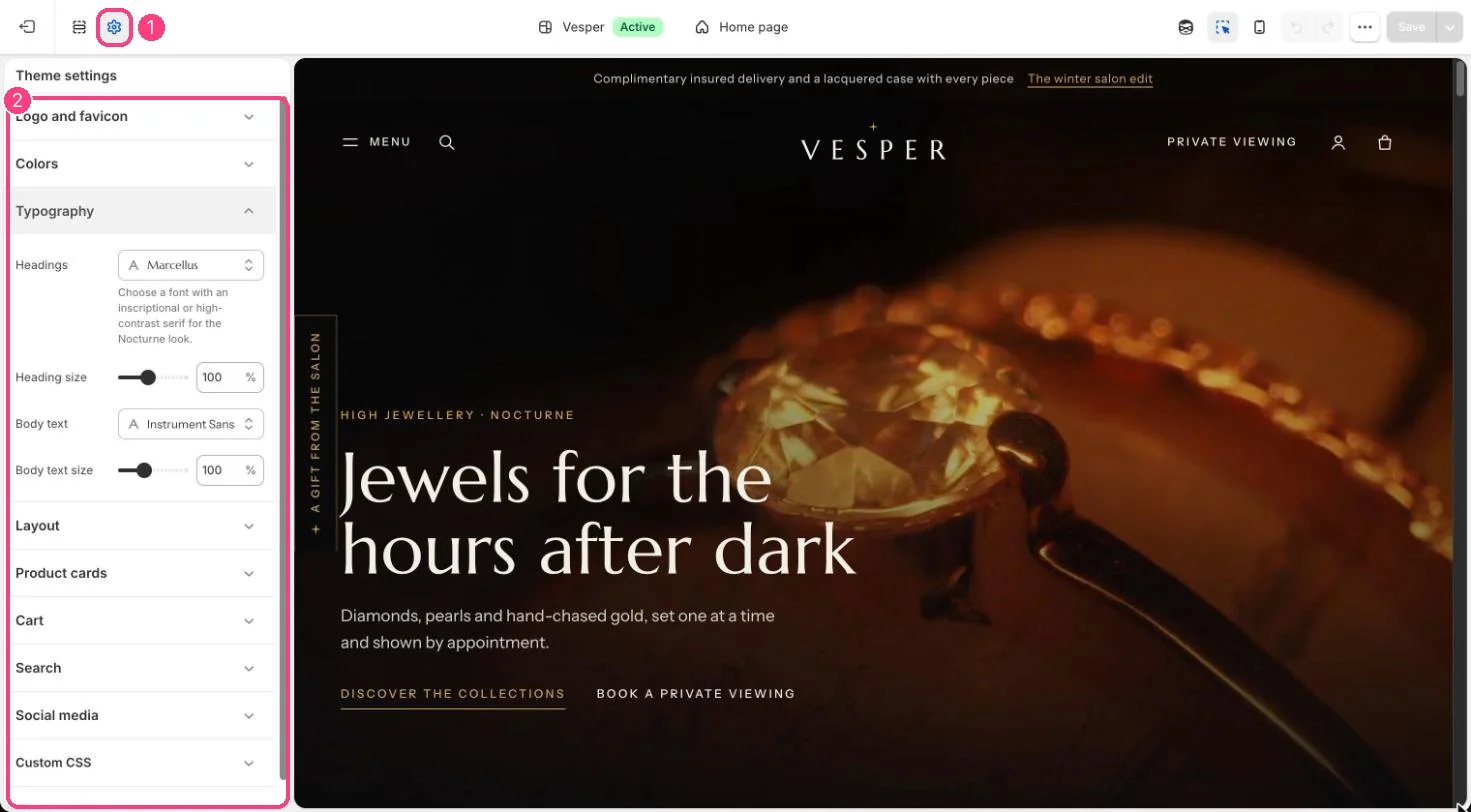
1 Theme settings (the gear icon) · 2 Typography, opened in the sidebar
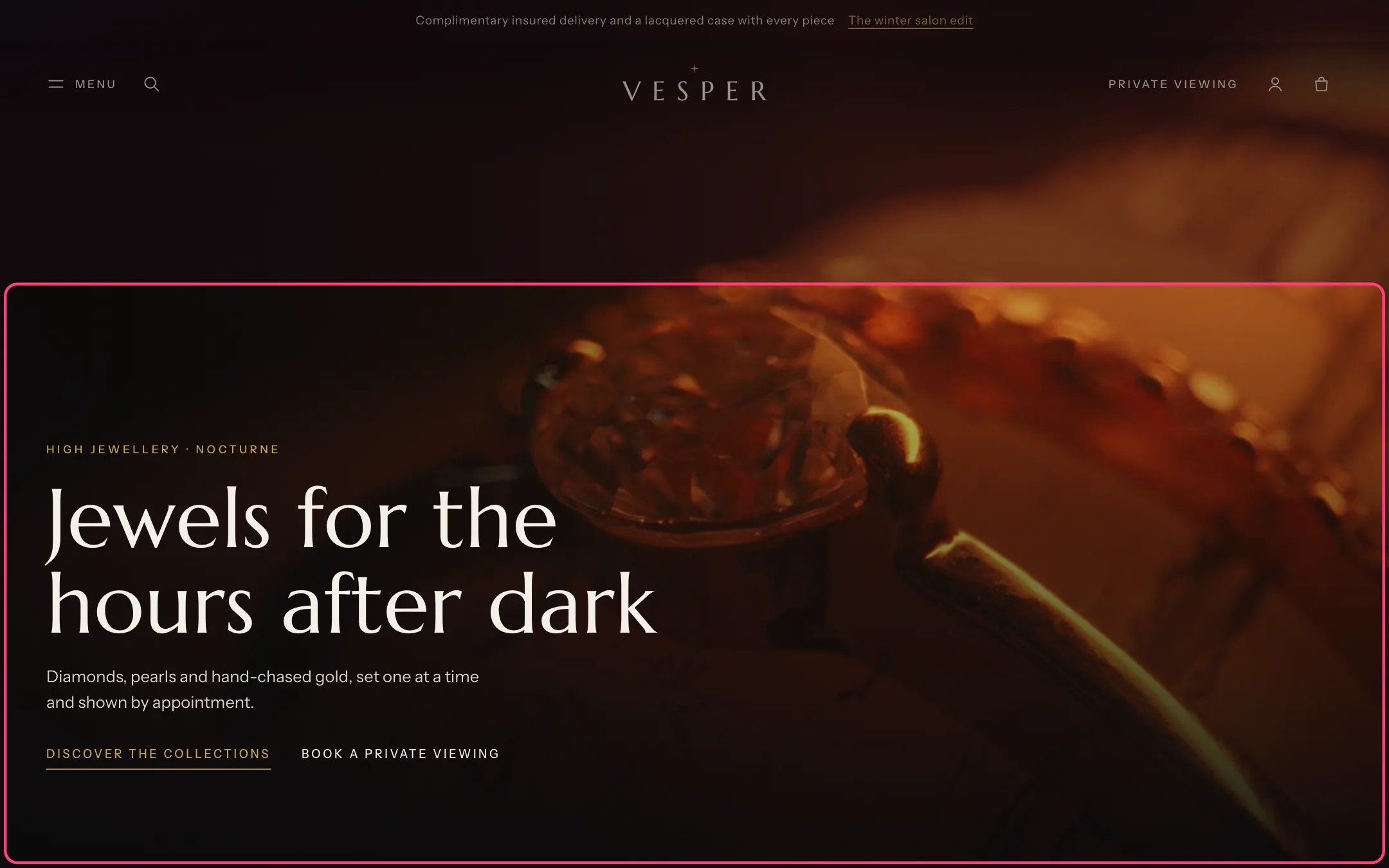
Marcellus headings and Instrument Sans body text, the defaults
How it works
- Headings default to Marcellus, an inscriptional serif, and body text to Instrument Sans, both from Shopify’s font library.
- Heading size scales every heading from 80 to 130 percent. Body text size scales body text from 90 to 120 percent.
- Small labels, such as eyebrows and button text, are set in tracked capitals in the body font.
Edit it
- Choose fonts from the font picker. A high-contrast or inscriptional serif keeps the look of the theme.
- Lower Heading size if long product names wrap awkwardly on phones.