
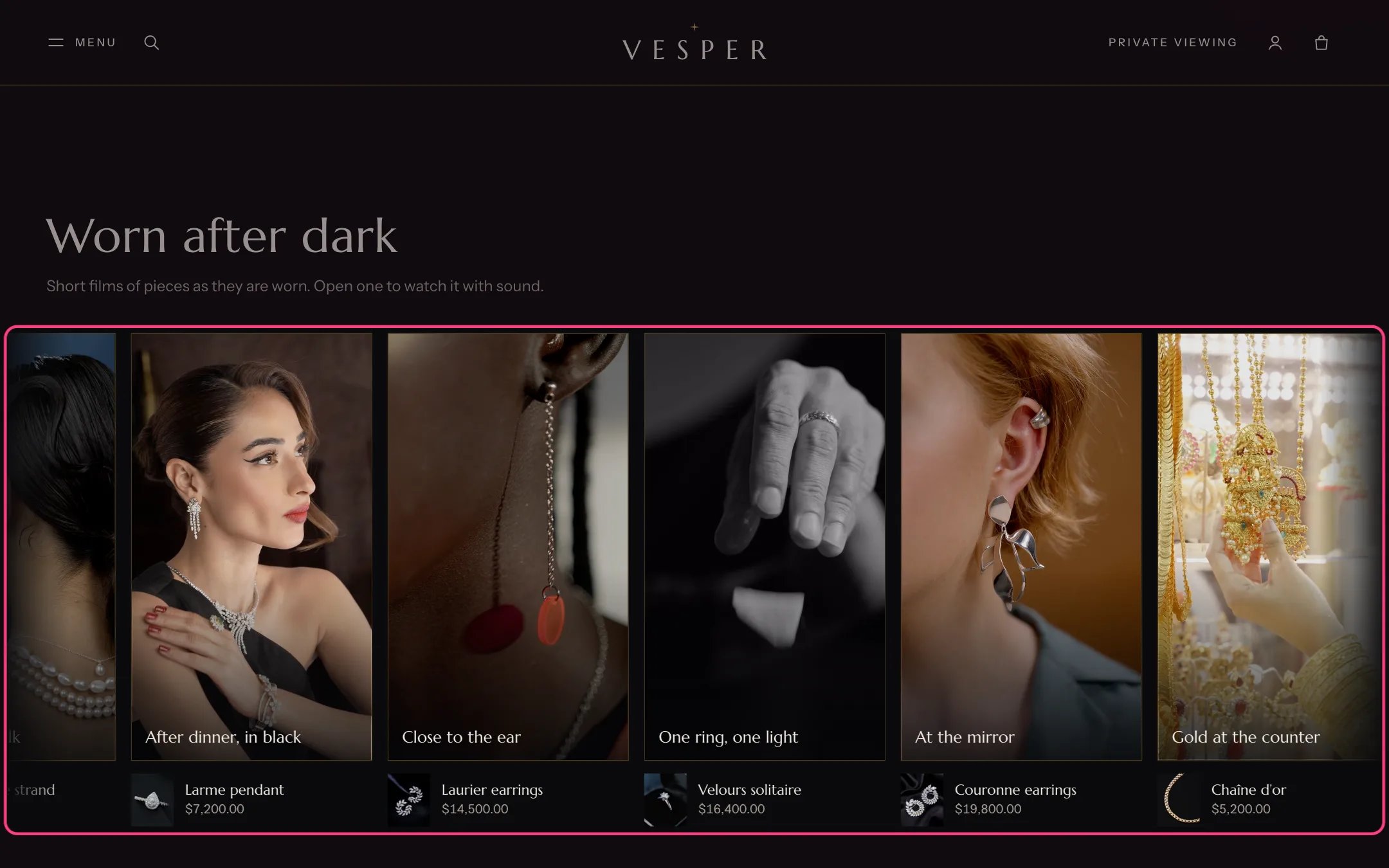
Vertical films, highlighted with the demo content
Where to find it
Home page, directly under the Hero film. In the theme editor choose Home page, then select Vertical films. It can be added to other pages with Add section.How it works
- Films play muted, with no controls, and only while the strip is on screen. The strip loops sideways at the Loop speed.
- The strip stops while the pointer, keyboard focus or a finger is on it (and for 2 seconds after the finger lifts), while the viewer is open and while it is off screen. Shoppers can hold and drag it.
- A click on a film opens a full-screen viewer with sound off until the shopper asks for it, play and pause, previous and next, a count such as Film 2 of 6, and a link to the piece.
- Visitors who ask for reduced motion see a still grid of posters and nothing plays. Visitors saving data see the posters.
- There is no pause button on the strip itself: it stops by hover, focus and touch, as decided for this theme.
- Up to 8 films. A Film block without a video shows a placeholder and does not open the viewer.
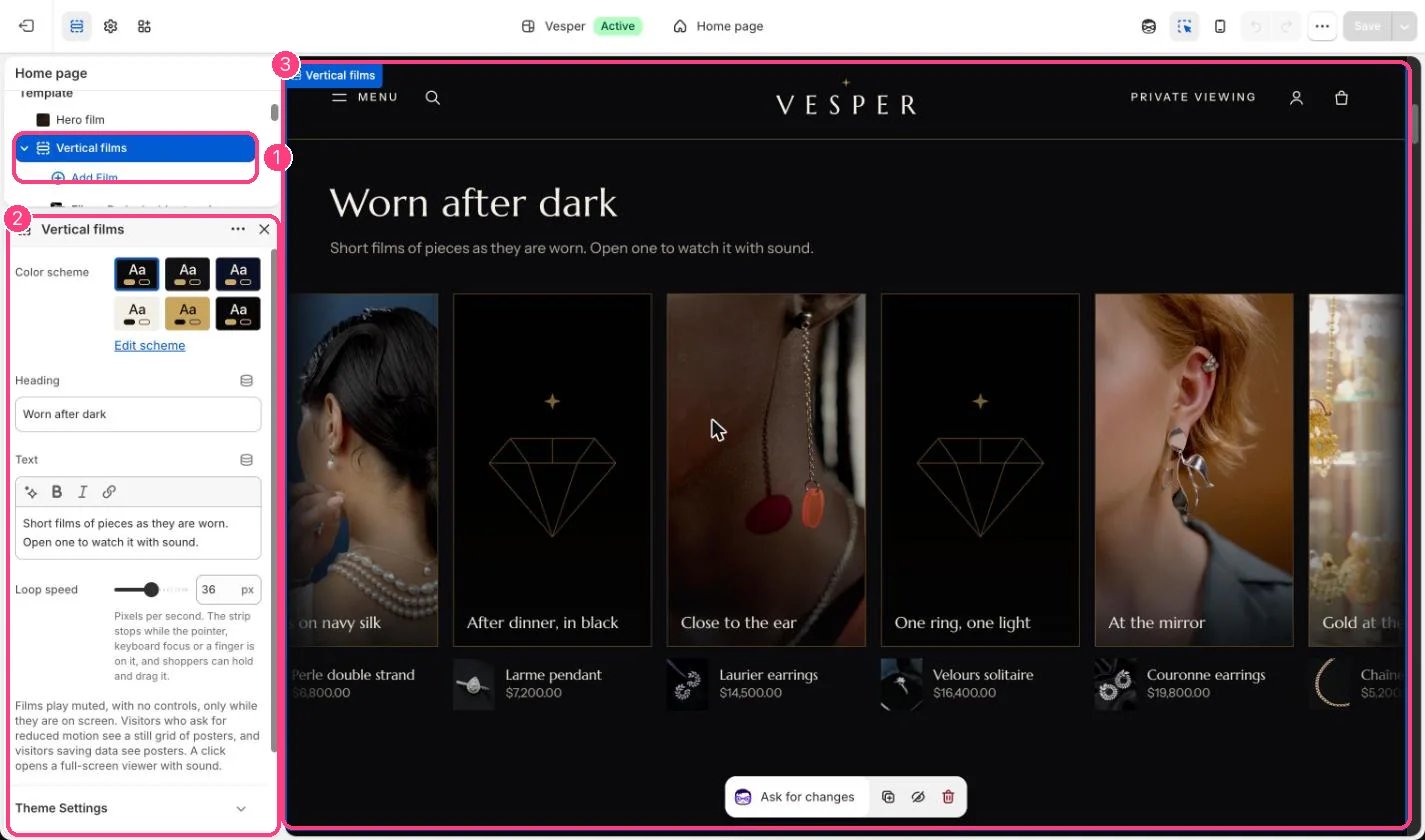
In the theme editor: 1 the section in the sidebar · 2 its settings · 3 the section in the preview
Edit it
- Add a Film block per film. Upload a portrait 9:16 video, 6 to 15 seconds and under 3 MB. Films must be uploaded to Shopify; YouTube and Vimeo are not used here.
- Add a Poster image for each film, or leave it empty to use the video’s preview image.
- Type a short Caption and choose the Product shown in the film. It is linked under the film and in the viewer.
- Edit Heading and Text, and set Loop speed between 12 and 60 px a second. Lower is calmer.
Settings
Blocks
Up to 8 blocks. Add a block with Add block under the section in the sidebar; drag blocks to reorder them.Film
See Vertical films for how to prepare the films.