The Pickup availability block on the product page shows whether the chosen variant can be picked up, at the nearest location, with every other location in a drawer. 1. Turn on local pickup. In Settings, Shipping and delivery, Local pickup, turn it on for each boutique location and set the pickup time message, such as Usually ready in 2 hours. 2. Keep stock at the location. Shopify shows pickup as available at a location when the variant is in stock there. 3. What shoppers see. The nearest location, its status and pickup time under the buy buttons, and a link that opens every location in a drawer with its address and phone. It updates when the shopper changes metal or size.
Pickup availability on the product page

Pickup availability under the buy buttons

4. An advisor link. Set Advisor link in the block, for example your contact page. It also shows when no location offers pickup. Boutique pages are separate. The Boutiques section on your boutiques page shows addresses, hours and services you type in the theme editor. It does not read your Shopify locations, so keep both up to date. See Boutiques and events.

In the theme editor

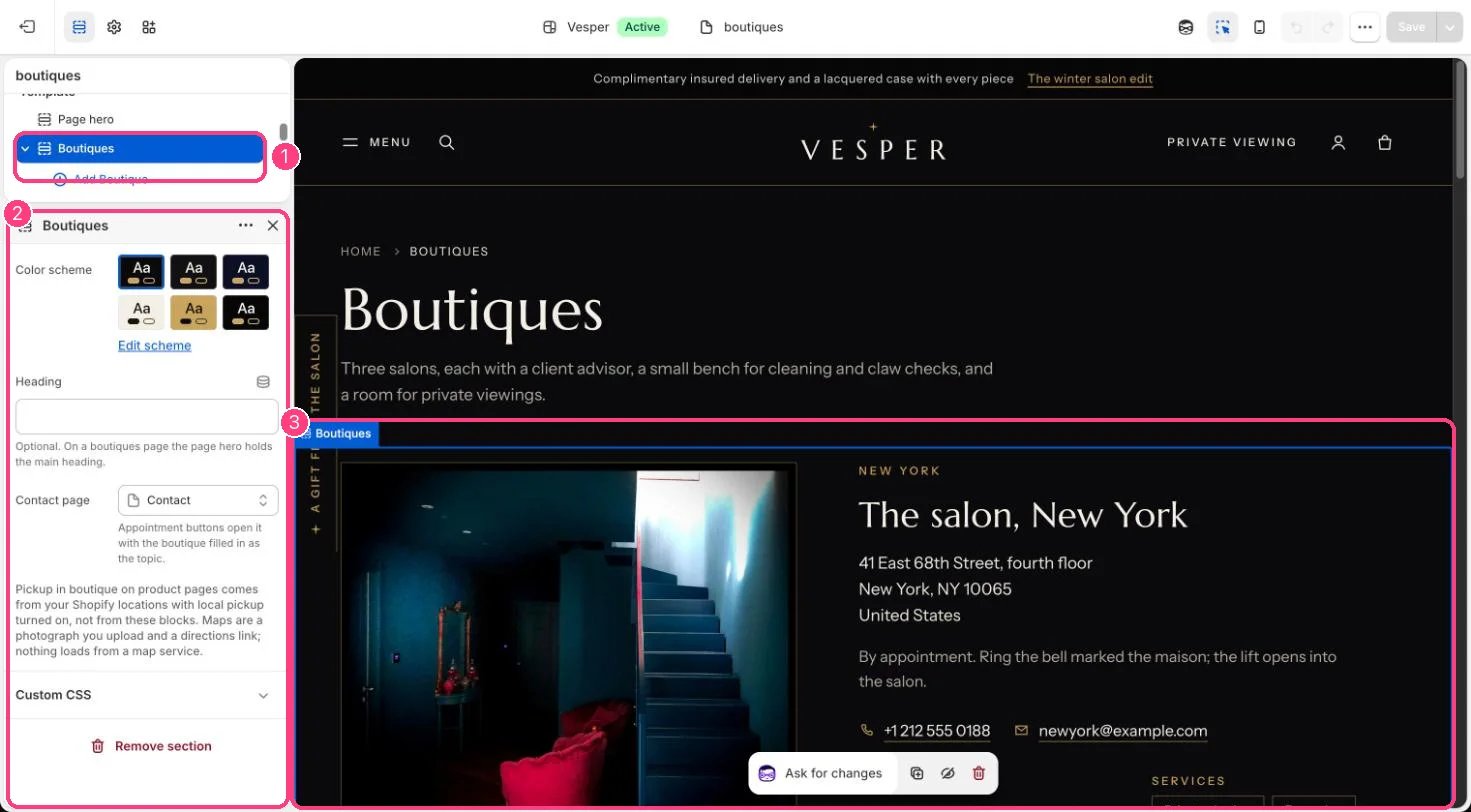
Boutiques in the theme editor

Boutique blocks on the Boutiques page: 1 the section · 2 its settings · 3 the preview. Pickup itself comes from your Shopify locations.