
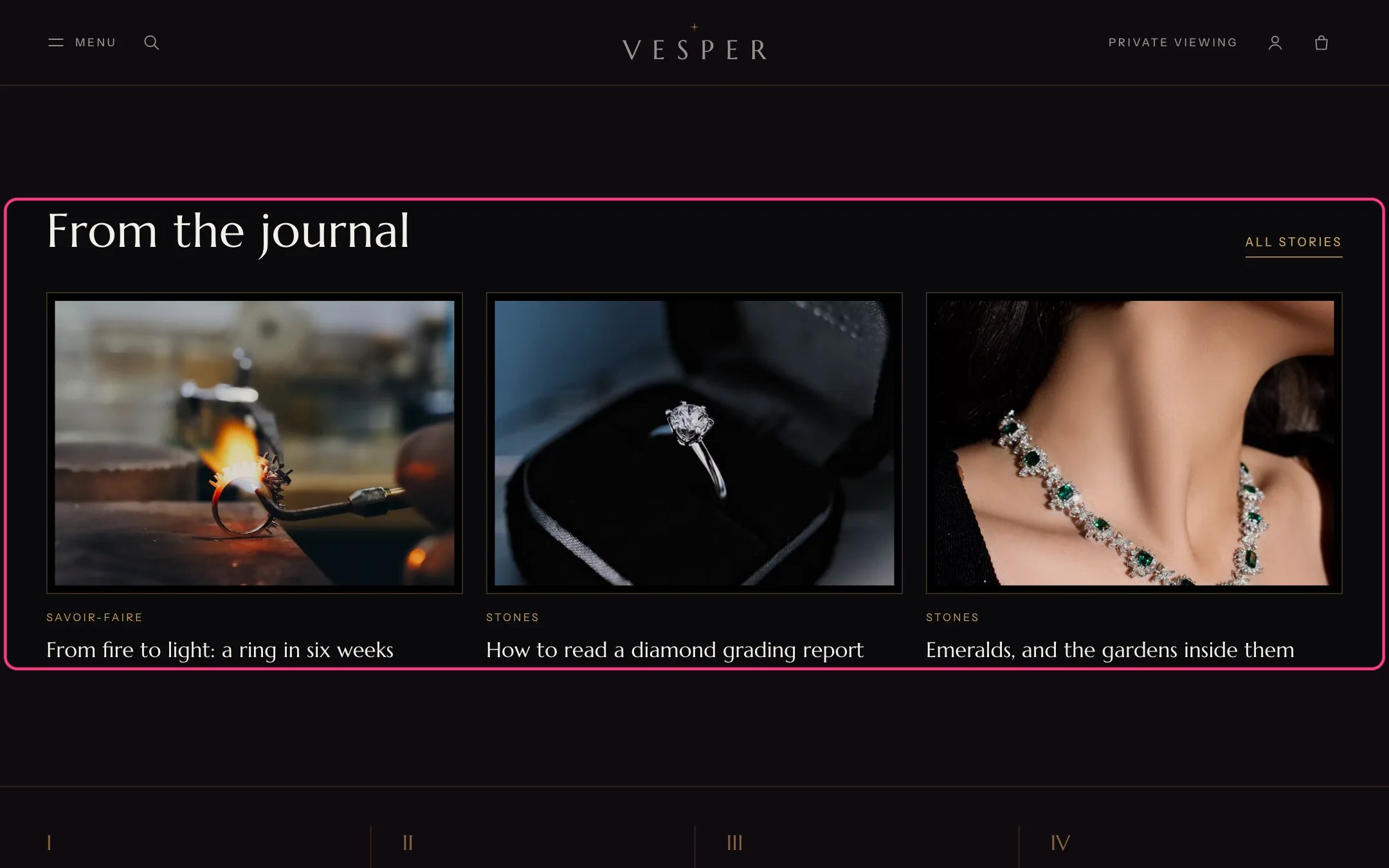
Journal (home page), highlighted with the demo content
Where to find it
Home page. In the theme editor choose Home page, then select Journal.How it works
- Shows the 2 to 6 newest posts of the chosen blog.
- The section stays hidden on the storefront while the blog has no posts or no blog is chosen. In the theme editor it shows placeholder cards.
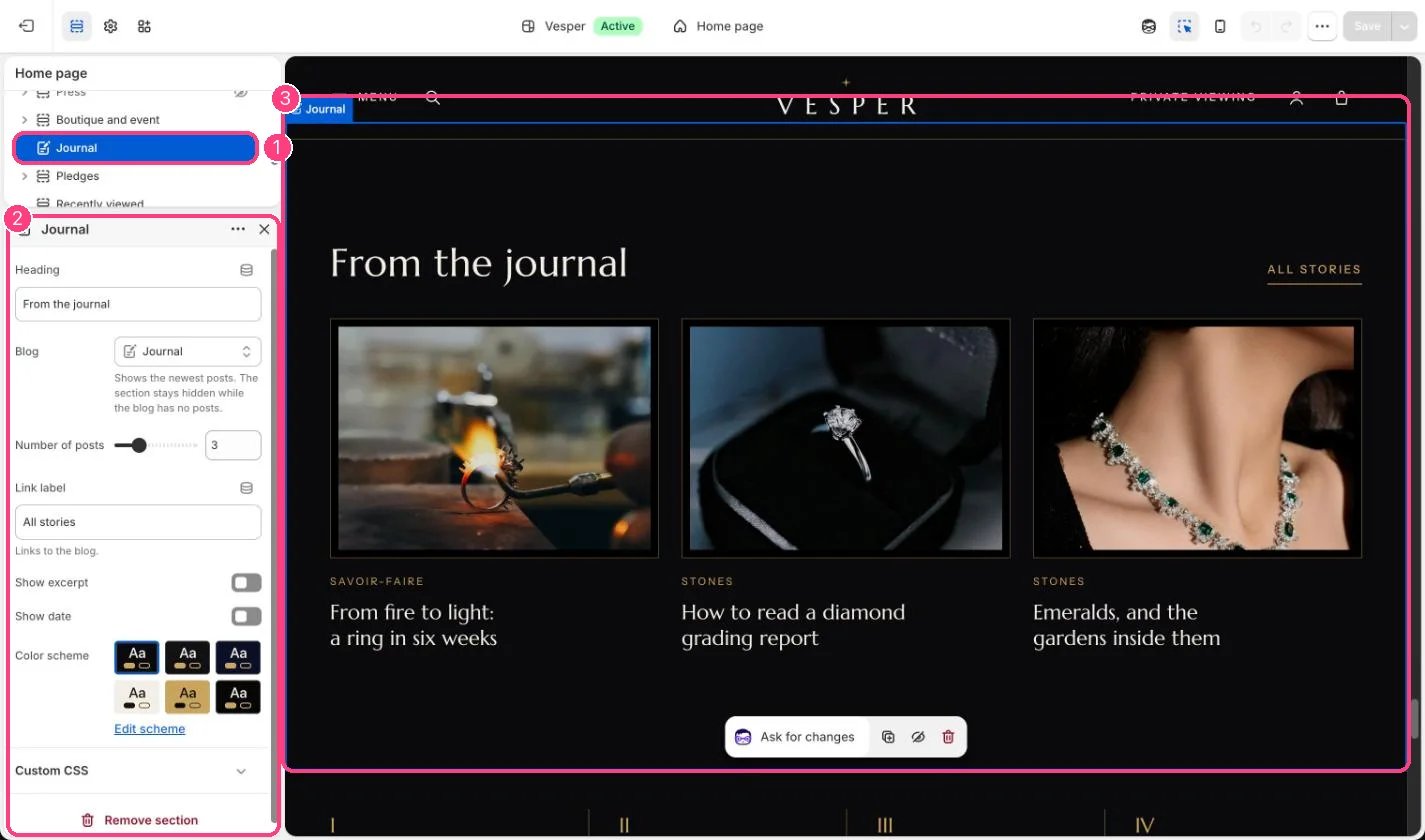
In the theme editor: 1 the section in the sidebar · 2 its settings · 3 the section in the preview
Edit it
- Choose the Blog. Every store has a News blog to start with.
- Set Number of posts, and turn on Show excerpt and Show date if you want them on the cards.
- Edit Heading and Link label.