
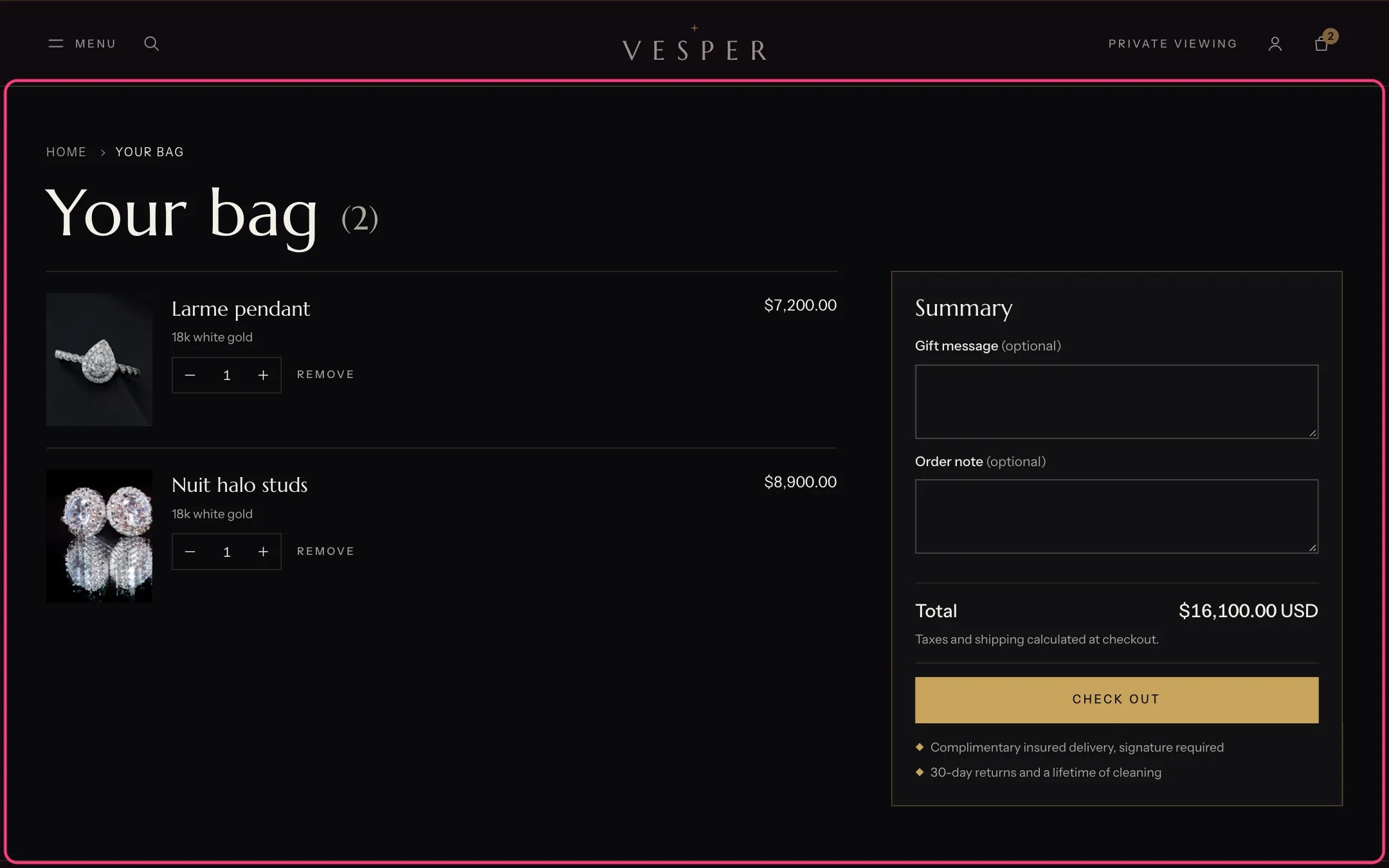
Cart, highlighted with the demo content
Where to find it
The cart page (/cart). In the theme editor choose Cart in the page selector.How it works
- Each line shows the piece, its options and the details the shopper added, such as Engraving, Lettering, Gift message or Pre-order. Hidden details that start with an underscore are not shown.
- Gift wrapping, the gift message and the order note come from Theme settings, Cart, and save as soon as they change.
- The text under the checkout button lists your assurances, such as insured delivery.
- Express checkout buttons show when Show express checkout buttons is on in Theme settings, Cart.
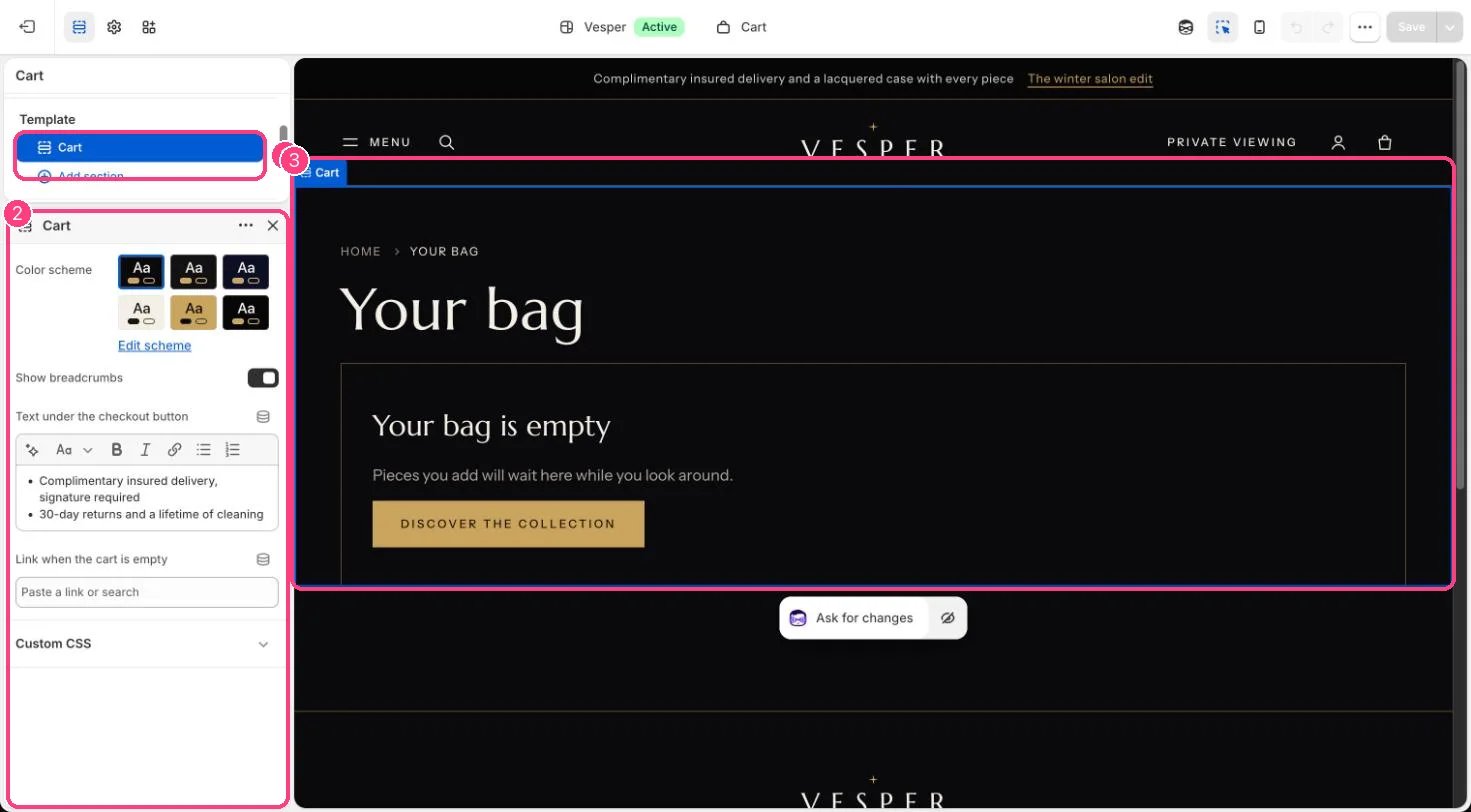
In the theme editor: 1 the section in the sidebar · 2 its settings · 3 the section in the preview
Edit it
- Edit Text under the checkout button.
- Set Link when the cart is empty, for example to your main collection.
- Turn gift wrapping, the gift message and the order note on or off in Theme settings, Cart.