
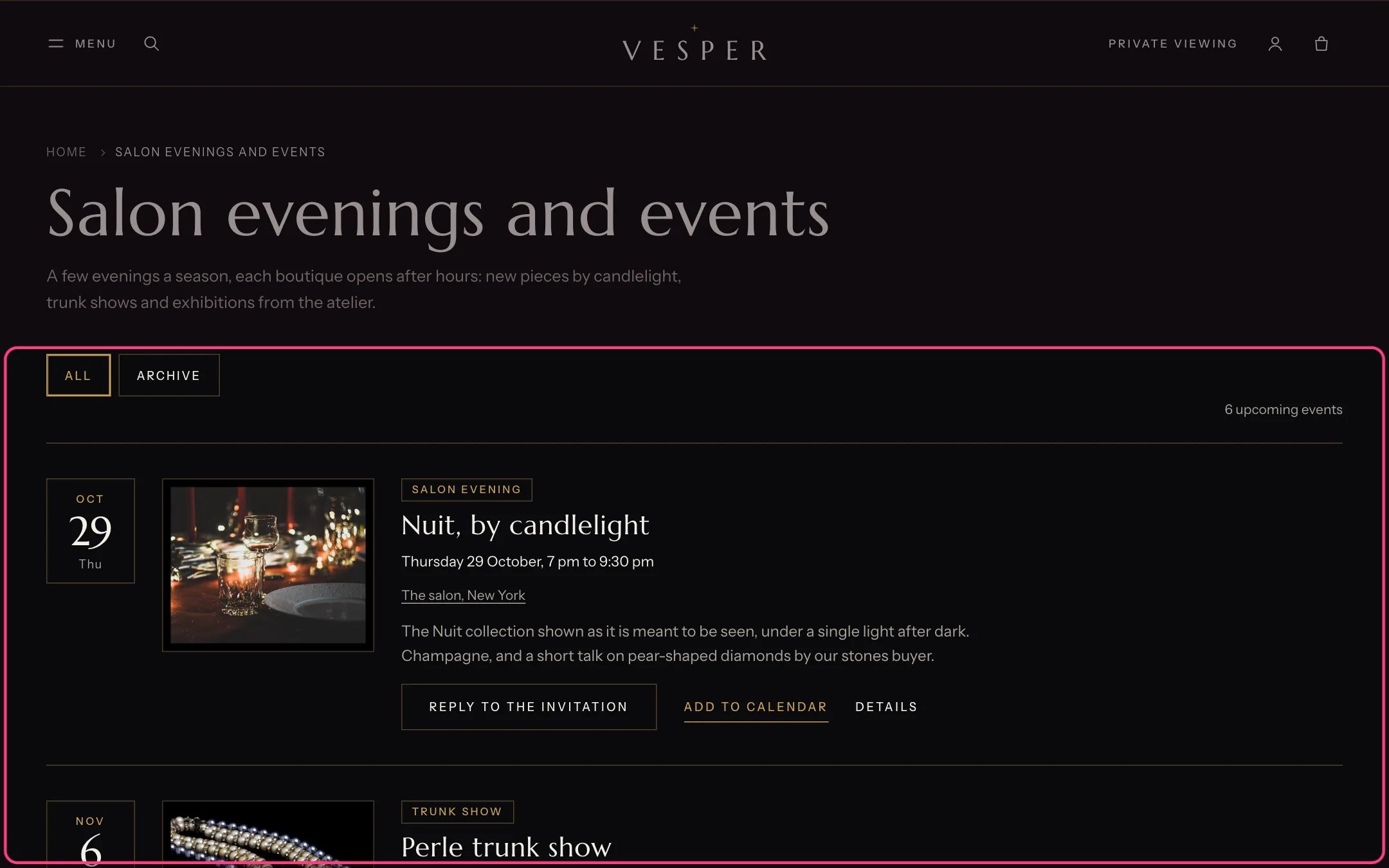
Events blog, highlighted with the demo content
Where to find it
A blog that uses the blog.events template. In the theme editor choose Blogs, then events, and select Events blog.How it works
- Each post is one event. Its start and end come from the article metafields custom.start and custom.end, or from tags such as date:2026-11-20T19:00-05:00 and end:2026-11-20T21:30-05:00.
- Its place comes from custom.location or a tag such as place:New York, and its kind from custom.event_type or a tag such as kind:Trunk show.
- Events sort by date. Past events get an Archive label, lose the reply button and move under Archive.
- The reply button opens a form in a dialog. Replies arrive as contact form messages that name the event. Confirm each place by email.
- Add to calendar downloads a calendar file with the date, time and place.
- A place that matches a boutique’s city links to that boutique on your Boutiques page.
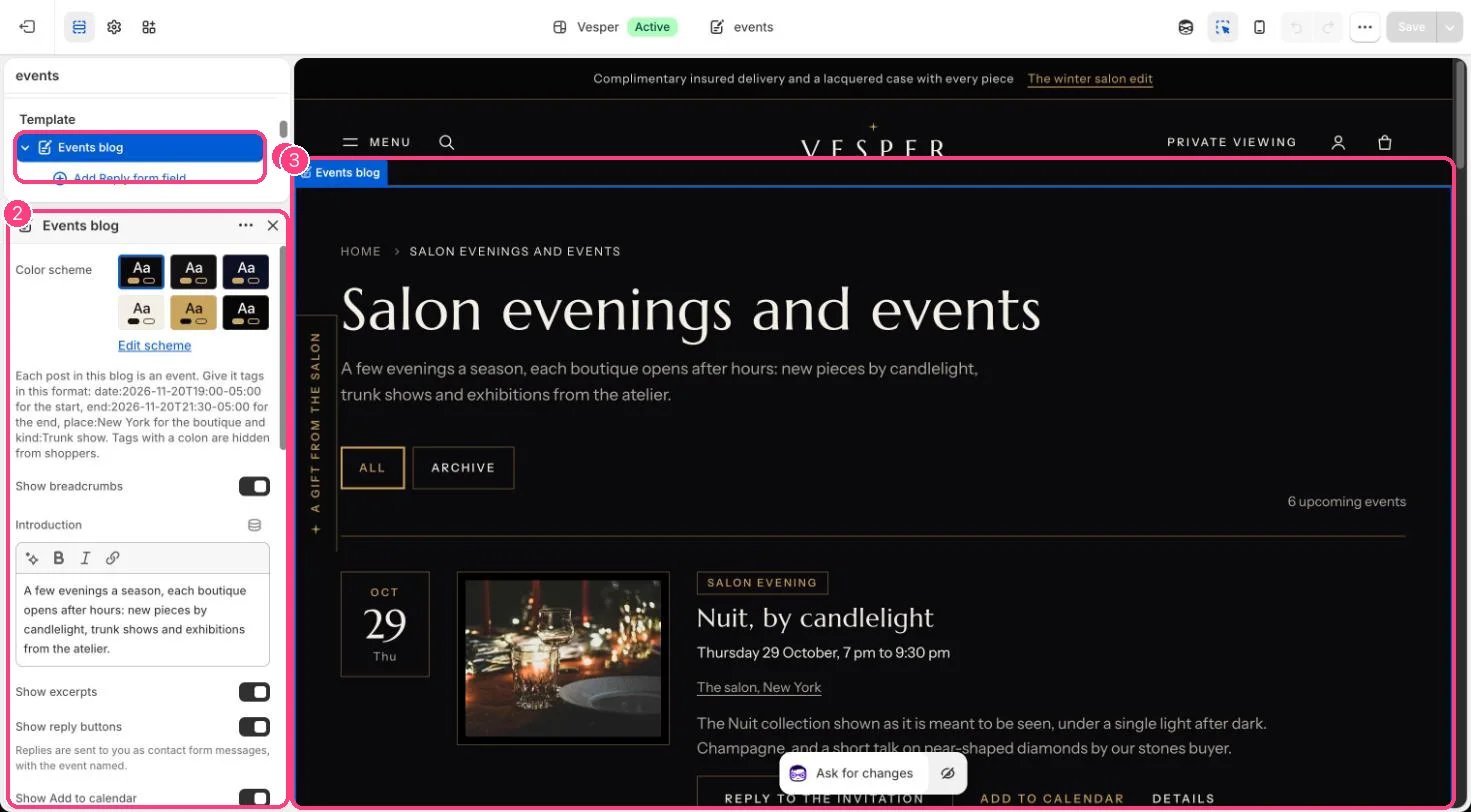
In the theme editor: 1 the section in the sidebar · 2 its settings · 3 the section in the preview
Edit it
- Create a blog called Events and set its template to blog.events.
- Set Boutiques page so places link to their boutique.
- Add Reply form field blocks for the reply form (name, email, guests and so on).
- Edit Introduction, the empty-state text and the reply form heading, note and thank-you message.
Settings
Reply form
Blocks
Up to 12 blocks. Add a block with Add block under the section in the sidebar; drag blocks to reorder them.Reply form field
See Boutiques and events for the full set-up.