
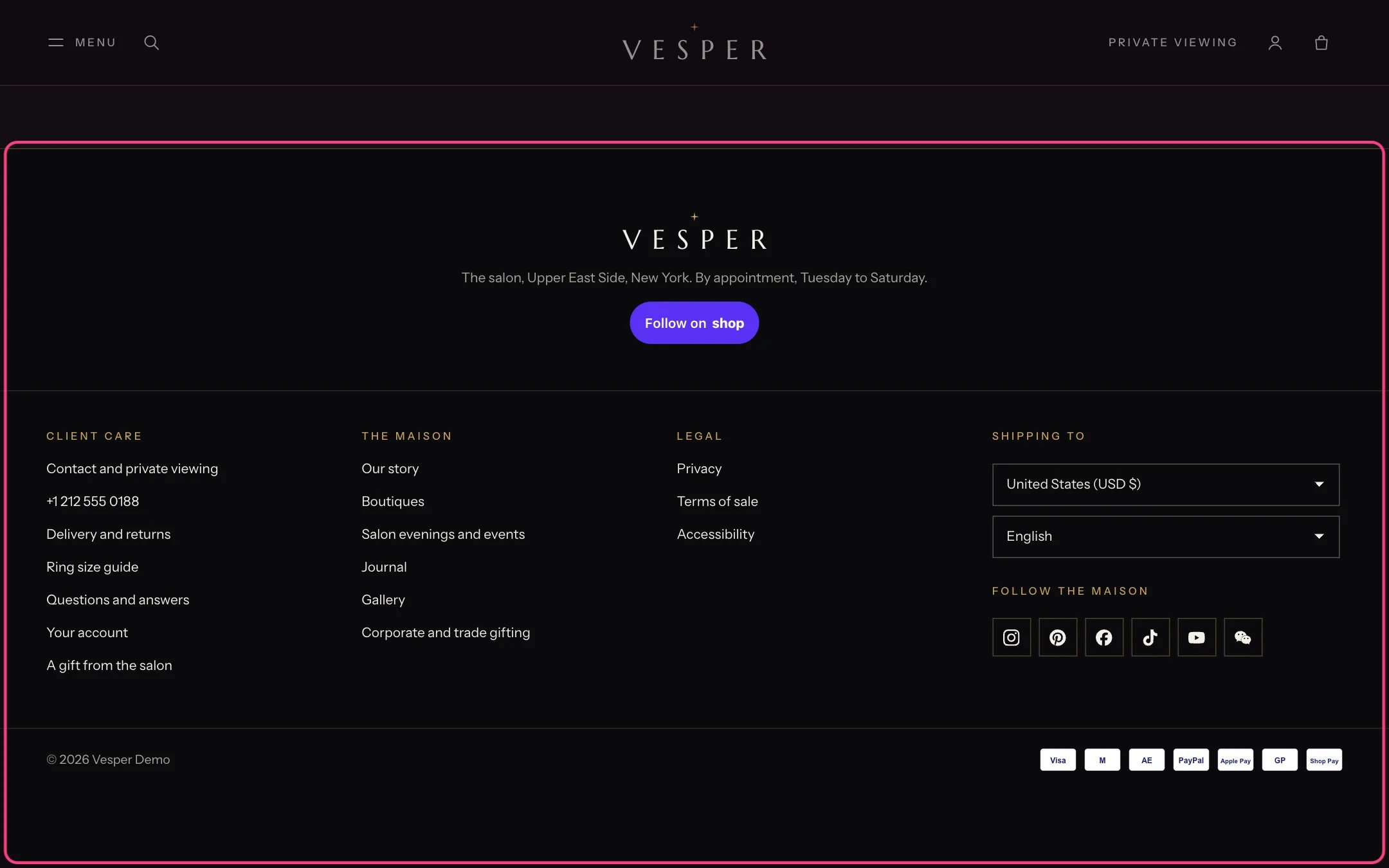
Footer, highlighted with the demo content
Where to find it
Every page. In the theme editor open any page, then select Footer in the Footer group of the sidebar.How it works
- The top row shows your logo, the Note under the logo and Follow on Shop.
- Menu blocks each show a heading and the links of one menu. Text blocks show a heading and a short text, such as client care hours. Up to 6 blocks.
- Follow icons come from Theme settings, Social media, and open in a new tab.
- Country and language selectors appear when you sell in more than one market or language.
- Payment icons show the payment methods enabled in your store.
- A Menu block can also show a link to the spin wheel. It appears only while the Spin wheel section is on.
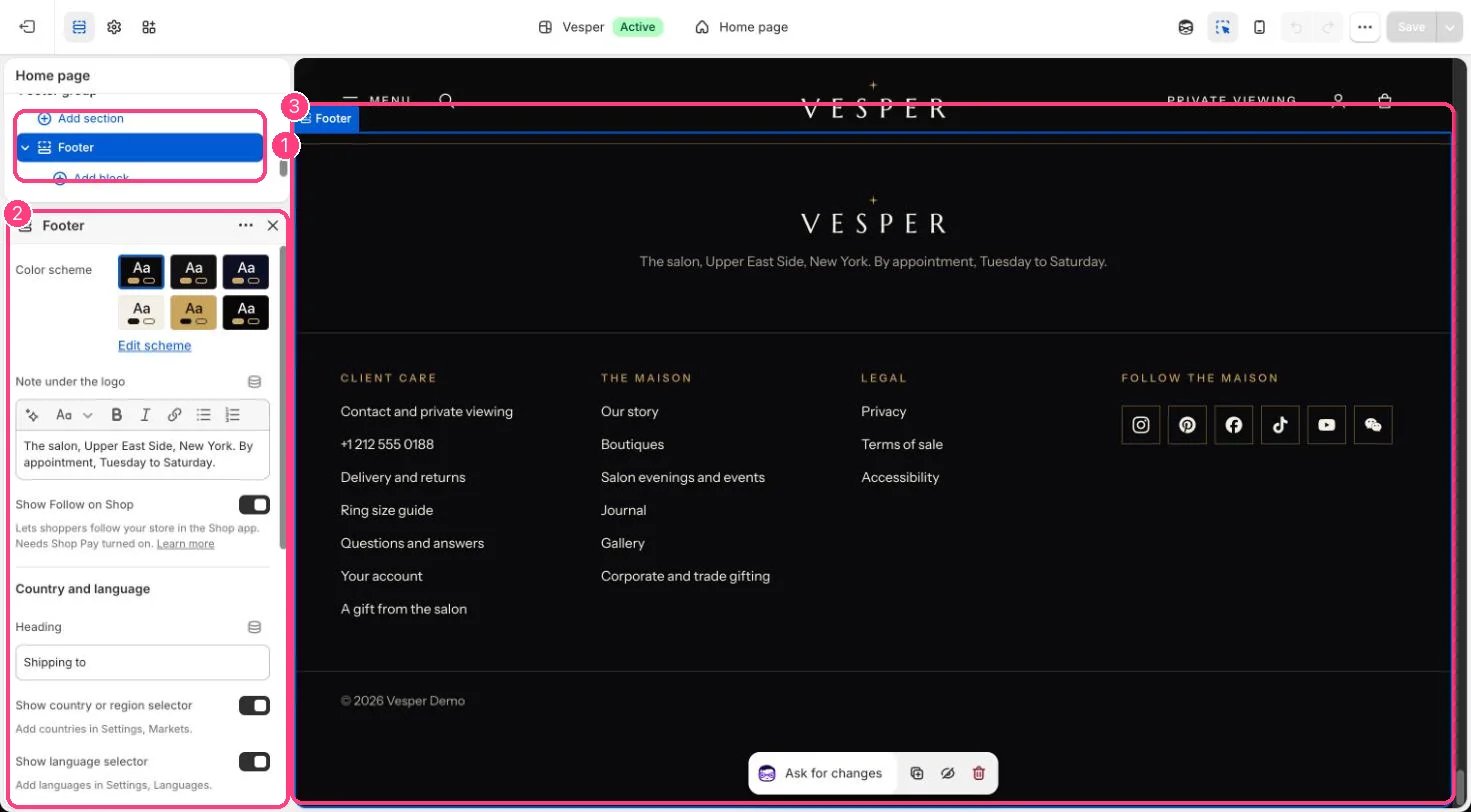
In the theme editor: 1 the section in the sidebar · 2 its settings · 3 the section in the preview
Edit it
- Edit Note under the logo, for example your salon hours.
- Add a Menu block per column and choose its menu. Leave the heading empty to use the menu’s name.
- Add a Text block for a column of plain text, such as how to reach client care.
- Turn on Show policy links after adding your policies in Settings, Policies.
- Add your social links in Theme settings, Social media.
Settings
Country and language
Follow icons
Bottom line
Blocks
Up to 6 blocks. Add a block with Add block under the section in the sidebar; drag blocks to reorder them.Menu
Text
Follow on Shop needs Shop Pay turned on in Settings, Payments.