
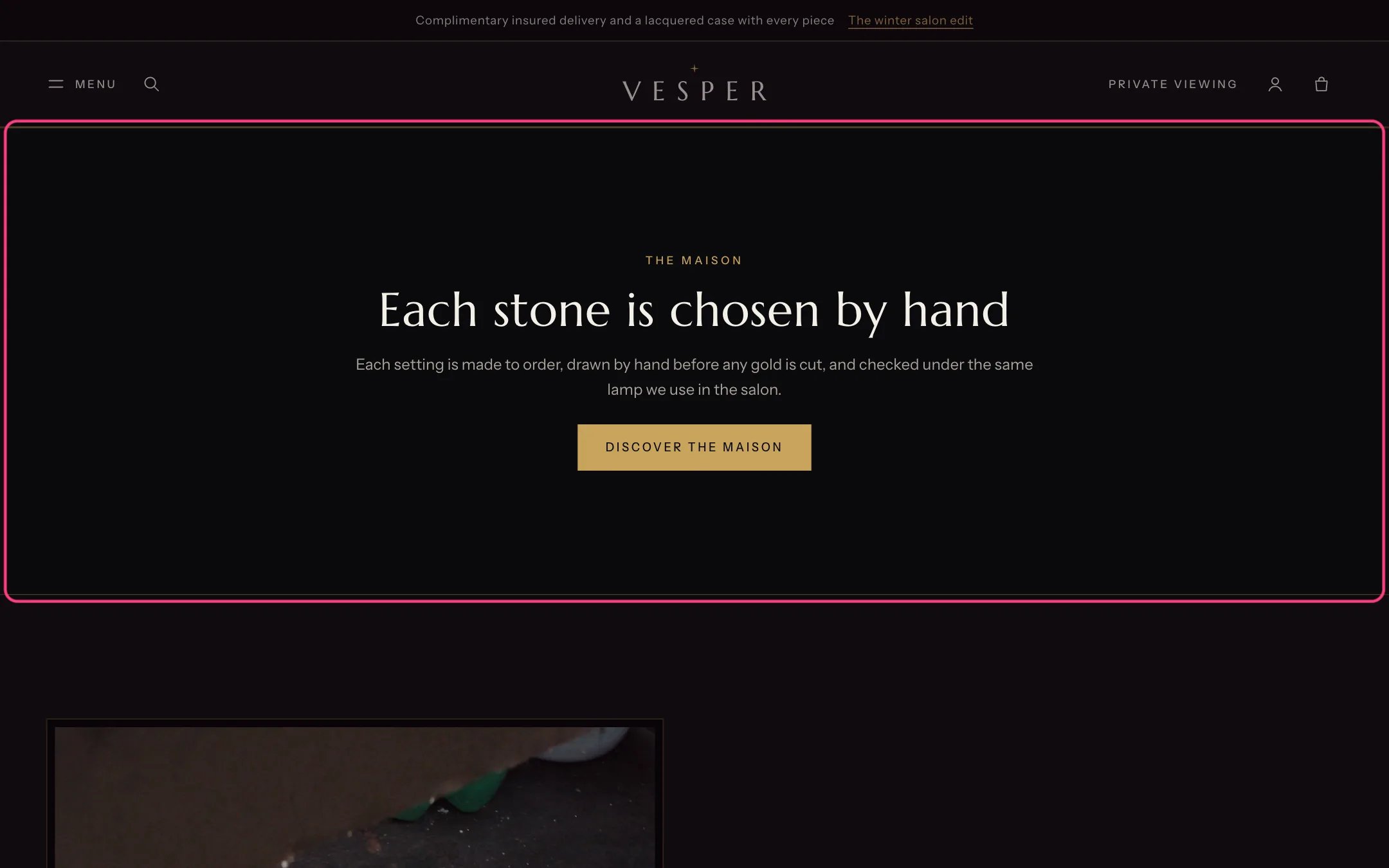
Rich text, highlighted with the demo content
Where to find it
Not on a page by default. In the theme editor click Add section on any page and choose Rich text.How it works
- Blocks show in the order you place them.
- Text width is Narrow or Wide. Gold lines above and below frame the section.
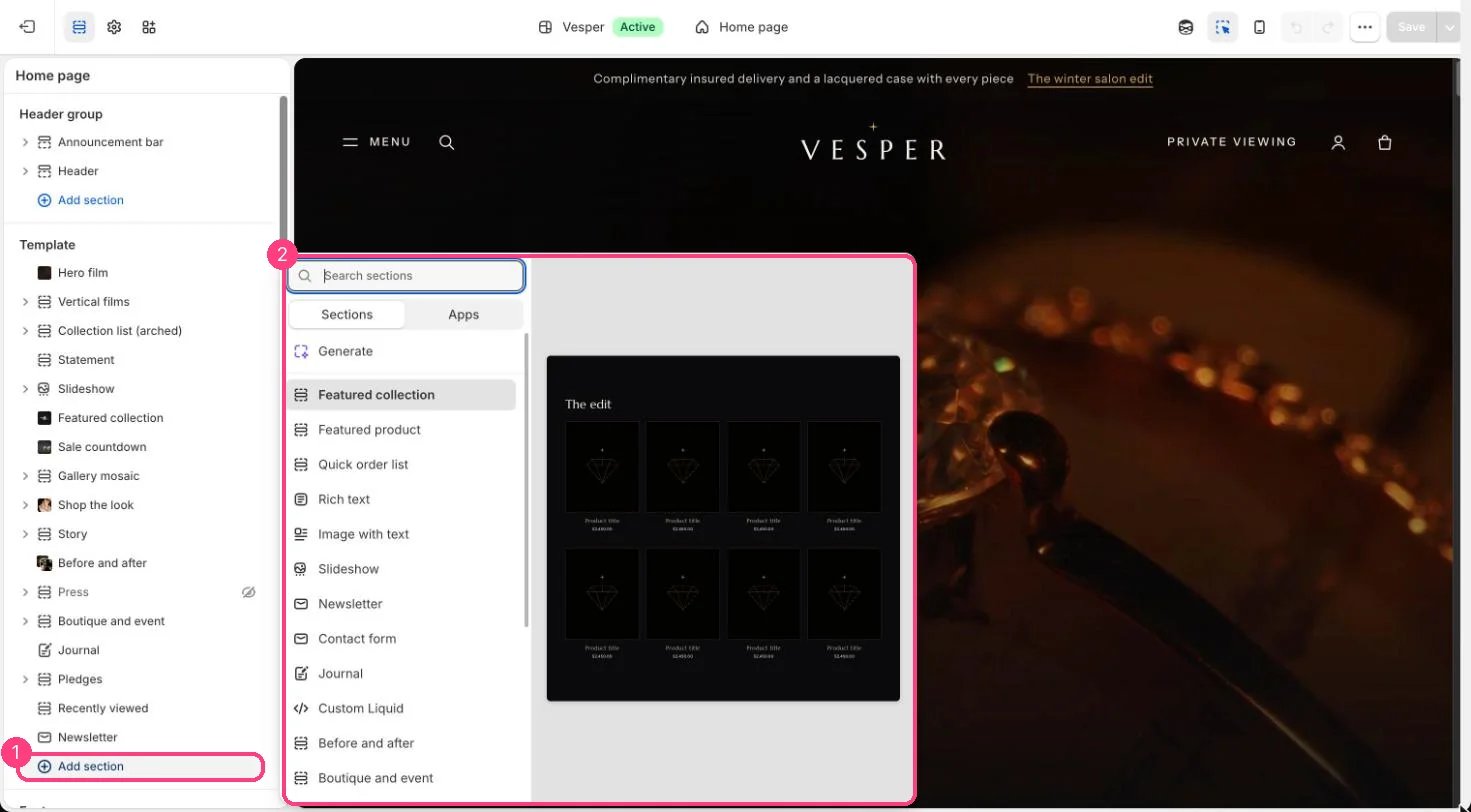
Not on the demo pages: add it with 1 Add section, then pick it in 2 the list
Edit it
- Add Eyebrow, Heading (Small, Medium or Large), Text (Lead, Body or Large serif) and Buttons blocks.
- In a Buttons block, set two buttons, each Solid, Outline or Gold link.
- Choose Alignment, Text width and Gold lines above and below.