
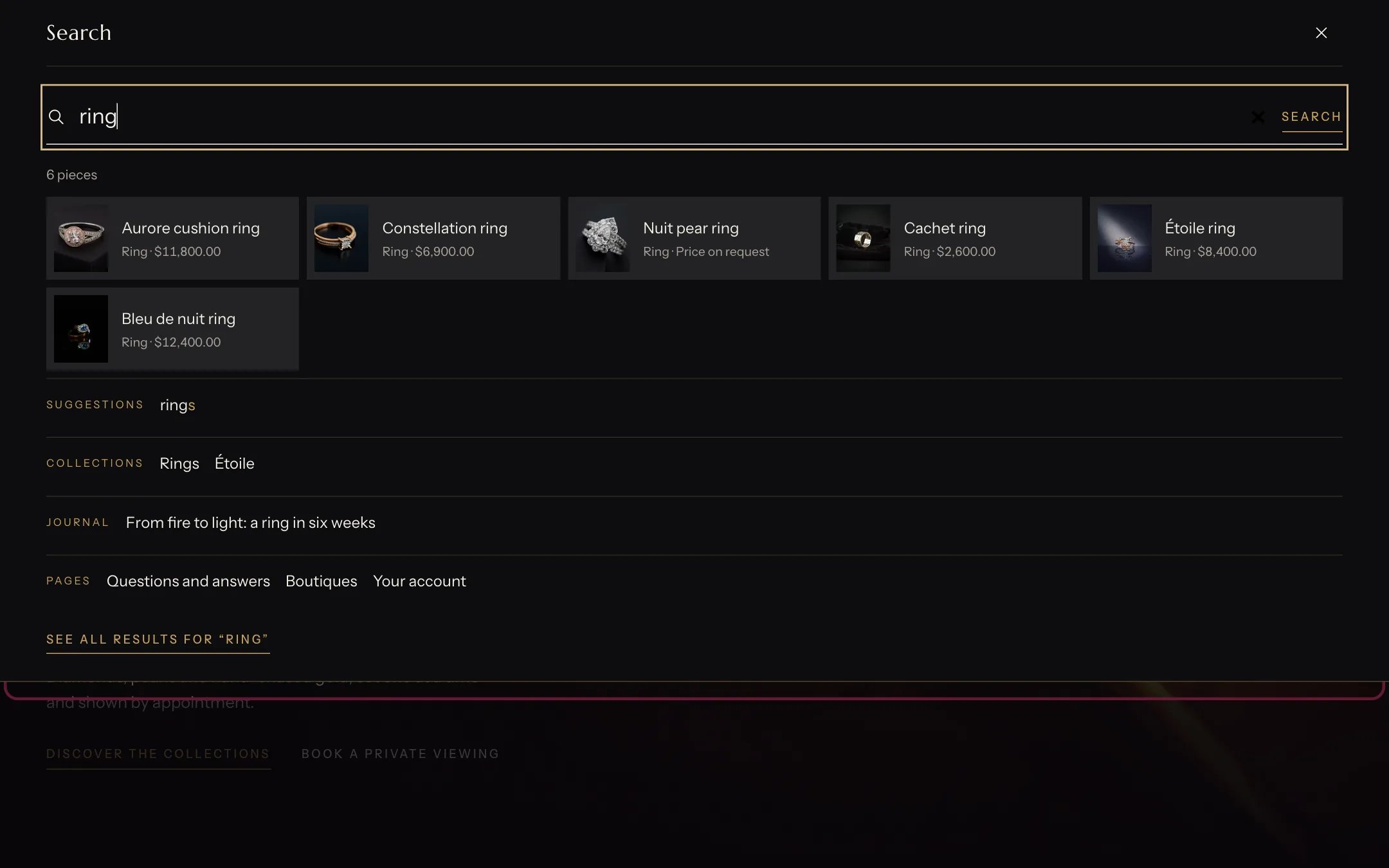
Search suggestions, highlighted with the demo content
Where to find it
Inside the search panel that opens from the header’s search button on every page. It has no settings of its own and does not appear in the theme editor sidebar.How it works
- Before typing, the panel shows your popular searches.
- As shoppers type, it shows up to six products with image and price, plus matching collections, stories, pages and suggested searches. Sold-out products come last.
- Pressing Enter or the search button opens the full search page.
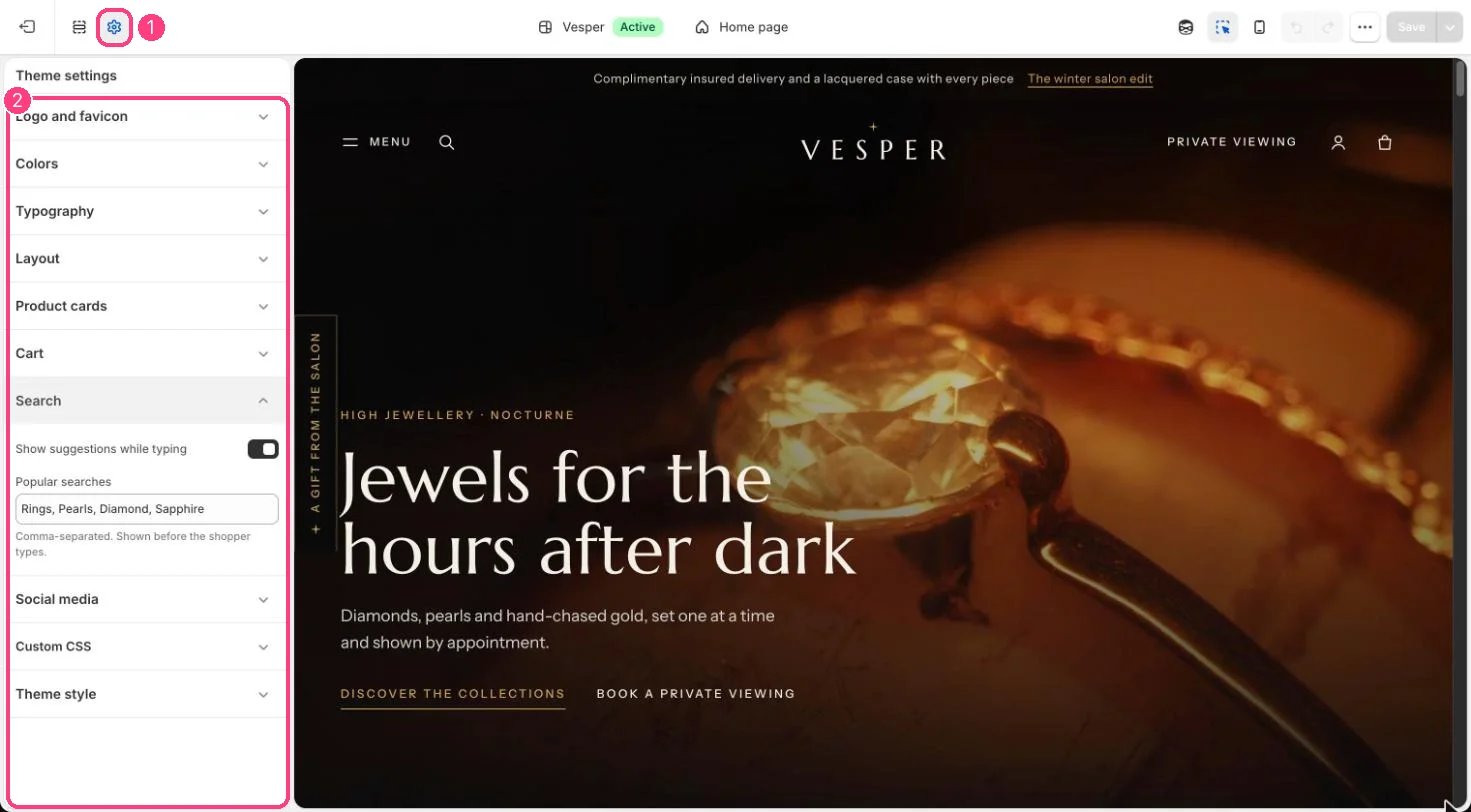
Suggestions while typing and popular searches: 1 Theme settings · 2 Search
Edit it
- Turn suggestions on or off in Theme settings, Search, Show suggestions while typing.
- Edit Popular searches in Theme settings, Search, as a comma-separated list.