
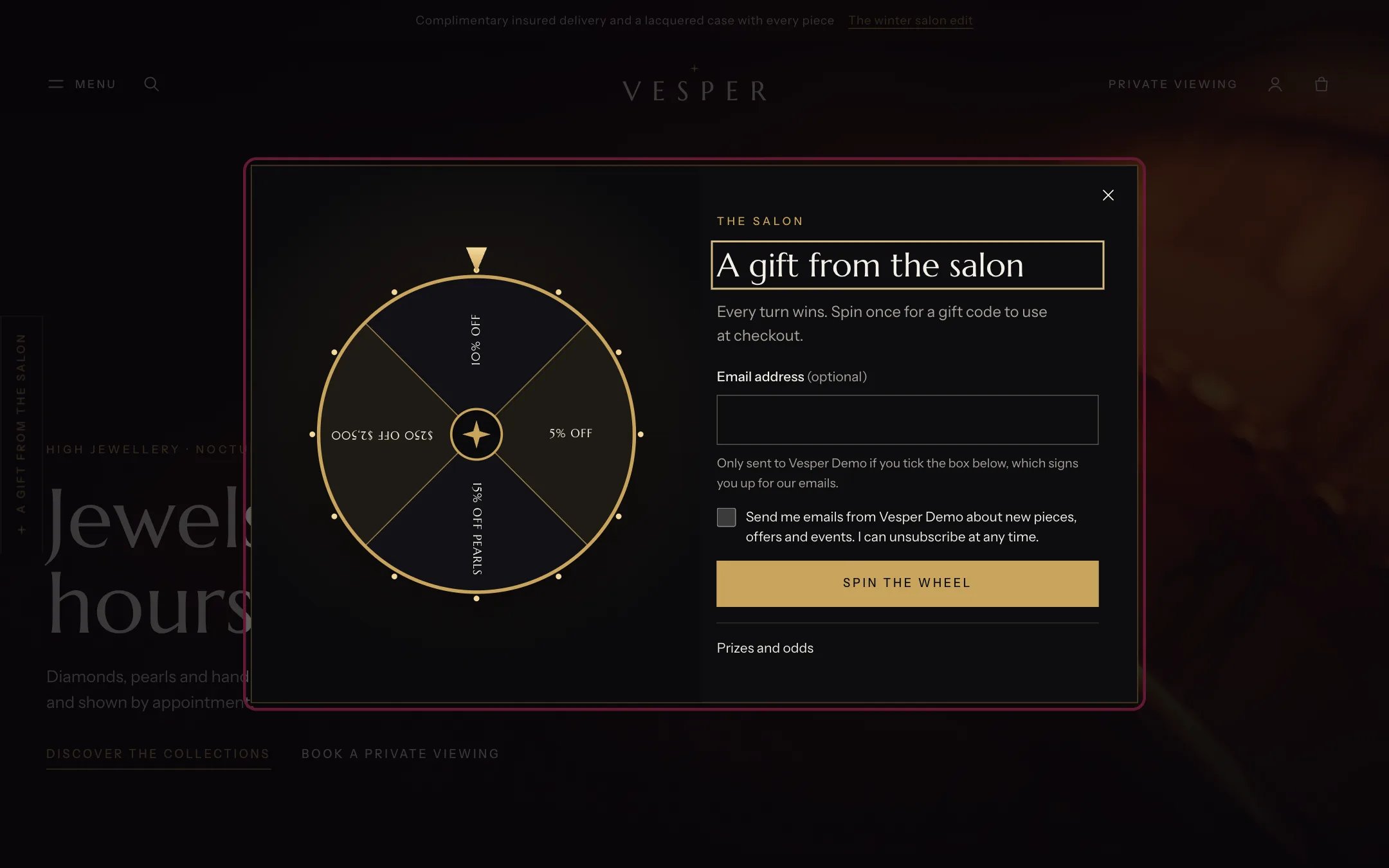
Spin wheel, highlighted with the demo content
Where to find it
The Overlays group. In the theme editor open any page, find Spin wheel under Overlays in the sidebar, and turn on Enable spin wheel. It ships both hidden and turned off.How it works
- Each Prize block is one segment with a label, a discount code you created in Discounts, and a weight. The odds of a prize are its weight divided by the total of all weights.
- The wheel lists every prize with its odds under Prizes and odds, and links your terms page there.
- A Segment without a prize block adds a turn that wins nothing. It is listed with its odds, and the wheel stops saying every turn wins.
- The wheel opens from a tab on the left edge, from links in the menu drawer and footer, or by itself after a delay you set. It never opens by itself on the cart, account, contact or password pages.
- One spin per visitor every Show again after days (30 by default). It does not open by itself again in that time if the visitor spun or closed it.
- Asking for an email is optional. An address is sent to Customers only when the visitor ticks the consent box, which is never ticked in advance.
- The code shows with a Copy button. The theme does not email the code.
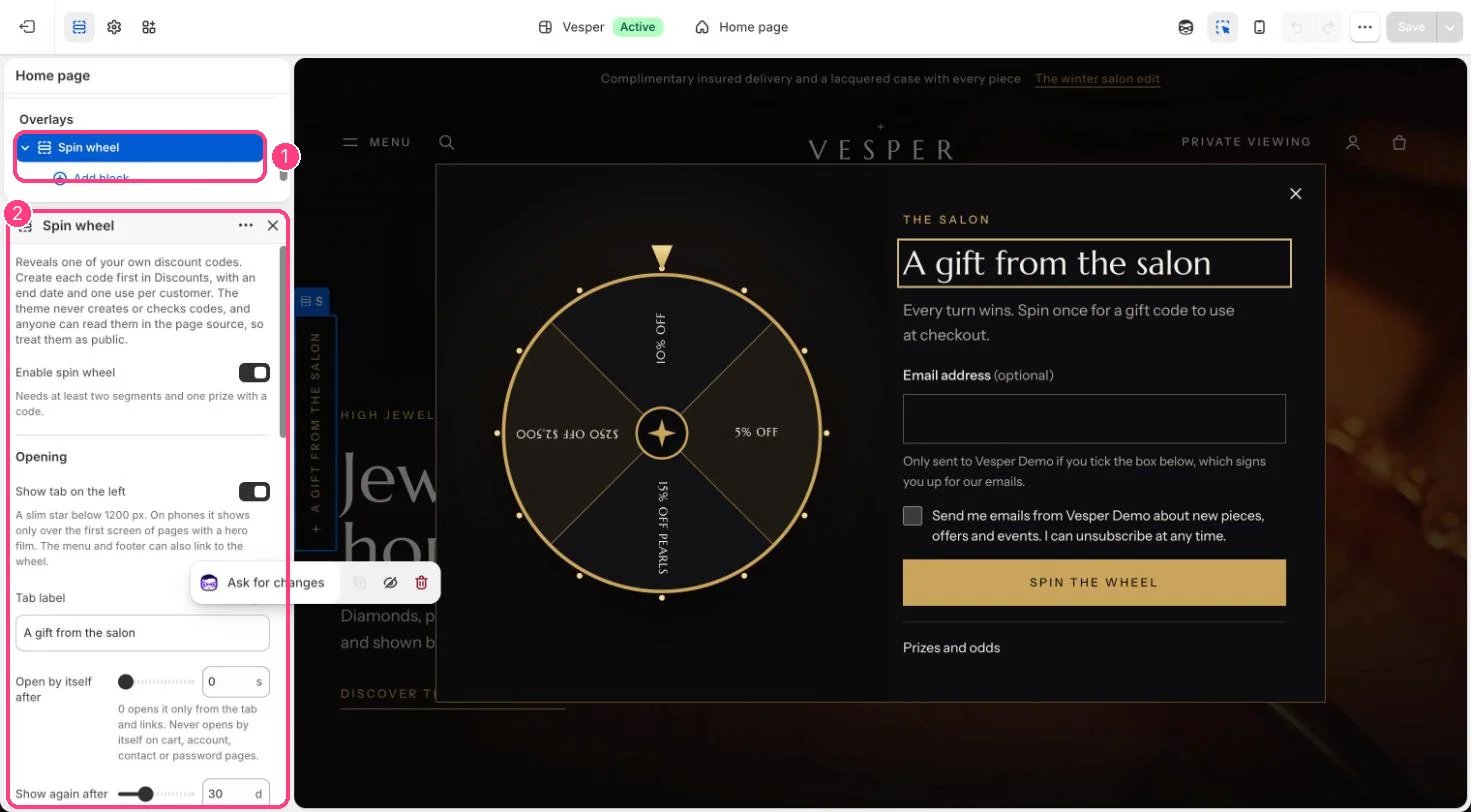
In the theme editor: 1 Spin wheel, under Overlays · 2 its settings. While it is selected, the wheel opens in the preview.
Edit it
- Create each code in Discounts first, with an end date and one use per customer.
- Add a Prize block per code (2 to 8 segments in all) with a short label such as 10% off, the code exactly as created, and a weight.
- Choose a Terms of the offer page with the rules of each prize.
- Set Open by itself after (0 opens it only from the tab and links) and Show again after.
- Turn on Require an email address only where that is lawful, and edit the consent label.
- Tick Enable spin wheel, then show the section with the eye icon in the sidebar.
Settings
Opening
Content
Email
Blocks
Up to 8 blocks. Add a block with Add block under the section in the sidebar; drag blocks to reorder them.Prize
Segment without a prize
Codes are in the page source, so treat them as public. See Spin wheel.