
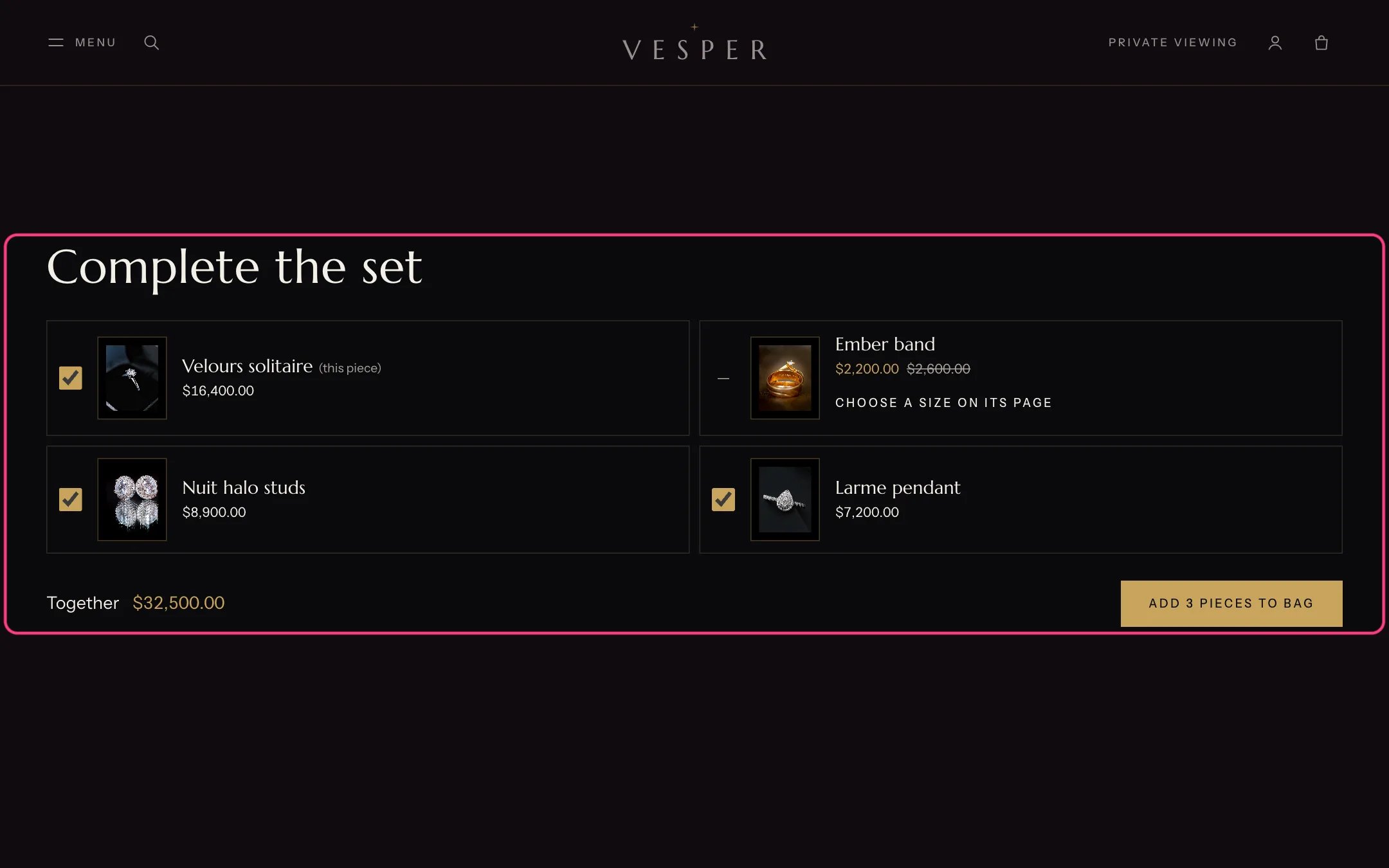
Product recommendations, highlighted with the demo content
Where to find it
Product pages, under Product information. The default product template has both: Complete the set, then You may also like. In the theme editor choose Products, Default product, then select either section.How it works
- Related products are chosen by Shopify from your catalog and sales. They load when the section comes near the screen.
- Complementary products come from the Search & Discovery app. Shoppers tick the pieces they want and add them to the bag in one go.
- The section hides itself when there is nothing to show.
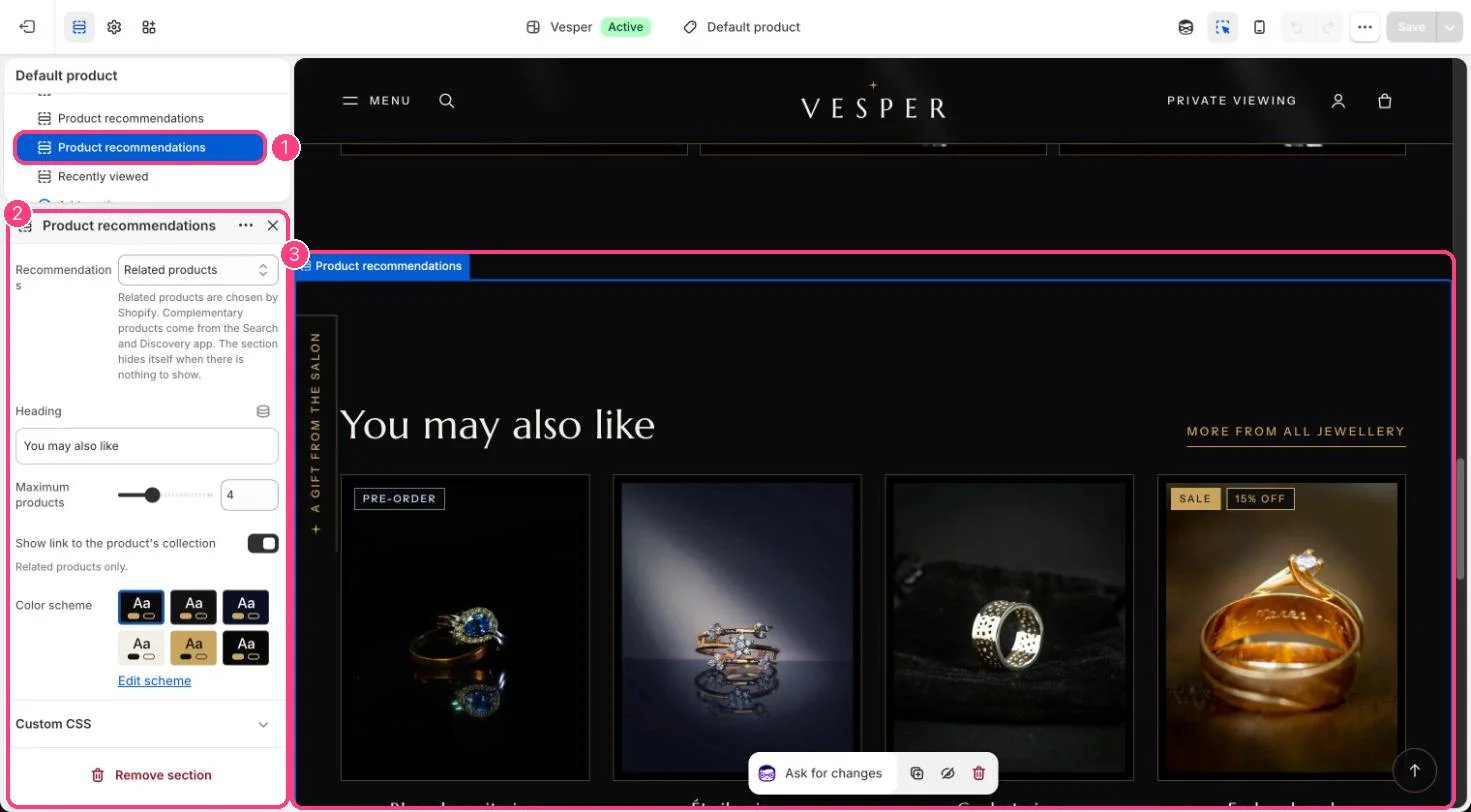
In the theme editor: 1 the section in the sidebar · 2 its settings · 3 the section in the preview
Edit it
- Choose Recommendations: Related products, or Complementary products, added together.
- Edit Heading and set Maximum products (2 to 8).
- For complementary products, open the Search & Discovery app, choose Product recommendations, and add complementary products to each product.
- Turn Show link to the product’s collection on or off (related products only).