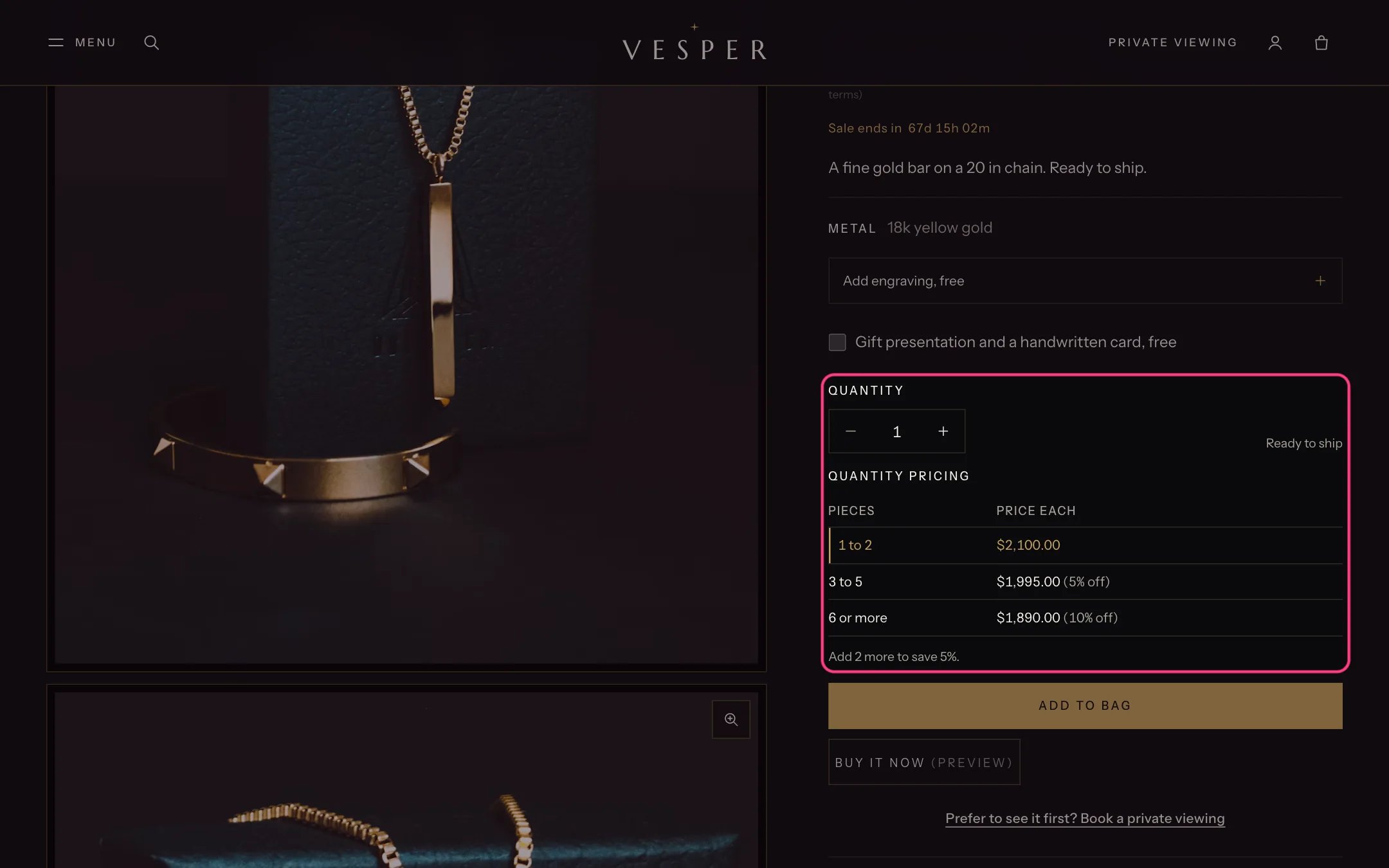
Gloaming follows the quantity rules and quantity price breaks Shopify sets for B2B customers. They come from a B2B catalog (Customers, Companies, and a catalog with volume pricing and quantity rules), so check that your Shopify plan includes B2B. On the product page. The Quantity block follows the variant’s rule (minimum, increment and maximum) and shows a table of price breaks under the quantity, with the row for the chosen quantity highlighted and a line saying what that quantity costs or how many more save money.
Quantity price breaks on the product page

The quantity price breaks table

The quick order list.
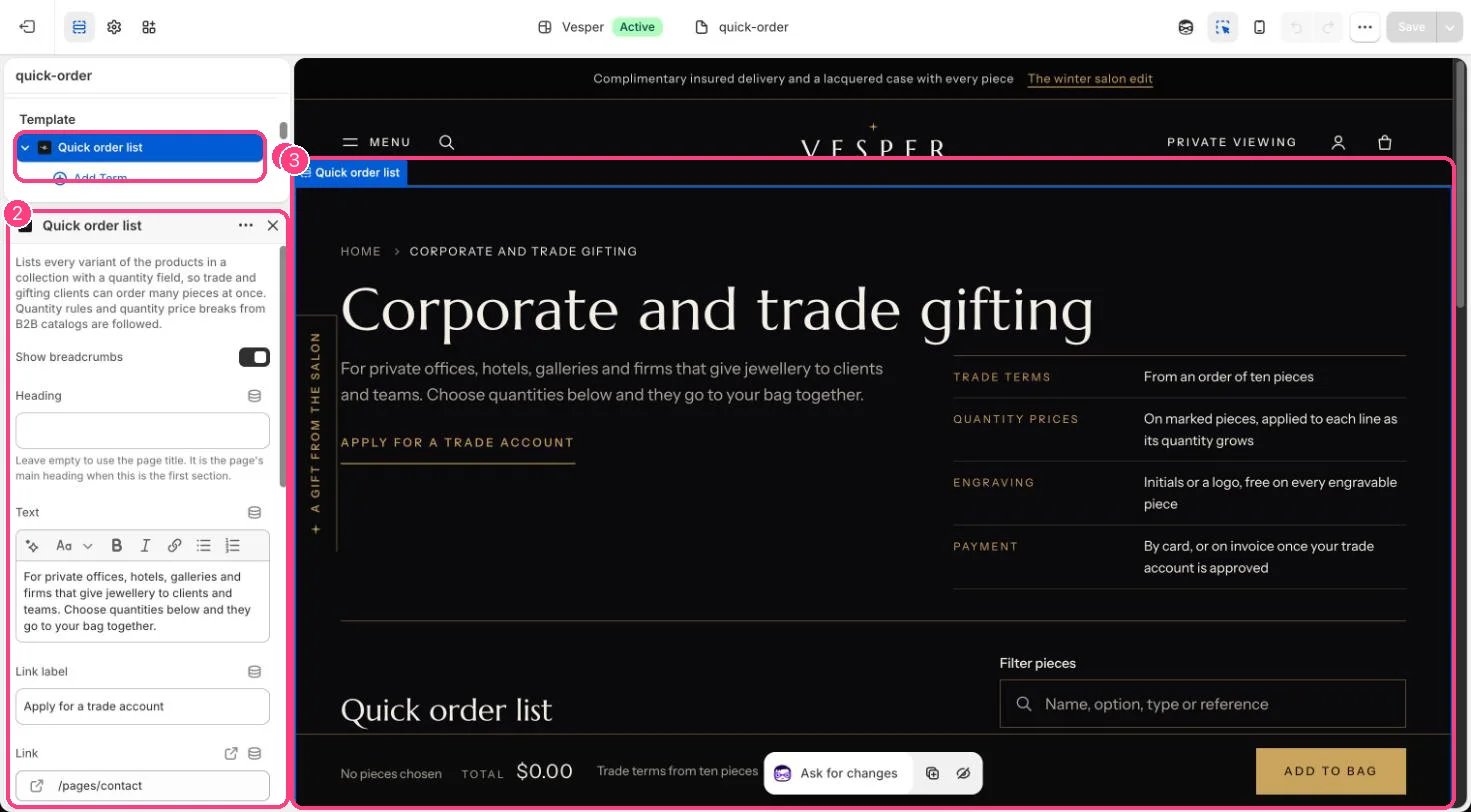
  1. Create a page, for example Trade orders, and choose the page.quick-order template.
  2. In the theme editor select Quick order list and choose the Collection of pieces you sell to trade clients.
  3. Each variant becomes a row with its price, stock and a quantity field. The client fills in quantities and adds everything to the bag in one go.
  4. Add Term blocks for your trade terms, and a Note beside the total for your minimum. The note is shown as written; the theme does not check it.
Without B2B. The quick order list still works for any shopper with normal prices, which suits gifting orders from offices and hotels.

In the theme editor

Quick order list in the theme editor

The trade page: 1 Quick order list · 2 its settings · 3 the preview