Built-in languages. Gloaming’s storefront text comes in English, French, Italian, German and Spanish. Text you type in the theme editor, such as headings and button labels, is yours to translate. 1. Add a language. In Settings, Languages, add the language and publish it. Shoppers can then switch with the language selector in the footer, or in the menu drawer when it is turned on in the Header section. 2. Translate your content. Use Shopify’s Translate and Adapt app, or another translation app, to translate products, collections, pages and the text in your sections. For a language Gloaming does not include, the app also translates the theme’s own storefront text. 3. Right-to-left. For Arabic, Hebrew, Persian, Urdu and other right-to-left languages, Gloaming turns the whole store to read from right to left:
  • the layout mirrors, so the menu drawer slides from the right and the bag from the left;
  • arrows, sliders and the vertical films strip run the other way;
  • hotspots in shop the look stay on the same spot of the photograph.
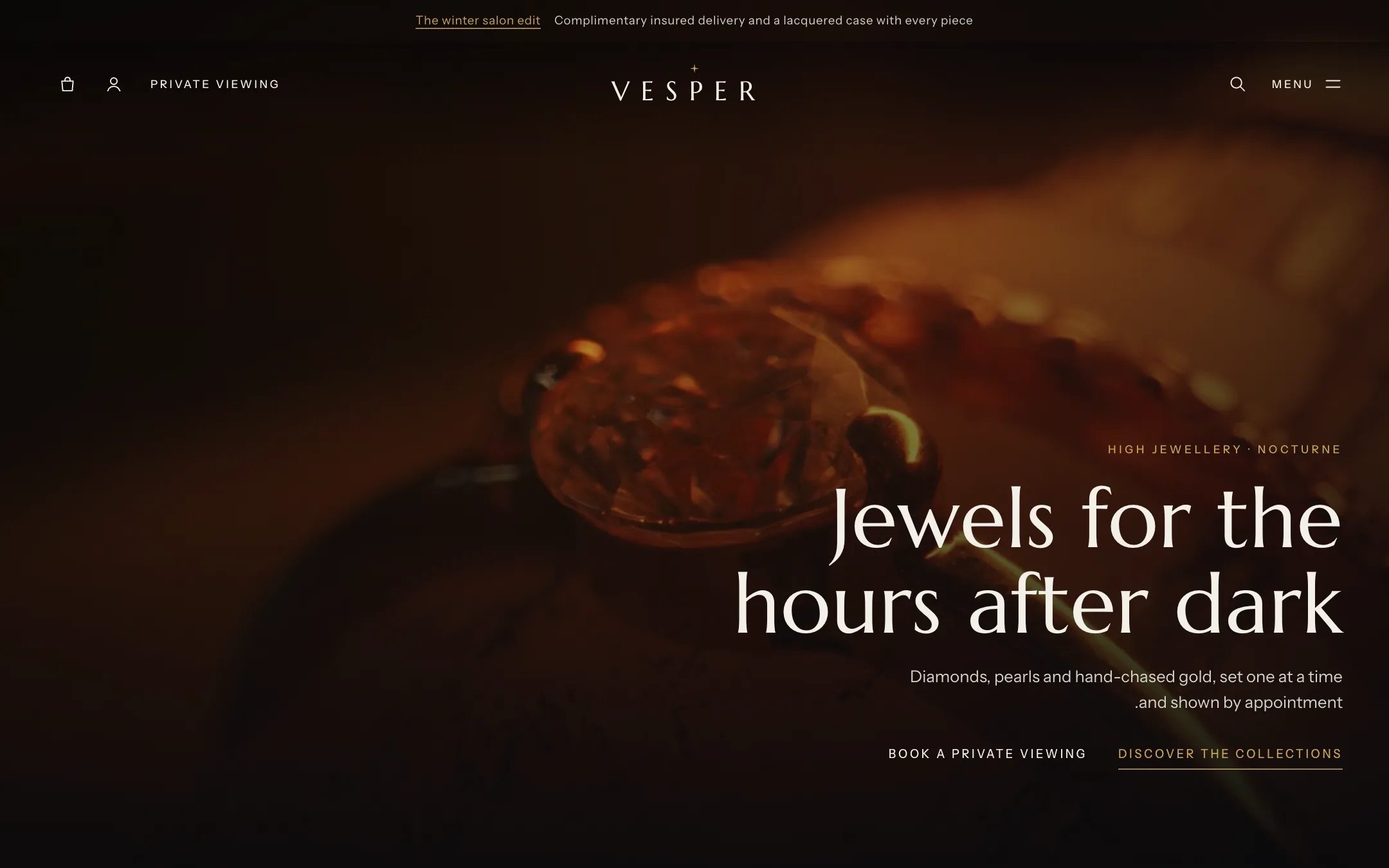
The home page in Arabic

The home page in a right-to-left language

Markets and currencies. Prices follow the currency of the shopper’s market, set in Settings, Markets. The country or region selector in the footer appears when you sell in more than one market.

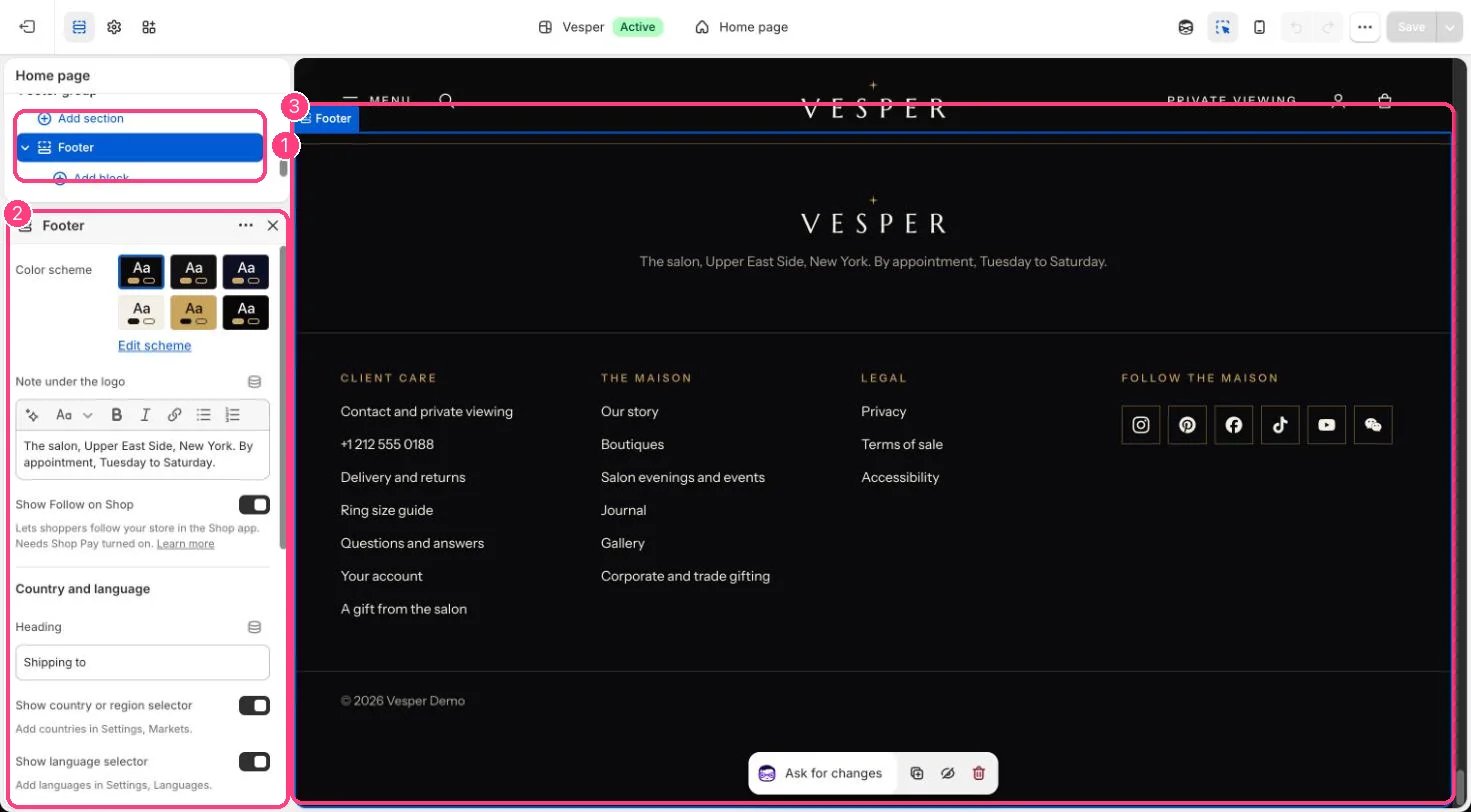
In the theme editor

Footer in the theme editor

Country and language selectors: 1 Footer · 2 its settings · 3 the preview