
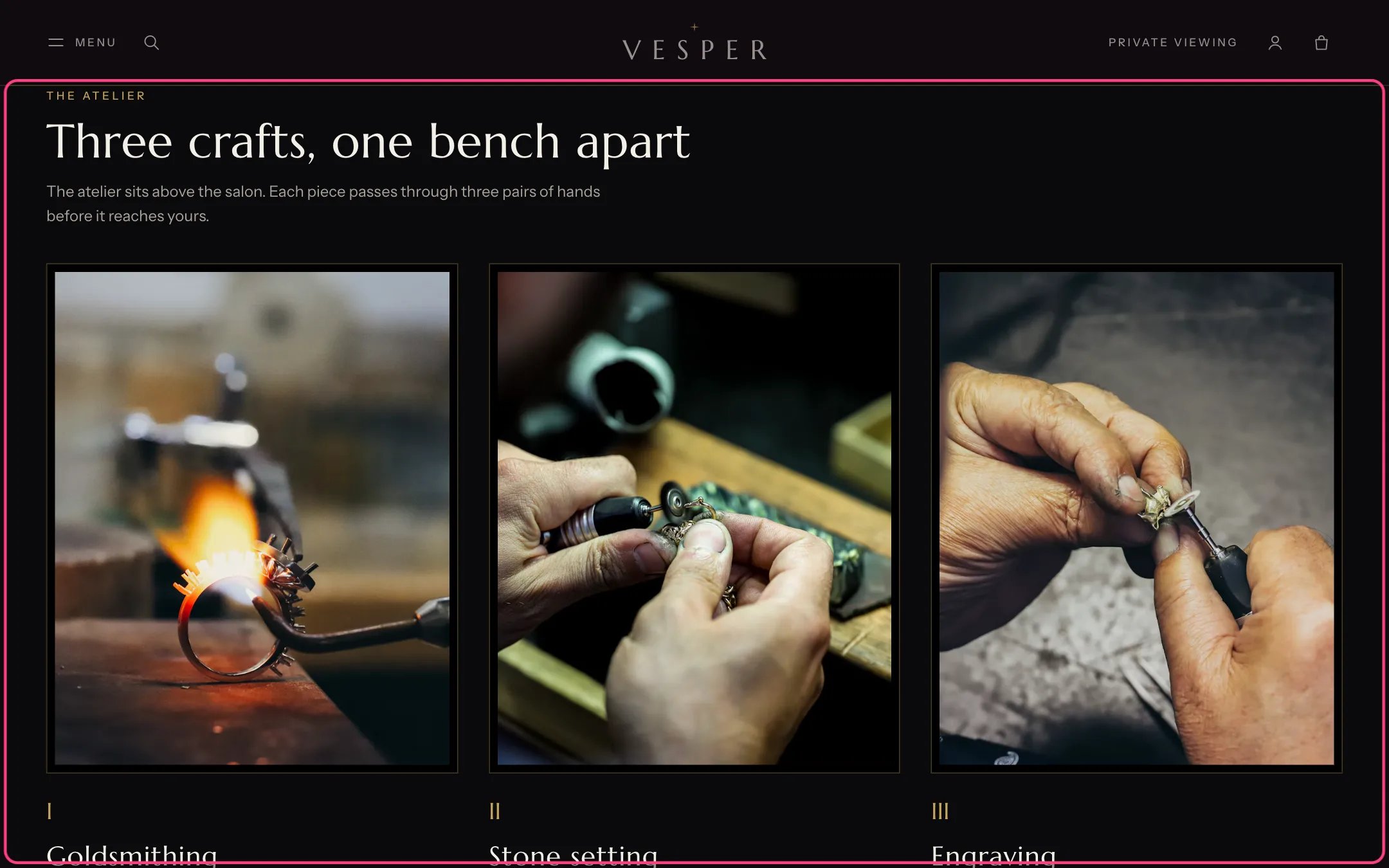
Numbered steps, highlighted with the demo content
Where to find it
The About template (the atelier) and the Boutiques template (how pickup works). In the theme editor select Numbered steps on those pages, or add it with Add section.How it works
- Style is Cards with photographs or Numbered list.
- Numbering is Roman numerals, numbers or none.
- Raised band sets the section on the scheme’s raised surface with a gold hairline above.
- Two links can sit under the steps.
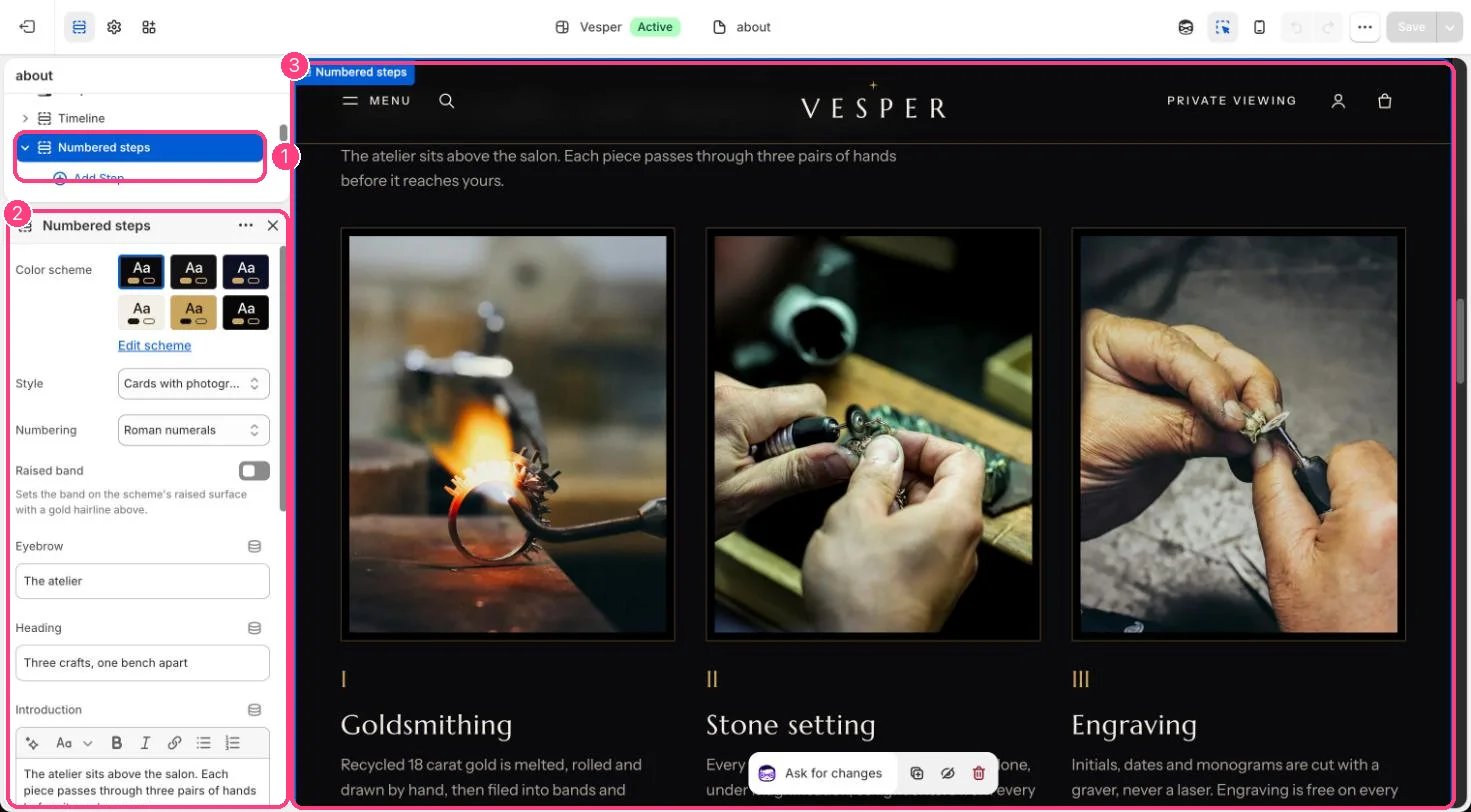
In the theme editor: 1 the section in the sidebar · 2 its settings · 3 the section in the preview
Edit it
- Add a Step block per step (up to 8) with a Title, Text, and a Photograph for the card style.
- Choose Style, Numbering and Raised band.
- Edit Eyebrow, Heading and Introduction, and type an Anchor such as pickup so links can jump here.
Settings
Links under the steps