

Age check, highlighted with the demo content
Where to find it
The Overlays group. In the theme editor open any page, find Age check under Overlays, show it with the eye icon and tick Enable age check.How it works
- Visitors confirm they are at least the Minimum age, or leave through the Leave button.
- The answer is remembered in the visitor’s browser for 30 days.
- It cannot be closed with the Esc key or a click outside it.
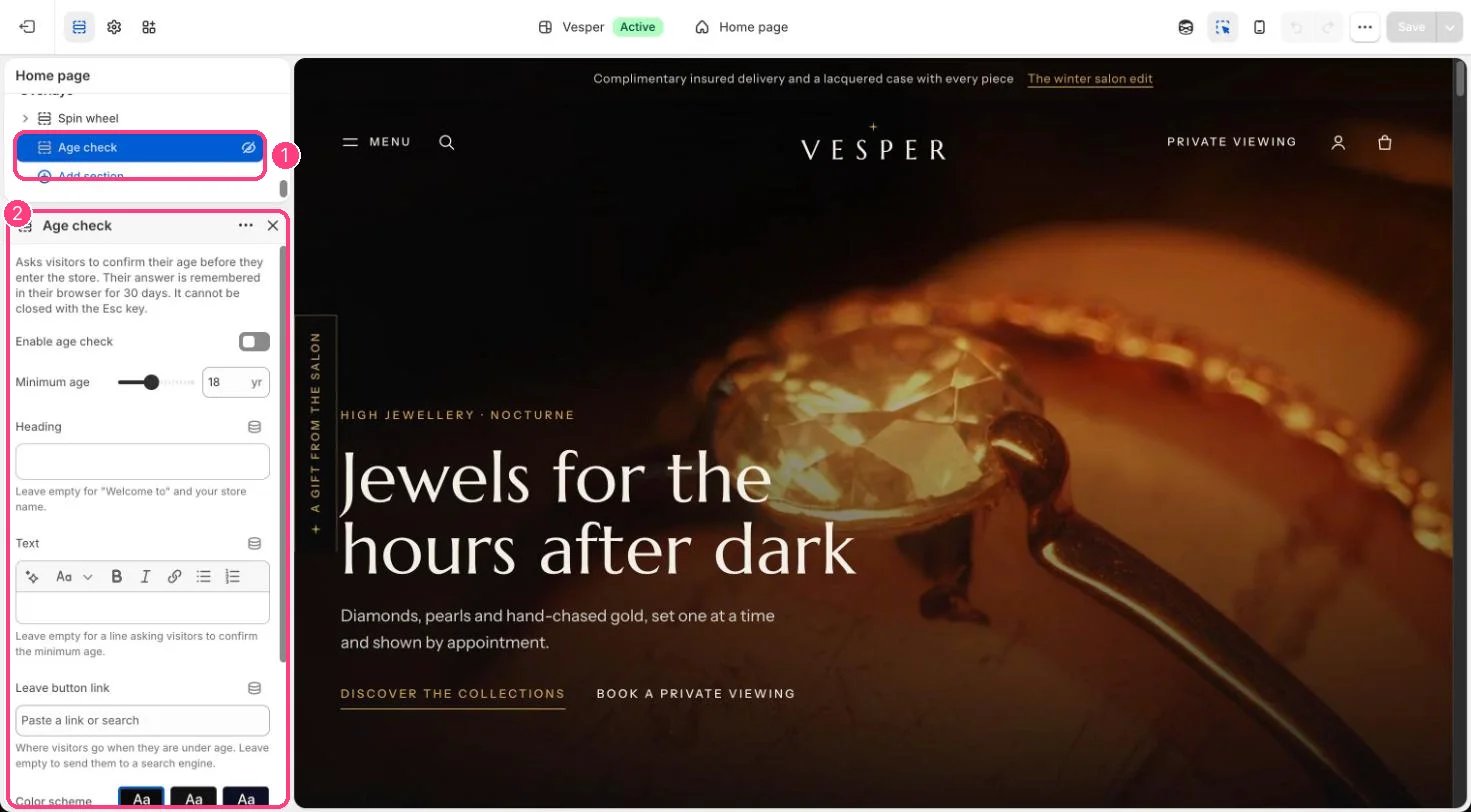
In the theme editor: 1 Age check, under Overlays (hidden on the demo) · 2 its settings, with Enable age check off
Edit it
- Set Minimum age (13 to 25).
- Edit Heading and Text, or leave them empty for the default wording with your store name.
- Set Leave button link, or leave it empty to send under-age visitors to a search engine.