
- Portrait, 9:16 aspect ratio. Upload them at 1080 × 1920: Shopify makes smaller copies, and the strip plays the smallest one at least 400 px wide, the viewer one up to 1080 px wide.
- Short loops of a few seconds, under about 15, so the files stay small.
- No sound is needed: films play muted on the strip, and the viewer starts muted.
- Keep the top of the frame calm. The film’s title is written over it, on a dark fade.
- Anything a shopper needs to know goes in the Description too, not only in the picture.
- Make a Poster image for each film: a 9:16 still, at least 1080 px wide.
- Film: the video.
- Poster image: shown before the film plays, for visitors who reduce motion or save data, and if the film cannot load. Empty, the video’s own preview image is used.
- Heading: a few words over the top of the tile. Empty, it uses the first product’s title.
- Description: one sentence on what the film shows. The viewer shows it under the title, and it is the film’s text alternative.
- Products: up to three. The first gets a tag under the tile and Add to cart in the viewer; the others are listed under Also in this film.

The vertical films strip on the home page of the demo
- Films play muted with no controls, at most four at once on screens 750 px and wider and two on narrower screens. A film plays only while at least half of its tile is on screen, and its file loads only when the tile comes into view. Everything pauses while the browser tab is in the background.
- The strip moves only while it is on screen. It holds while the pointer is over it, while anything in it has keyboard focus, while a finger is on it (and for about 2.5 seconds after the finger lifts), while a shopper drags it with a mouse, pen or finger, and while the viewer is open.
- In the theme editor it also holds while you select a Film block, and slides that film into view.
- Visitors who ask for reduced motion, and visitors saving data, see a still row of posters they scroll by hand. Nothing moves or plays by itself.
- Keyboard users move through the films with Tab, and the focused film slides fully into view. The copies of the films that make the loop are skipped by keyboard and screen readers, so each film is reached once.
There is no Pause button on this strip, by design. It stops whenever a shopper points at it, focuses it or touches it, so nothing moves under their hand, and the films make no sound. Visitors who reduce motion never see it move.
- A click on a film, or Enter on a focused film, opens it larger with the player’s controls. It starts muted, so shoppers turn the sound on themselves. For visitors who reduce motion or save data it waits until they press play.
- Beside the film: a count such as 2 of 10, the title, the Description, and the first product with its photo, specs summary, star rating (when a reviews app writes it), price, Add to cart (Choose options for products with variants) and View product.
- The previous and next buttons and the arrow keys move between films. Escape, the close button or a click outside closes it, and focus goes back to the film.
- Below 900 px wide the film sits above the details.
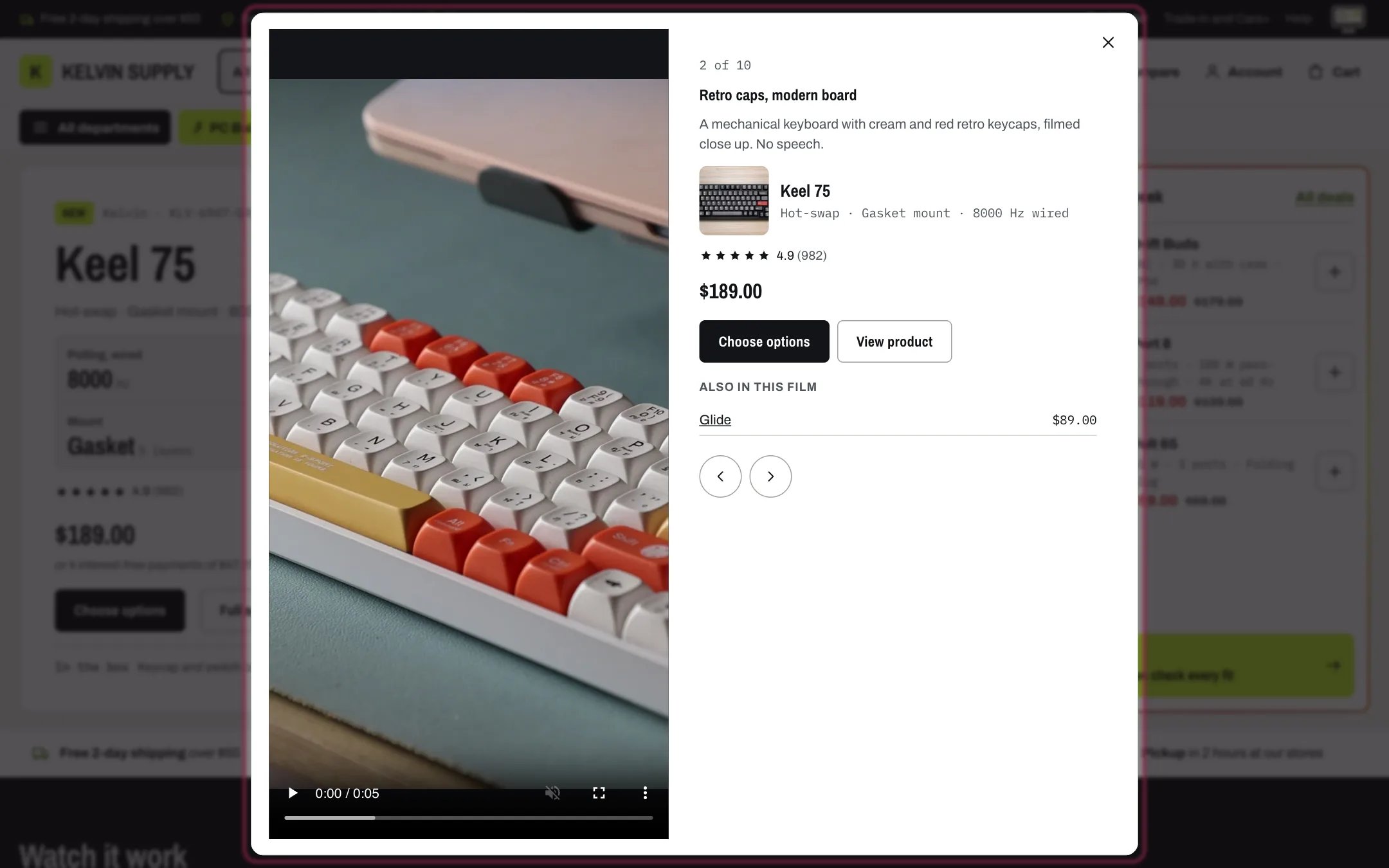
The viewer with the film, its description and the products shown in it
- Up to 10 films per section. A film with neither a video nor a poster is skipped; with no film left, the section is hidden on the store.
- It never plays sound by itself, never plays for visitors who reduce motion or save data, and never loads a film before its tile comes into view.
In the theme editor
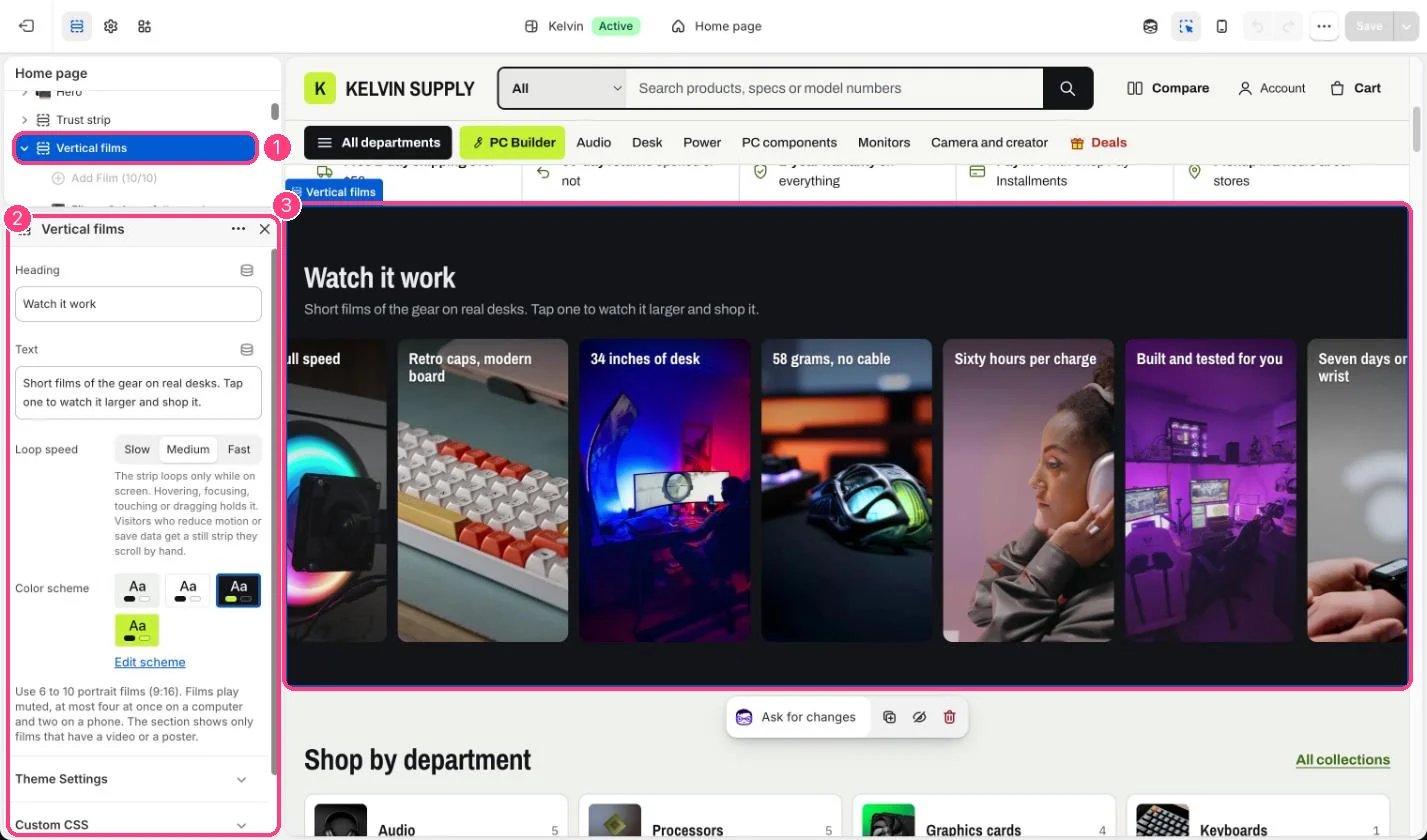
1 Vertical films; each film is a block · 2 its settings, with Loop speed · 3 the strip in the preview