
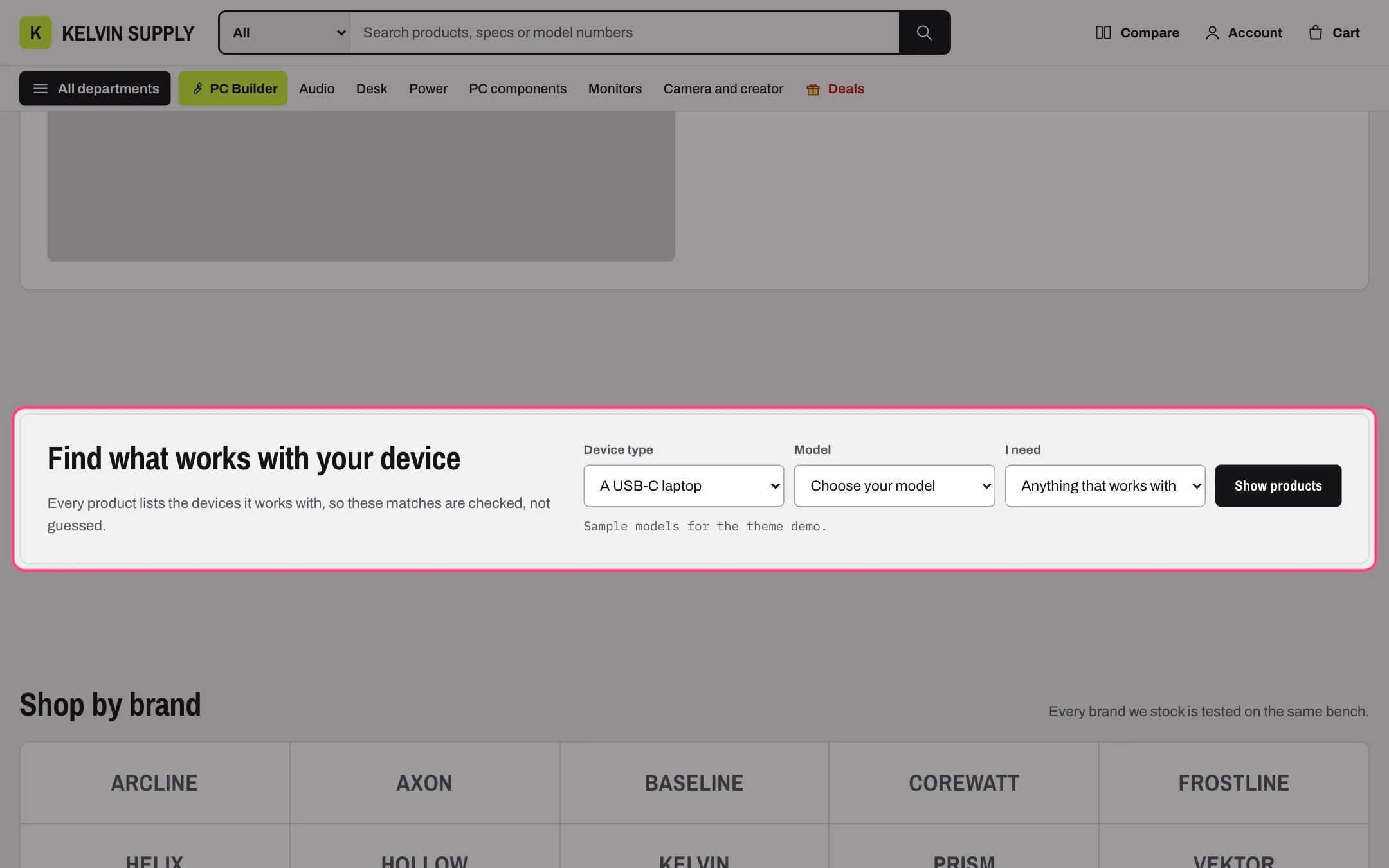
Compatibility finder, highlighted with the demo content
Where to find it
Home page. In the theme editor choose Home page in the page selector, then select Compatibility finder.How it works
- Shoppers choose a device type, a model and what they need, then press Show products.
- With a need chosen, they land on that Need block’s collection, filtered to products whose specs.compatibility metafield lists the model.
- With Anything that works with it chosen, or without JavaScript, the form runs a product search for the model name instead.
- The Model menu lists only the models of the chosen device type. With a single Device type block, the Device type menu is hidden.
- The I need menu shows only when at least one Need block has a Collection. On install the two Need blocks have none, so the finder searches until you choose collections.
- The text sits beside the menus on wide screens and above them under 1100 px. On phones each menu and the button take the full width.
- The section is hidden until a Device type block has at least one model. In the theme editor a note shows in its place.
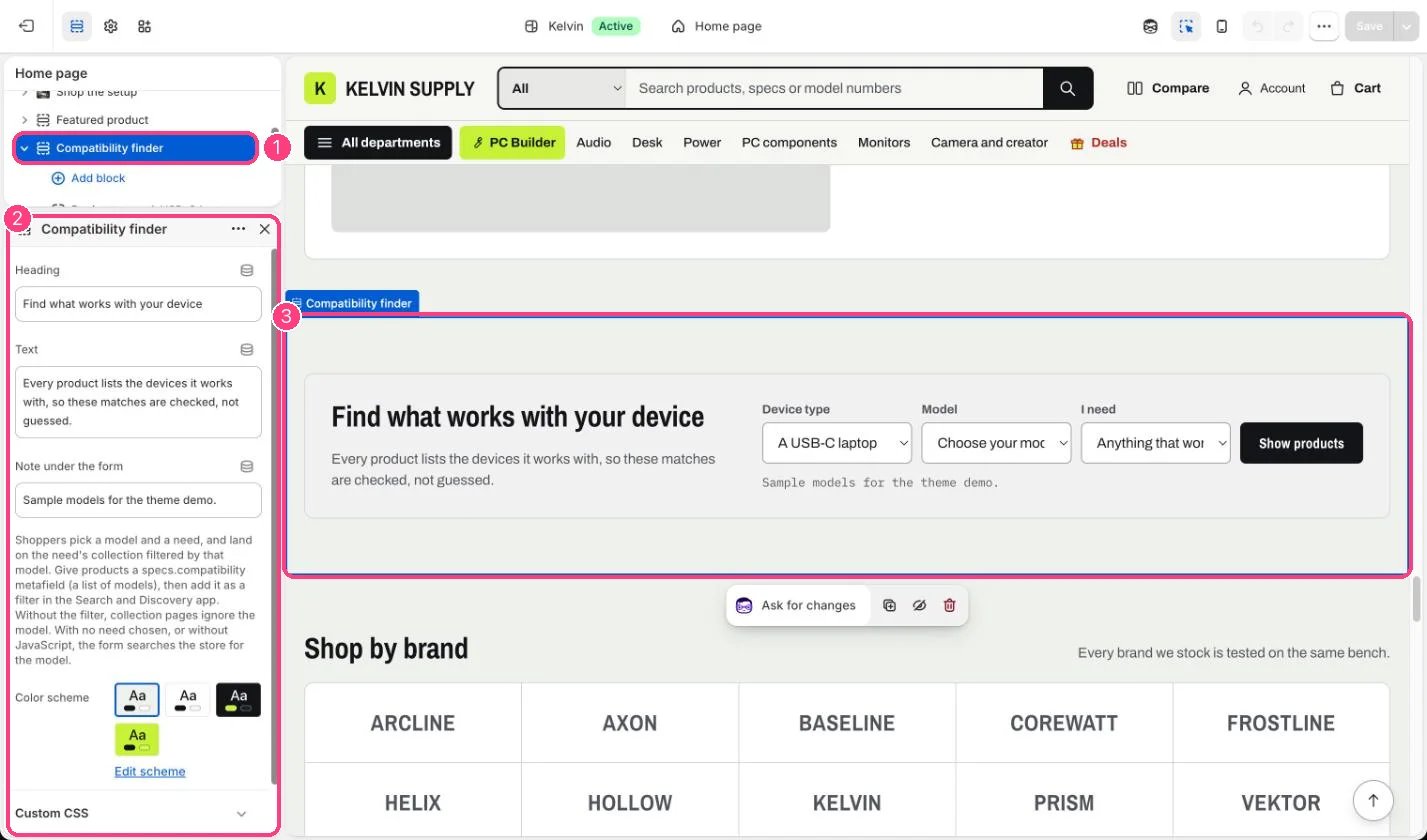
In the theme editor: 1 the section in the sidebar · 2 its settings · 3 the section in the preview
Edit it
- Give products the metafield specs.compatibility in Settings → Custom data → Products, type List of single line text, with one entry per device model the product works with.
- In the Search and Discovery app, add that metafield as a filter. Without the filter, collection pages ignore the model and show every product.
- Add a Device type block per kind of device, such as A USB-C laptop, and type its Models one per line, written exactly as in the metafield.
- Add a Need block per shopping goal, with a Label such as Charge it faster and the Collection to open.
- Edit Heading and Text, and use Note under the form for a short line, such as how often the model list is updated.
- Up to 24 blocks in all.
Settings
Blocks
Up to 24 blocks. Add a block with Add block under the section in the sidebar; drag blocks to reorder them.Device type
Need
The models in the default blocks (MacBook Air M3, iPhone 17 and others) are examples. Replace them with models your products list in specs.compatibility, or shoppers will land on empty results.