
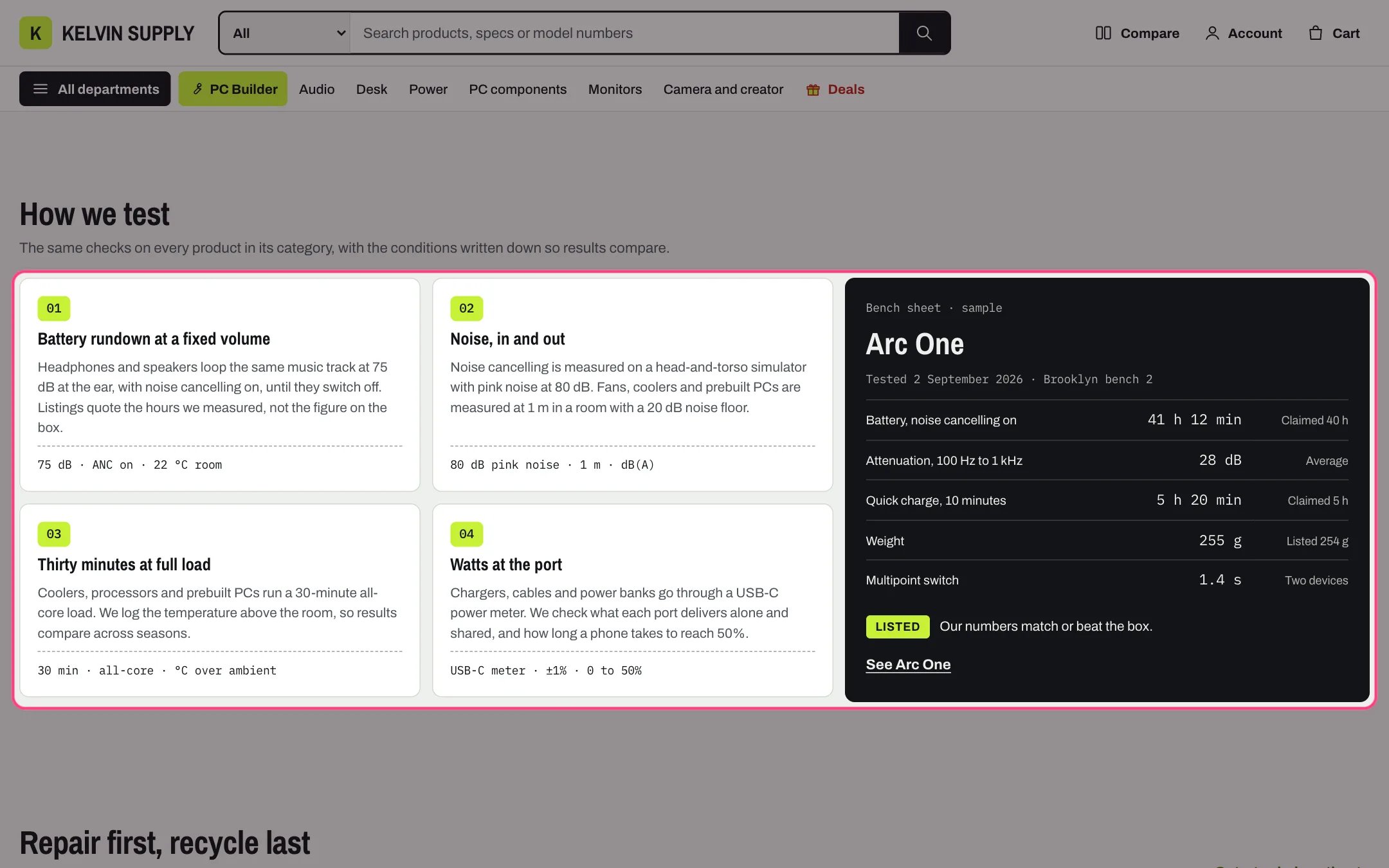
Numbered steps, highlighted with the demo content
Where to find it
On install it is on three page templates: about (How we test, with the bench sheet), care (How to make a claim) and stores (How pickup works). Create the page in Online Store → Pages with Theme template about, care or stores, then in the theme editor choose Pages, pick the template and select Numbered steps. Add it to other templates with Add section.How it works
- Steps are numbered 01, 02 and so on in order; the number is decorative and the list is read as an ordered list.
- Measurement value and Measurement unit show in a monospace line at the bottom of a step, such as 2 to 24 h.
- Steps per row on desktop sets 2, 3 or 4 columns. Under 1180 px four columns become two, under 1000 px three become two, and under 750 px the steps stack.
- The bench sheet shows when its Heading is filled in or it has at least one Bench sheet row block. It sits beside the steps on a contrasting panel and limits them to two per row; under 1180 px it moves under the steps.
- Bench sheet rows show Measurement, Result and Note in a table, followed by the Verdict as a tag and the Verdict text. Product adds a See link to the tested product.
- Link label and Link show a link beside the heading; the two buttons show under the steps when both label and link are filled in.
- Link id gives the section an anchor: the templates use testing, claims and pickup.
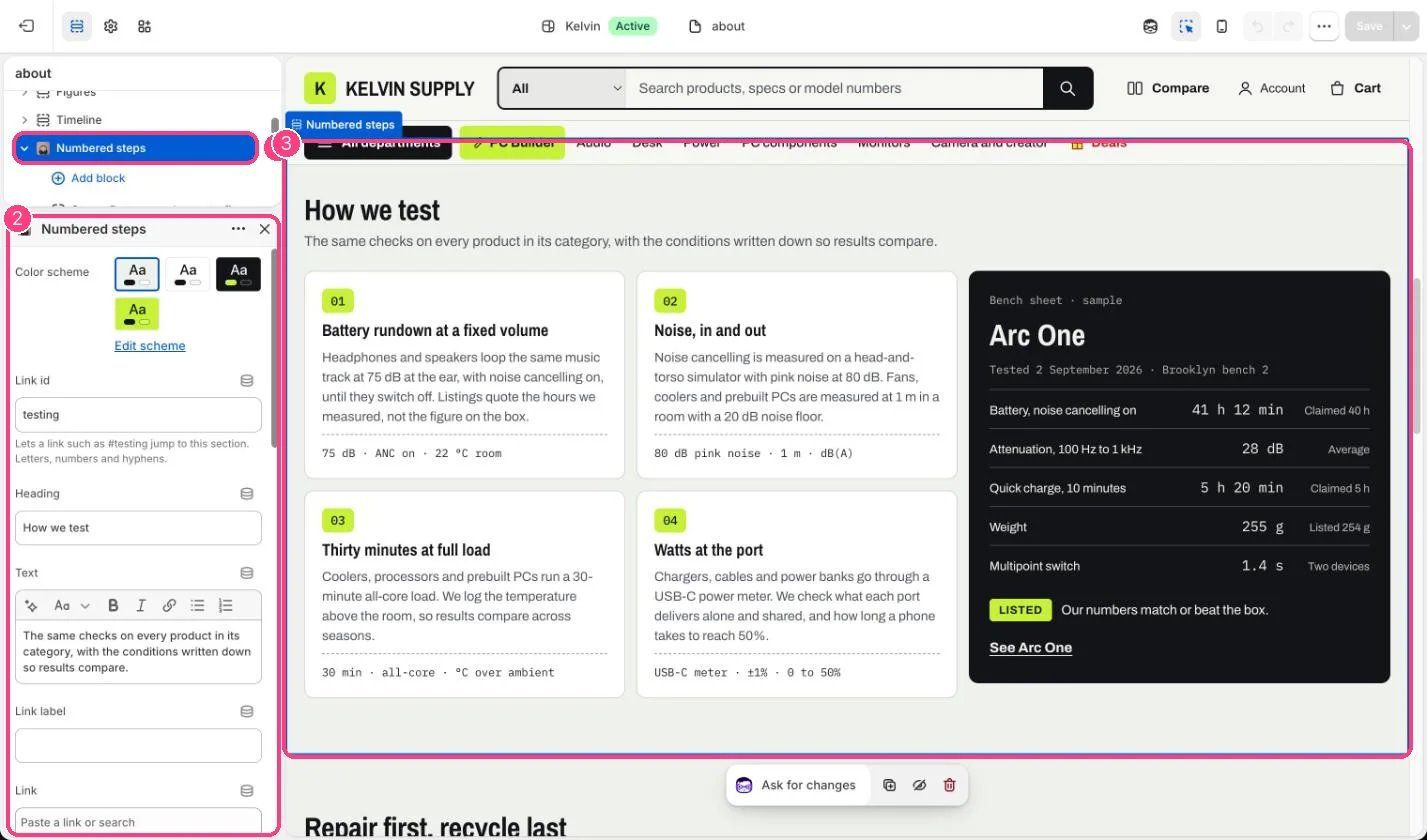
In the theme editor: 1 the section in the sidebar · 2 its settings · 3 the section in the preview
Edit it
- Add a Step block per step (up to 8) with Heading, Text, Measurement value and Measurement unit.
- Choose Steps per row on desktop to match the number of steps, such as 4 for four steps.
- For test results, fill in the bench sheet’s Kicker, Heading, Test details, Verdict, Verdict text and Product, and add Bench sheet row blocks (up to 10).
- To hide the bench sheet, clear its Heading and remove every Bench sheet row block.
- Add buttons such as Start a claim with First button link /pages/contact?topic=warranty-claim.
Settings
Bench sheet
Blocks
Add a block with Add block under the section in the sidebar; drag blocks to reorder them.Step (up to 8)
Bench sheet row (up to 10)
On install the about template’s bench sheet is a sample (Heading Sample product, Kicker Bench sheet · sample, three rows). Replace it with a real test or hide it.On the care and stores templates some step texts are placeholder guidance, such as Say how soon a person replies and what happens next. The pickup steps have no Measurement value on install, so the second step shows only its unit, h, until you add a value such as 2 to 24 or clear the unit.