
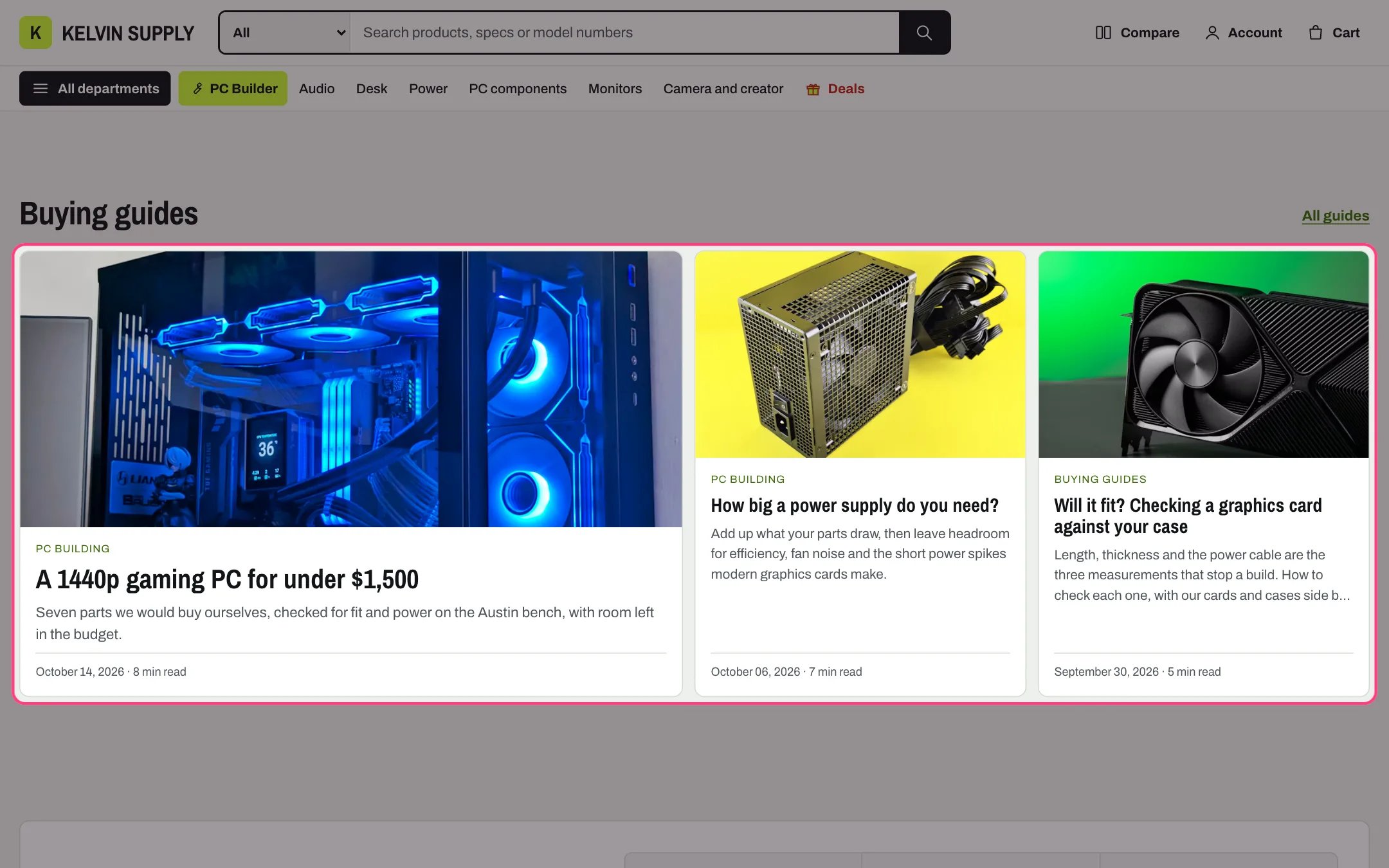
Featured blog, highlighted with the demo content
Where to find it
Home page. In the theme editor choose Home page in the page selector, then select Featured blog. It stays hidden on the storefront until you choose a blog.How it works
- Shows the three newest posts of the chosen Blog: one large card and two smaller ones beside it. With only one or two posts the layout adjusts.
- With Only articles tagged filled, only posts with that tag show, whatever their capitals or spaces, and Link label opens the blog’s page for that tag. Otherwise the link opens the blog.
- Each card shows the post’s featured image cropped to a wide shape, its first tag, title, an excerpt of about 28 words, the date and a reading time.
- The reading time comes from the article metafield custom.reading_time (a number of minutes) when it is set, and is otherwise estimated at 220 words a minute.
- Under 900 px the large card spans the width with the two others below it; on phones the cards stack.
- The section is hidden on the storefront when no blog is chosen or no post matches. In the theme editor a note shows in its place.
- Matching posts are looked for among the blog’s 50 newest posts.
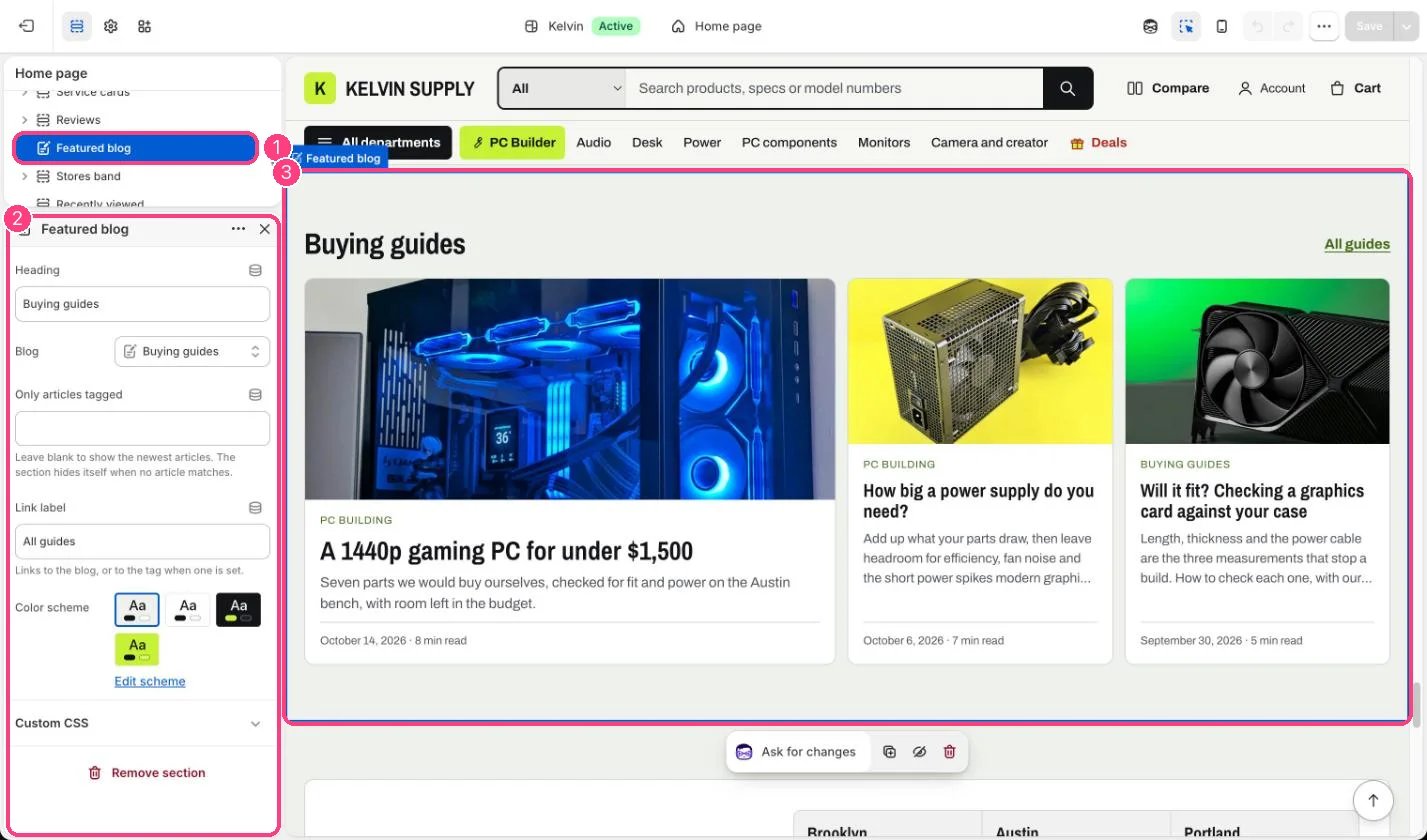
In the theme editor: 1 the section in the sidebar · 2 its settings · 3 the section in the preview
Edit it
- Choose the Blog. Every store starts with a News blog; create a Guides blog in Online Store → Blog posts → Manage blogs if you want one.
- To feature only buying guides, give those posts a tag, such as guide, and type it in Only articles tagged.
- Give each post a featured image at least 1200 px wide and a short excerpt.
- Edit Heading and Link label.