
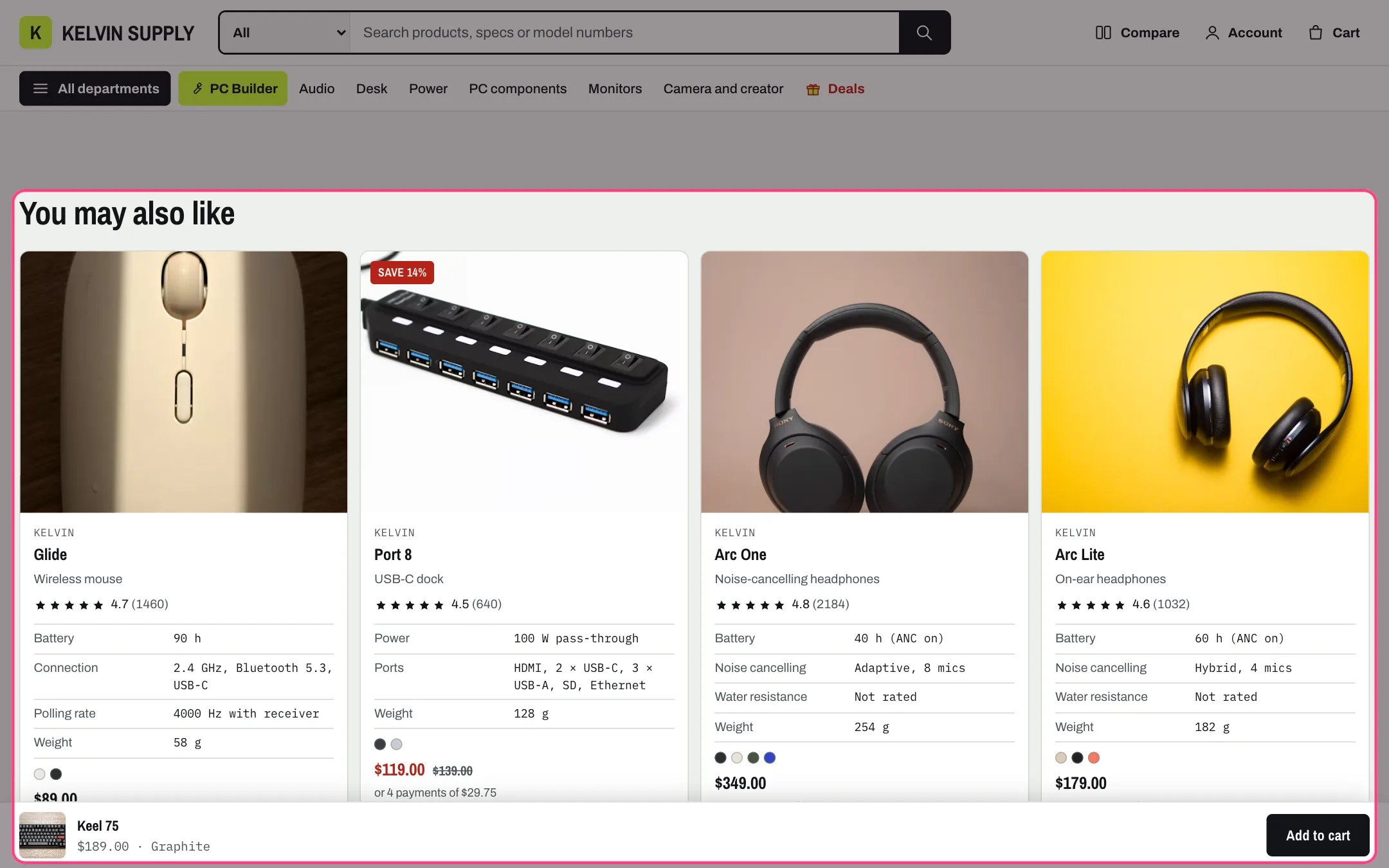
Related products, highlighted with the demo content
Where to find it
On the default product template, under Product information. In the theme editor choose Products, then Default product, and select Related products. It can only be added to product templates.How it works
- Shopify picks the products from sales and product descriptions. You can choose them yourself per product in the Search and Discovery app.
- It loads when it comes within about 800 px of the screen, so it never slows the top of the page.
- It hides itself completely when Shopify has nothing to suggest.
- The cards are the standard product cards, with quick view and quick add as set in Theme settings → Product cards, and Compare when Theme settings → Compare → Compare page is set.
- With the Heading empty, the cards show without a title.
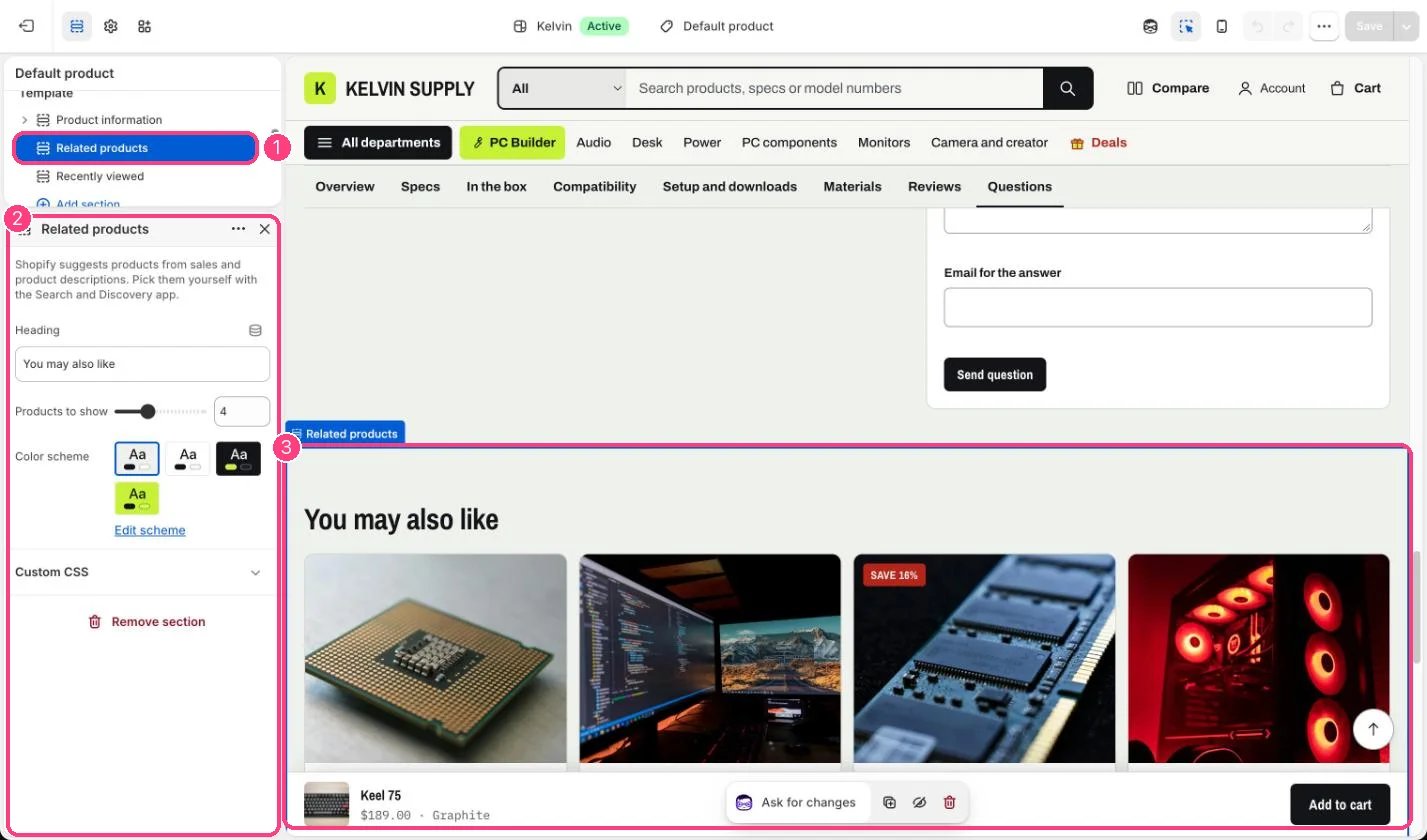
In the theme editor: 1 the section in the sidebar · 2 its settings · 3 the section in the preview
Edit it
- Edit the Heading (You may also like on install).
- Set Products to show, from 2 to 8 (4 on install).
- To choose related products yourself, open the Search and Discovery app, go to Product recommendations, pick the product and add related products. Complementary products for Below: bought together are set in the same place.
Settings
On a new store Shopify can take a while to suggest products automatically. Set related products in the Search and Discovery app in the meantime.