
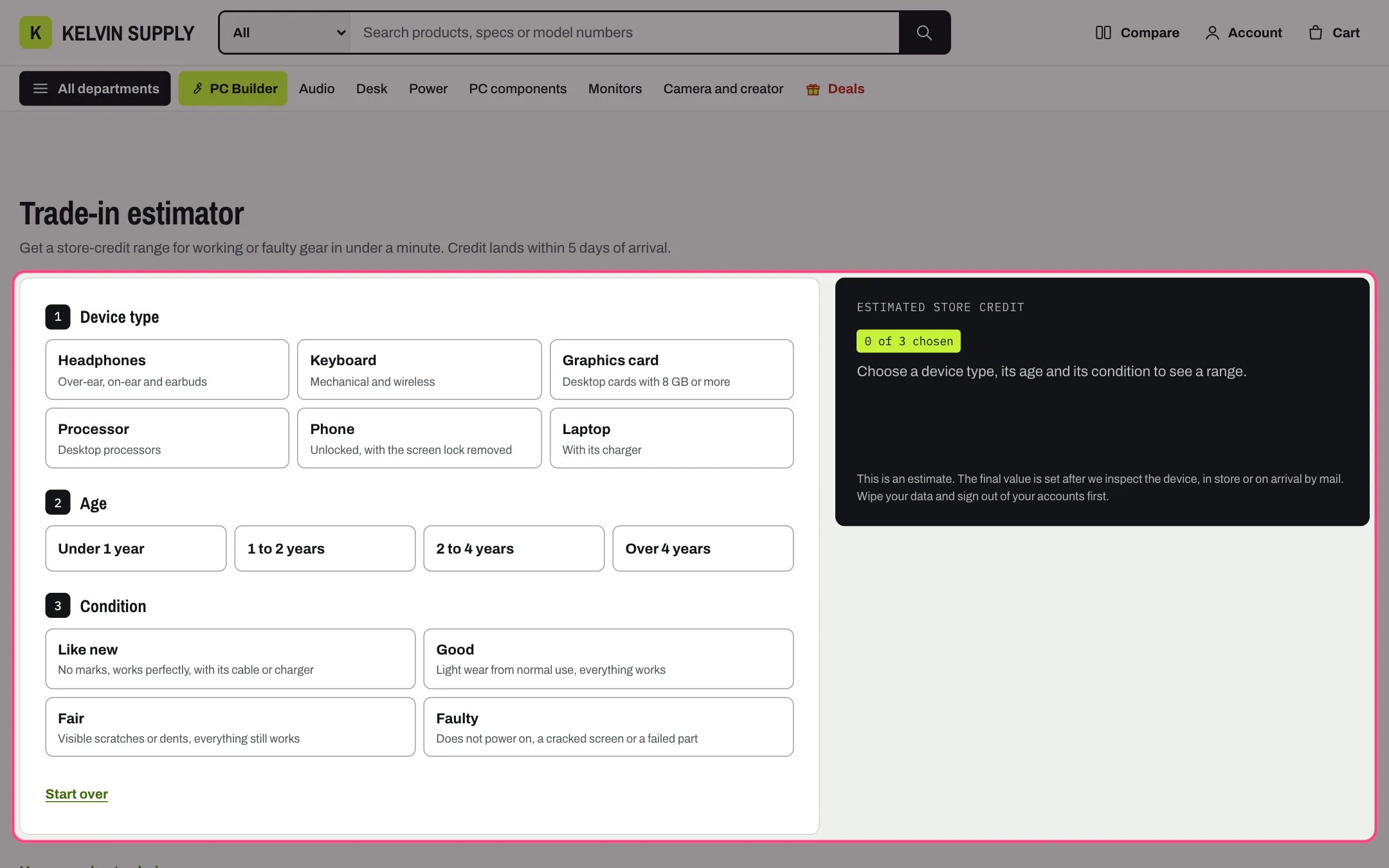
Trade-in estimator, highlighted with the demo content
Where to find it
The care template (page.care), at the bottom. Create a page in Online Store → Pages with Theme template care, then in the theme editor choose Pages, then care, and select Trade-in estimator. Add it to other templates with Add section.How it works
- Shoppers choose 1 Device type (one tile per Device block), 2 Age and 3 Condition. Until all three are chosen, the result card says how many are chosen and what is left.
- The range is the device’s Lowest value and Highest value, times the age share, times the condition share, rounded to Round to the nearest. The card shows that working line by line, with Paid as.
- When the lowest value rounds to zero the result reads Up to and the highest value. When even the highest is below the rounding step, it reads No credit with Text when there is no credit.
- The two buttons show only when there is a credit range. Start over clears the choices.
- Nothing is sent or saved: the estimate stays on the shopper’s screen and creates no order or store credit.
- Show the table of values adds a How we price trade-ins panel listing the like-new credit for every device and age, with the condition shares. It works without JavaScript; Open the table of values opens it on load.
- Under 1180 px the result card sits under the choices and scrolls into view once the third choice is made, without smooth scrolling when reduced motion is on.
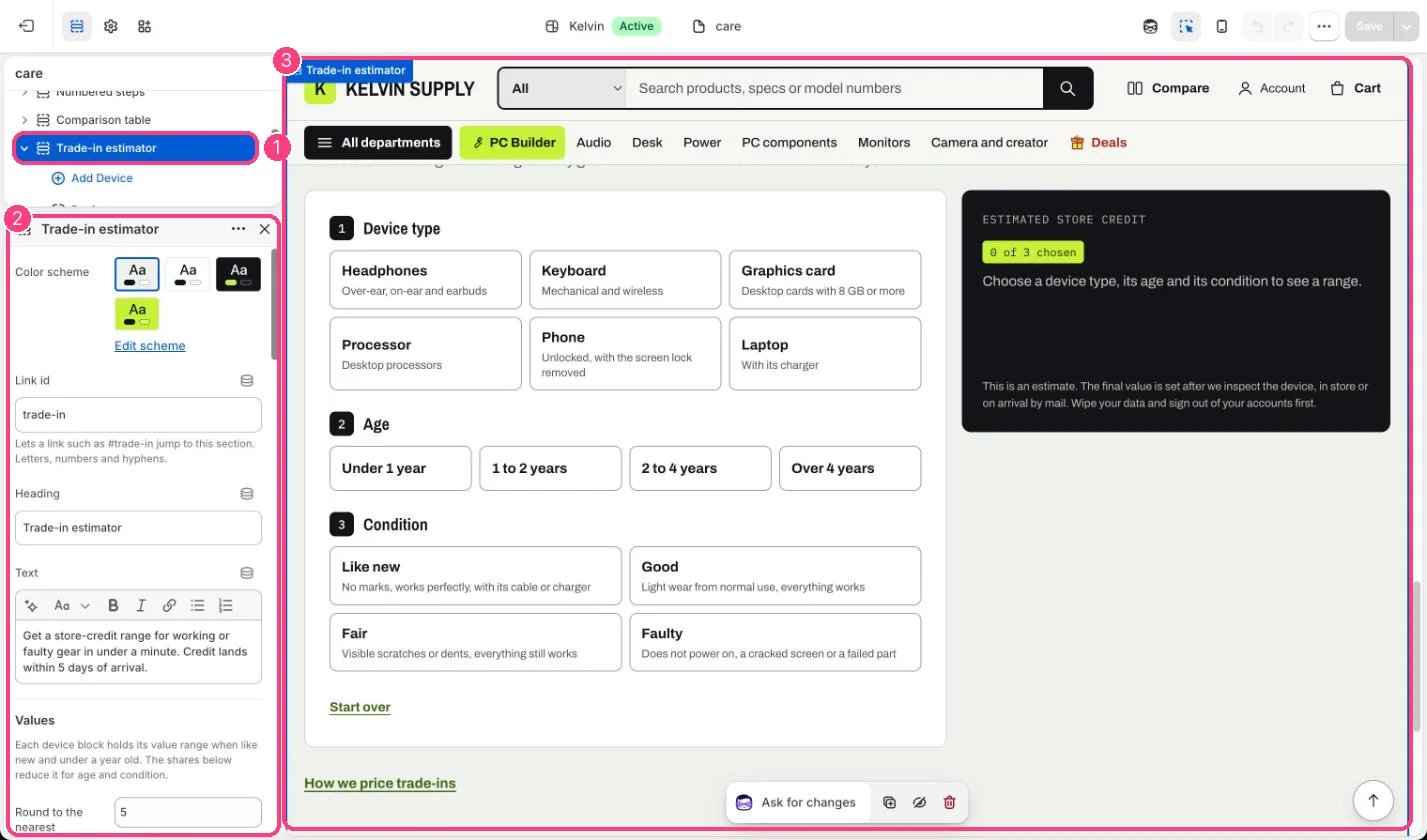
In the theme editor: 1 the section in the sidebar · 2 its settings · 3 the section in the preview
Edit it
- Add a Device block per type (up to 12) with Device type, Examples, and Lowest value and Highest value for a like-new device under a year old, in your store’s currency.
- Set the four ages and conditions: First age with First age share, First condition with First condition note and First condition share, and so on. Leave a label blank to hide that choice.
- Set Round to the nearest, such as 5.
- Edit Result label, Paid as, Text when there is no credit and Fine print to match how you really handle trade-ins.
- Fill in First button label and First button link (such as /pages/stores) and the second button (such as /pages/contact?topic=returns); a button without a link does not show.
Settings
Values
Result
Blocks
Add a block with Add block under the section in the sidebar; drag blocks to reorder them.Device (up to 12)
The device values on install are examples. Set your own before you publish the page.This is an estimate only. Inspect the device and issue the credit yourself, for example as a gift card.