
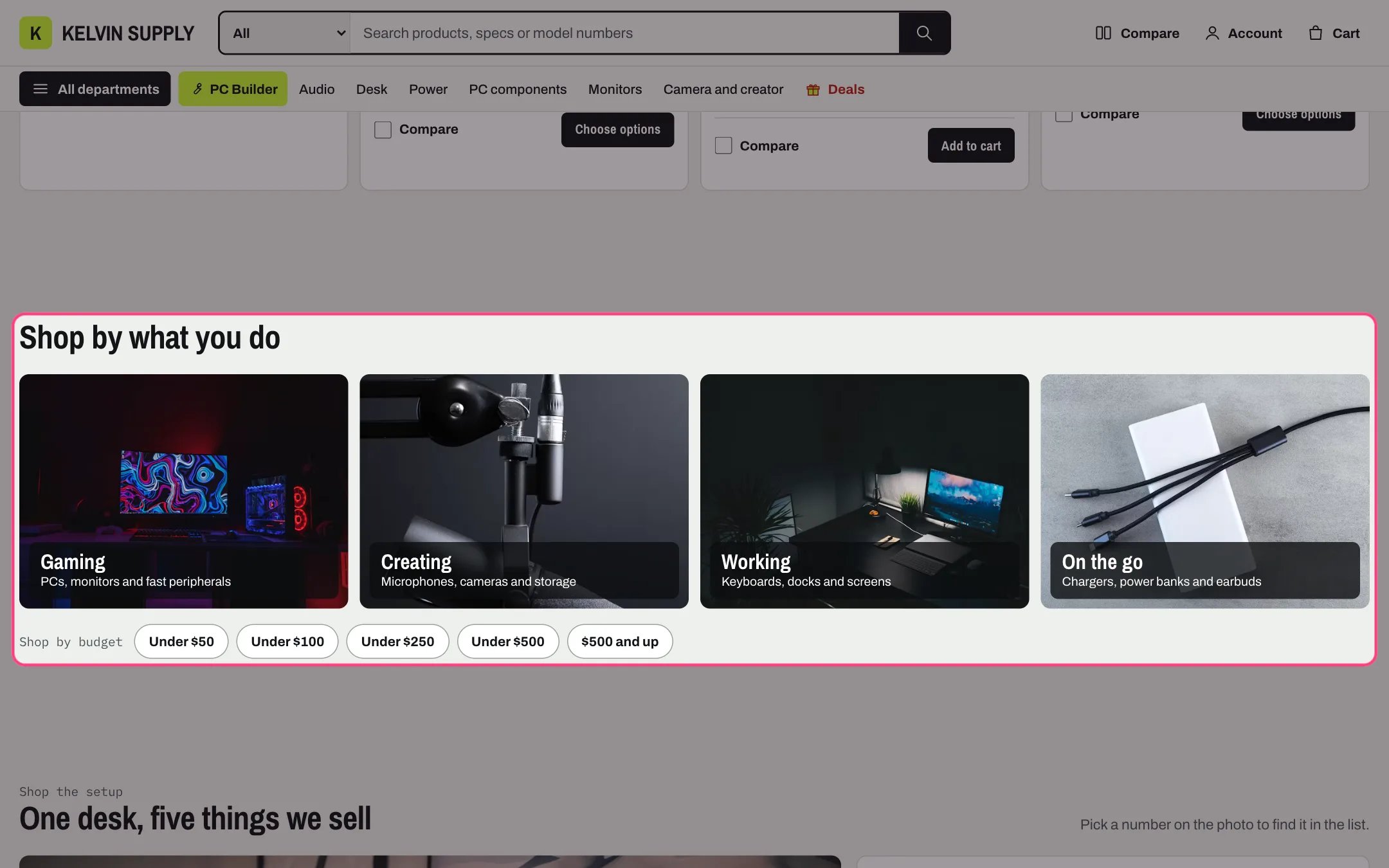
Shop by use, highlighted with the demo content
Where to find it
Home page. In the theme editor choose Home page in the page selector, then select Shop by use. To use it on another page, click Add section and choose Shop by use.How it works
- Each Use tile block is a photo tile with its title and text on a dark label in the bottom corner. With a Link set, the whole tile is a link.
- Tile photos are cropped to a wide shape, 1.4 to 1. A tile without an image shows Shopify’s placeholder drawing.
- Four tiles per row on desktop, two at 900 px and narrower. On phones the tile text is hidden and only the title shows.
- Budget amounts become price chips: each amount is an Under chip, such as Under $50, and with Add an and up chip for the highest amount turned on, the highest amount also gets an and up chip.
- A chip opens the Budget collection (all products when it is empty) filtered by price with Shopify’s own price filter. Amounts are read in your store currency and shown in its money format.
- Amounts that are not numbers, or not higher than the one before, are skipped. With Budget amounts empty, the chips are hidden.
- Photos zoom in slightly on hover, and stay still with reduced motion.
- The section is hidden when it has no tiles and no chips. In the theme editor a note shows in its place.
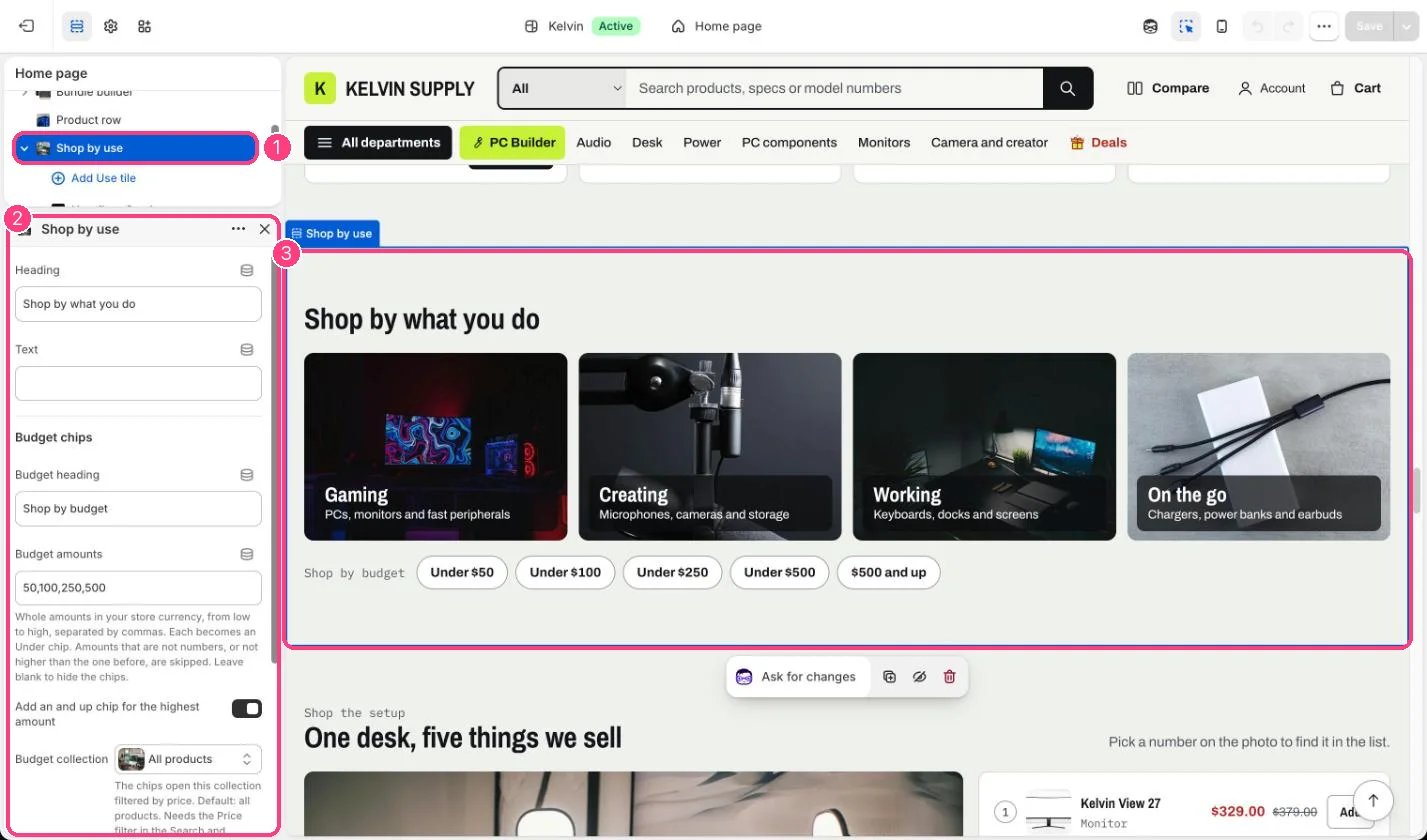
In the theme editor: 1 the section in the sidebar · 2 its settings · 3 the section in the preview
Edit it
- Add a Use tile block per activity (up to 8). Upload an Image of the gear in use (800 x 570px recommended) and set its focal point so the tile’s crop keeps the subject in view.
- Keep Heading to one or two words and Text to one short line. The text is hidden on phones.
- Set Link to the collection for that use, such as a Gaming collection.
- Type Budget amounts as whole numbers from low to high, separated by commas, such as 50,100,250,500.
- Choose a Budget collection to keep the chips inside one collection, or leave it empty for all products.
- In the Search and Discovery app, add the Price filter. The chips need it to filter by price.
Settings
Budget chips
Blocks
Up to 8 blocks. Add a block with Add block under the section in the sidebar; drag blocks to reorder them.Use tile
On install the four tiles have no images or links, so they show placeholder drawings. Add photos and links before you publish.