
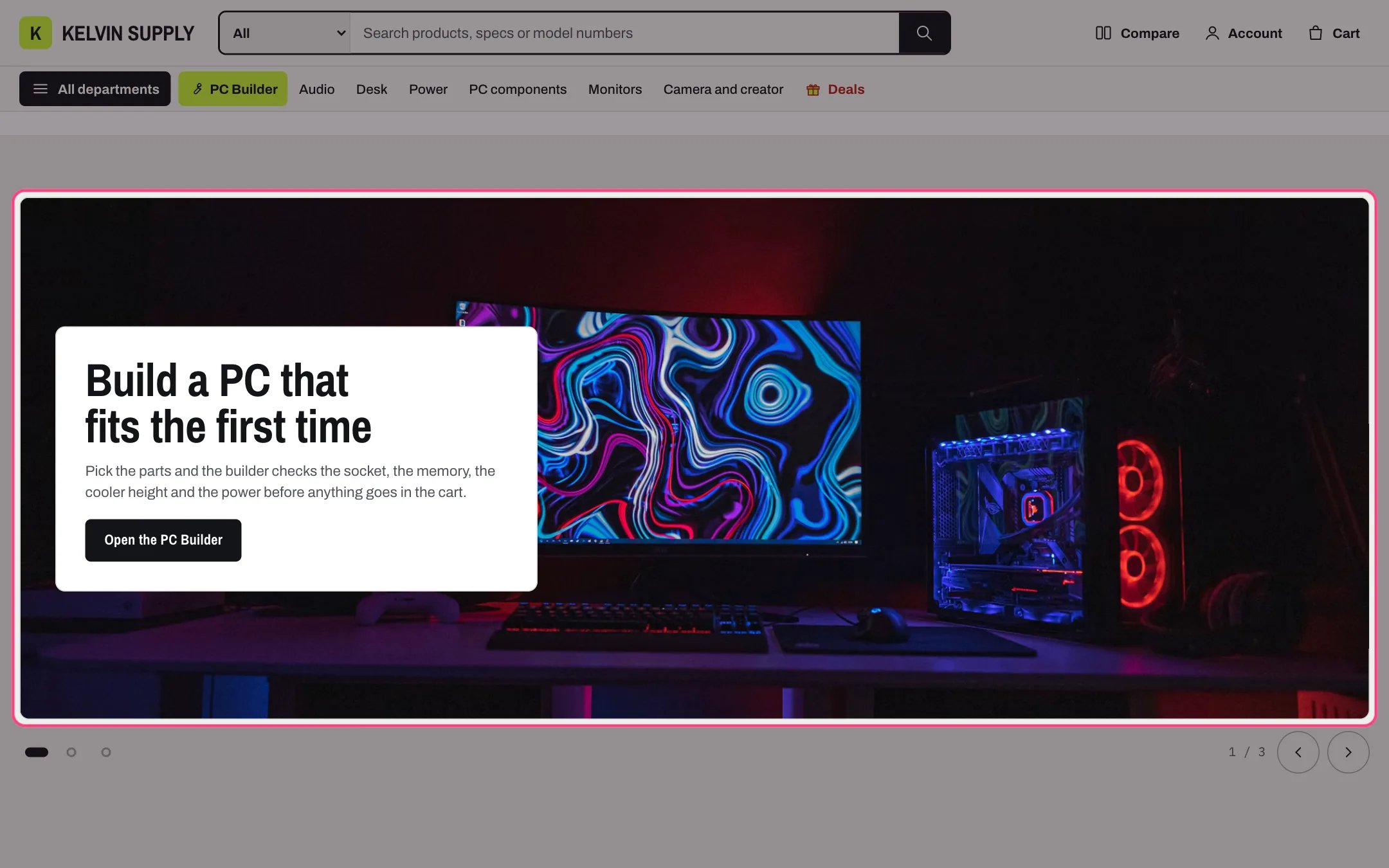
Slideshow, highlighted with the demo content
Where to find it
On no template when the theme is installed. Add it to the home page or any other page with Add section, then choose Slideshow; it comes with two slides.How it works
- With two or three slides, controls under them show previous and next buttons (they wrap around), one dot per slide and a counter such as 2 / 3. On touch screens shoppers can also swipe.
- Only the slide on screen can be reached with the keyboard. Screen readers hear each slide as 1 of 3, and the slide changes a shopper makes are announced.
- Slides never change on their own unless you turn on Change slides automatically, every 6 to 10 seconds (Change slides every). A Pause button then comes first in the controls, and slides hold while the pointer is over them, while keyboard focus is in the slideshow, and while the tab is hidden or the slideshow is off screen.
- Shoppers who ask their device for reduced motion never see slides change on their own, and the slides move without animation.
- Slide height on desktop is Small, Medium or Large (420, 540 or 680 px); a slide grows when its text needs more room.
- Text position places the text box in one of eight places on the photo; left and right swap in right-to-left languages. On phones the text sits below the photo, and a Mobile image replaces the image below 750 px.
- The button shows once it has a Button label and a Button link. The section stays hidden on the store until it has a slide.
- In the theme editor, selecting a slide’s block shows that slide and holds it there.
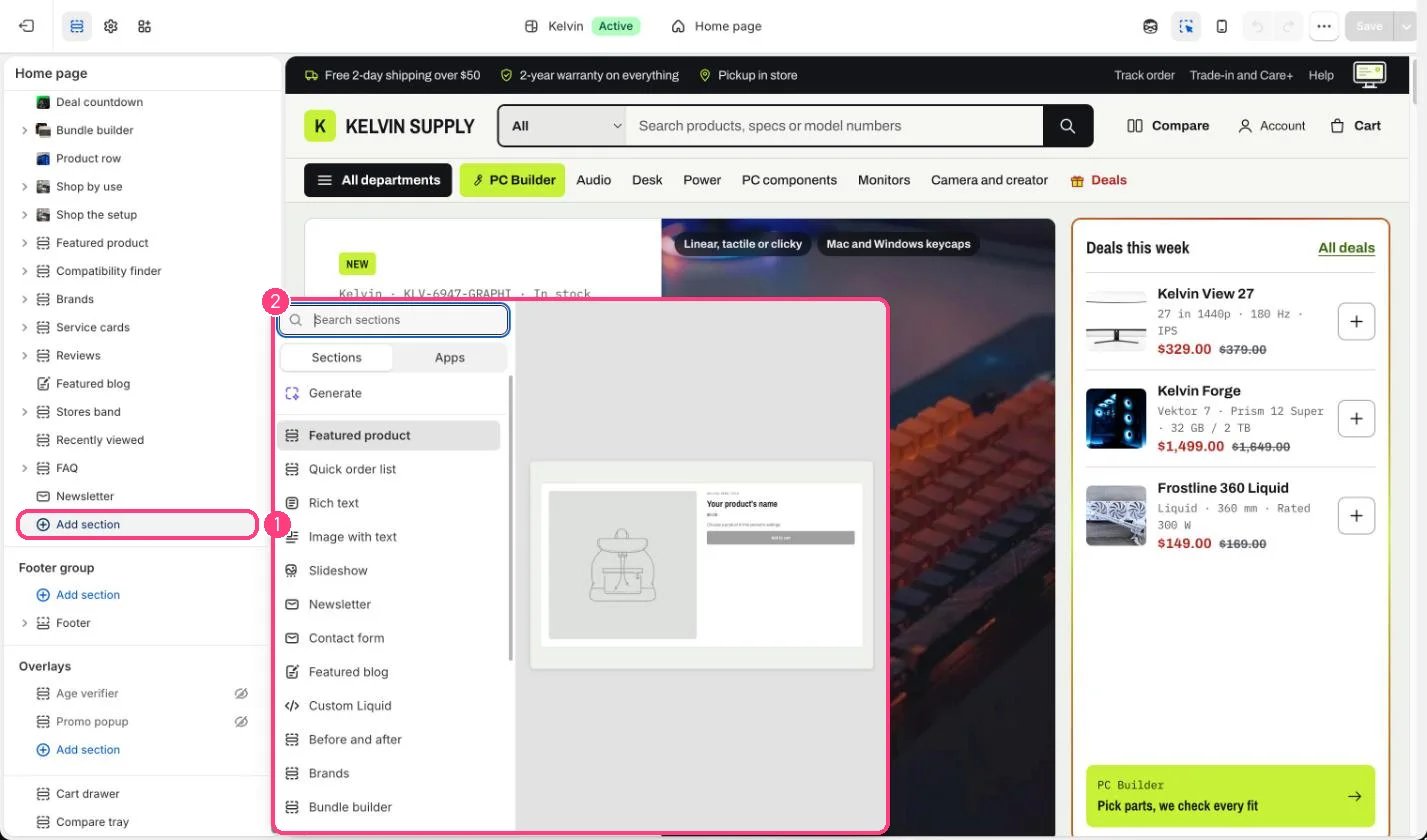
Not on the demo pages: add it with 1 Add section, then pick it in 2 the list
Edit it
- Use landscape photos, 2000 x 900px recommended, and add a taller Mobile image for phones, 1000 x 1250px recommended.
- Keep each heading to a few words and the text to one or two sentences, so the box does not cover the photo.
- Pick a Color scheme for each slide’s text box so it reads well on the photo.
- Turn on Use the first heading as the page title only when no other section on the page has a main heading; on the home page the hero has it.
- Leave Change slides automatically off unless the slides are quick to read.
Settings
Autoplay