
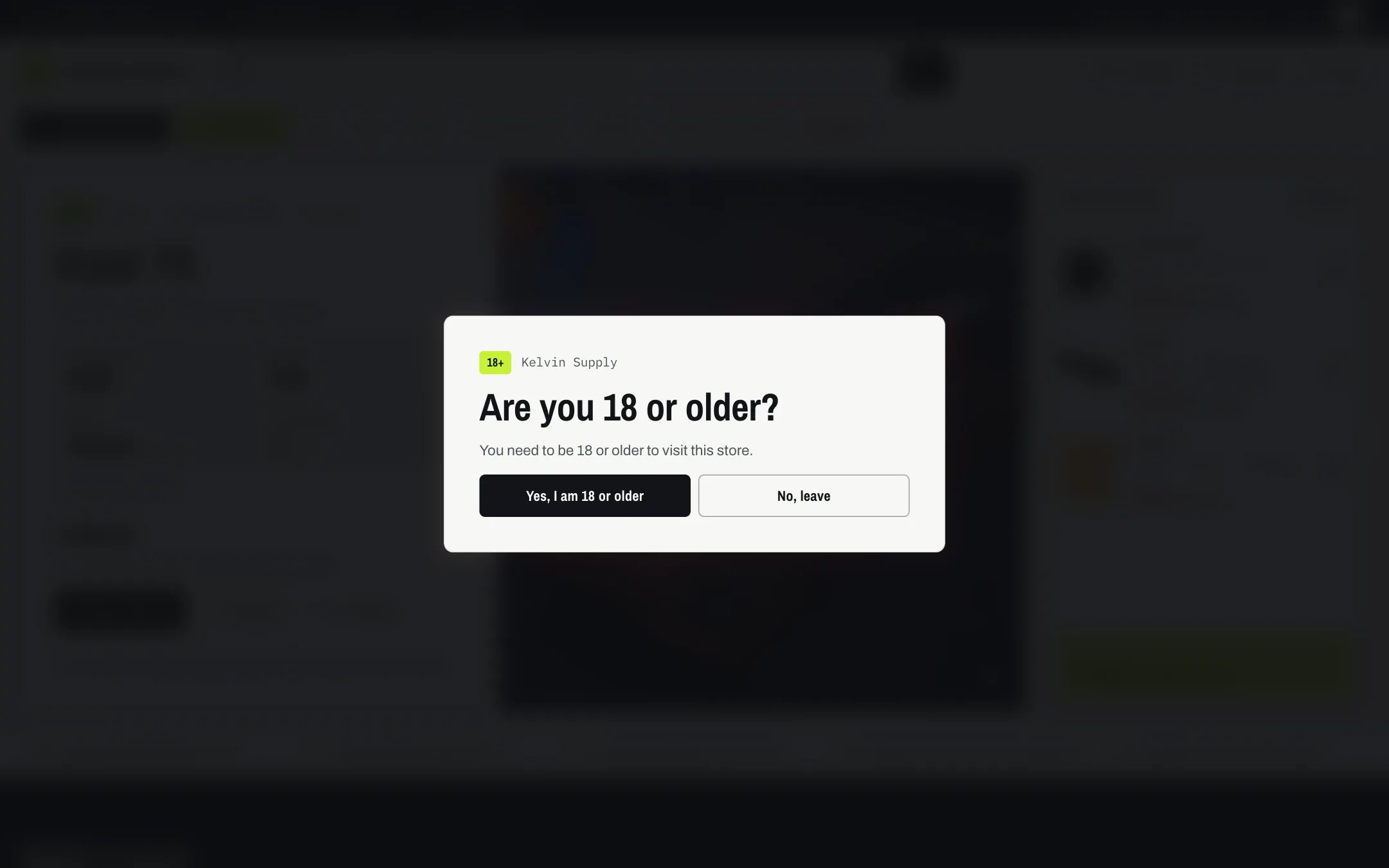
Age verifier, highlighted with the demo content
Where to find it
The Overlays group. It ships hidden: in the theme editor open any page, find Age verifier under Overlays in the sidebar, and click the eye icon to show it. There can be only one; if you deleted it, add it back with Add section in the Overlays group.How it works
- The dialog opens over a darkened, blurred page as soon as a page loads. Escape and clicking outside do not close it: the visitor has to answer.
- Minimum age (13 to 25, 18 by default) fills the default heading, text and buttons, such as Are you 18 or older? and Yes, I am 18 or older.
- Confirming closes the dialog and saves the answer on the visitor’s device for Ask again after (1 to 90 days, 30 by default). A browser that blocks site storage is asked again on each page.
- The leave button goes to the Leave button link. Without a link, the dialog shows the Message after leaving, with I answered by mistake to go back to the question.
- Keyboard focus starts on the heading and stays in the dialog until the visitor answers.
- It never shows at checkout, which Shopify hosts, or on the password and gift card pages.
- In the theme editor it opens only while the section is selected, so you can edit the rest of the page.
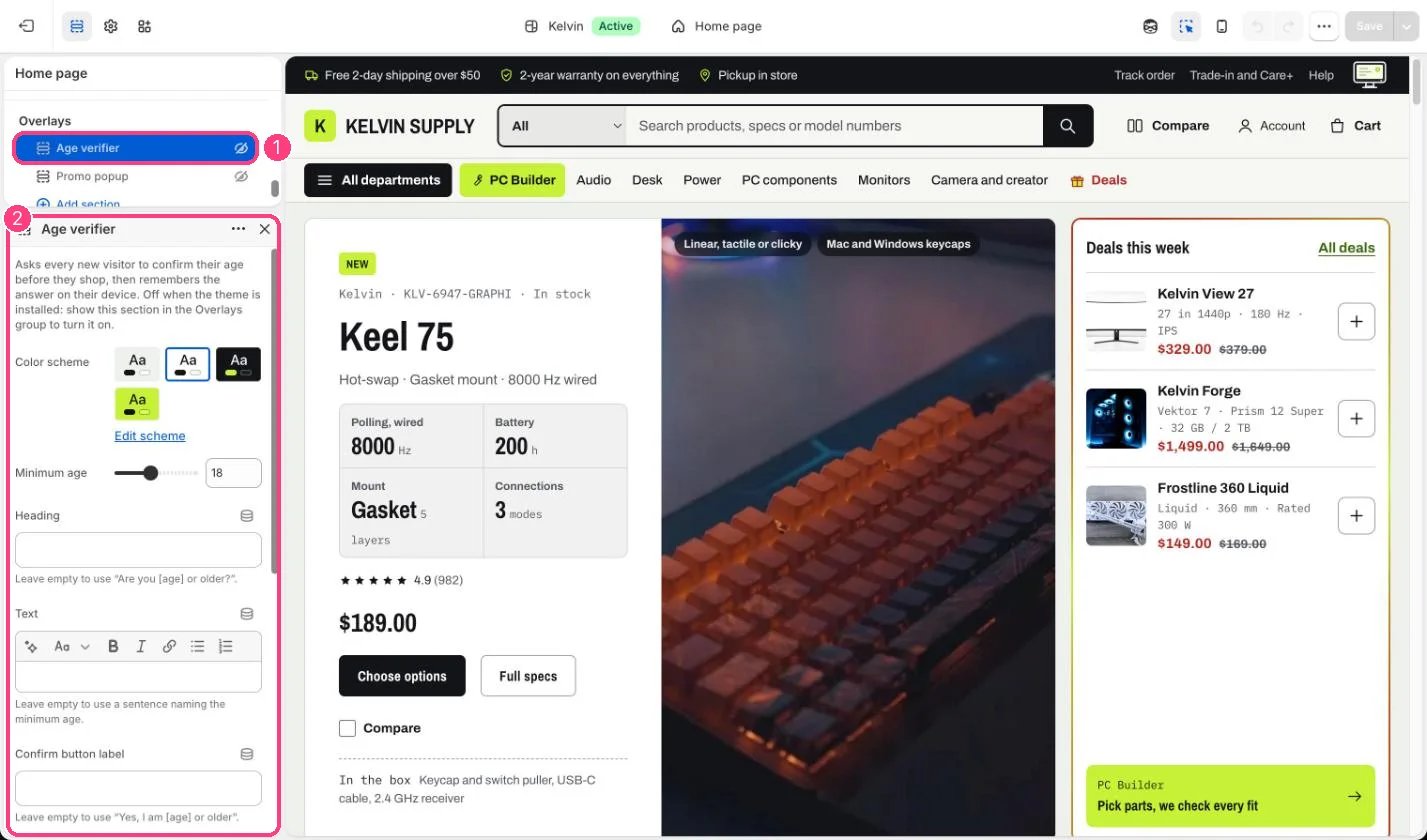
In the theme editor: 1 Age verifier, under Overlays, hidden on install (the eye icon) · 2 its settings
Edit it
- Set the Minimum age your products require.
- Leave Heading, Text and the button labels empty to use the default wording, which names the age and is translated.
- Set a Leave button link, or leave it empty to show the Message after leaving instead.
- Show the section with the eye icon in the sidebar, then save.
Settings
It asks; it does not check identity or documents. Follow the age rules that apply to your products at checkout and on delivery too.