
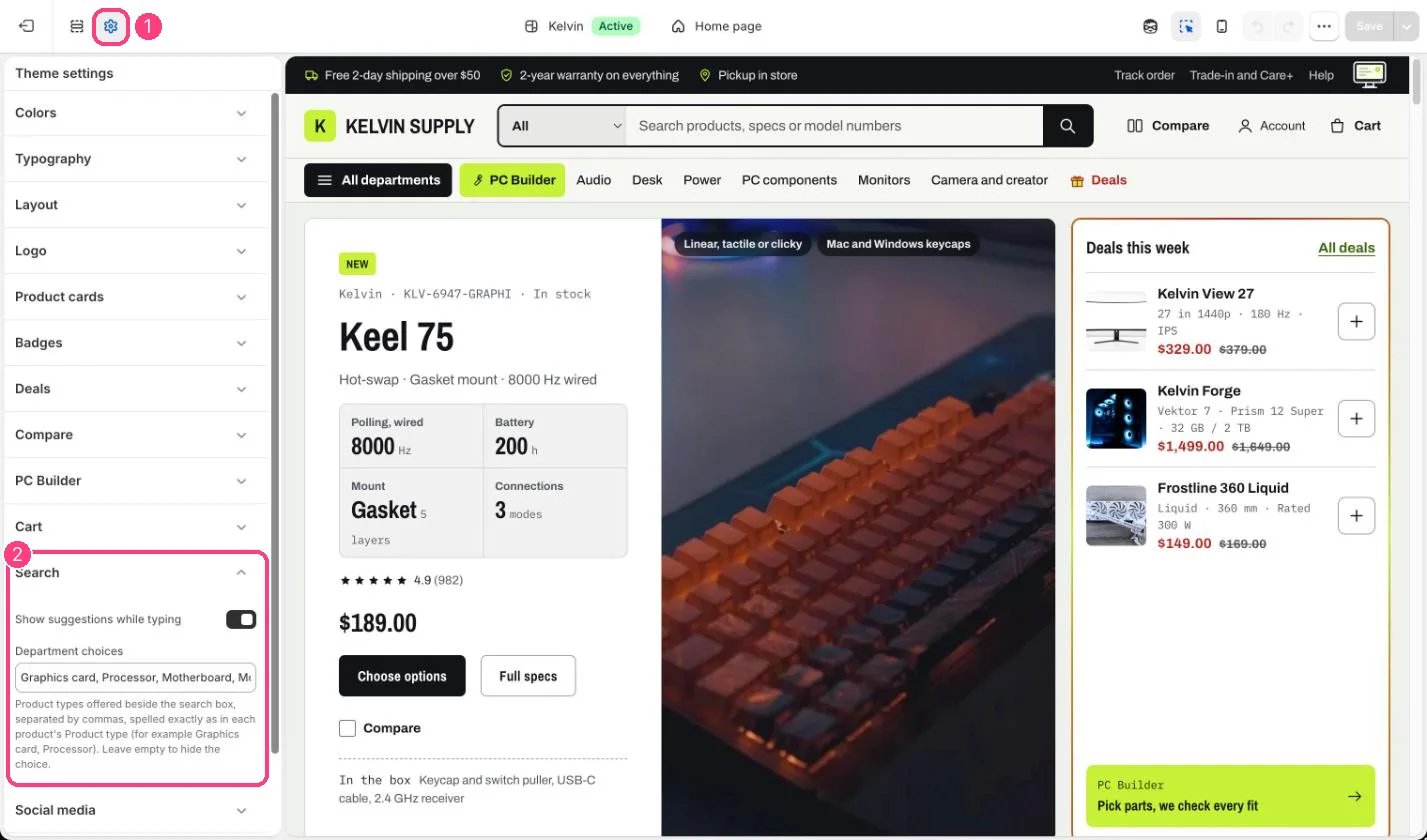
1 Theme settings (the gear icon) · 2 Search, opened in the sidebar
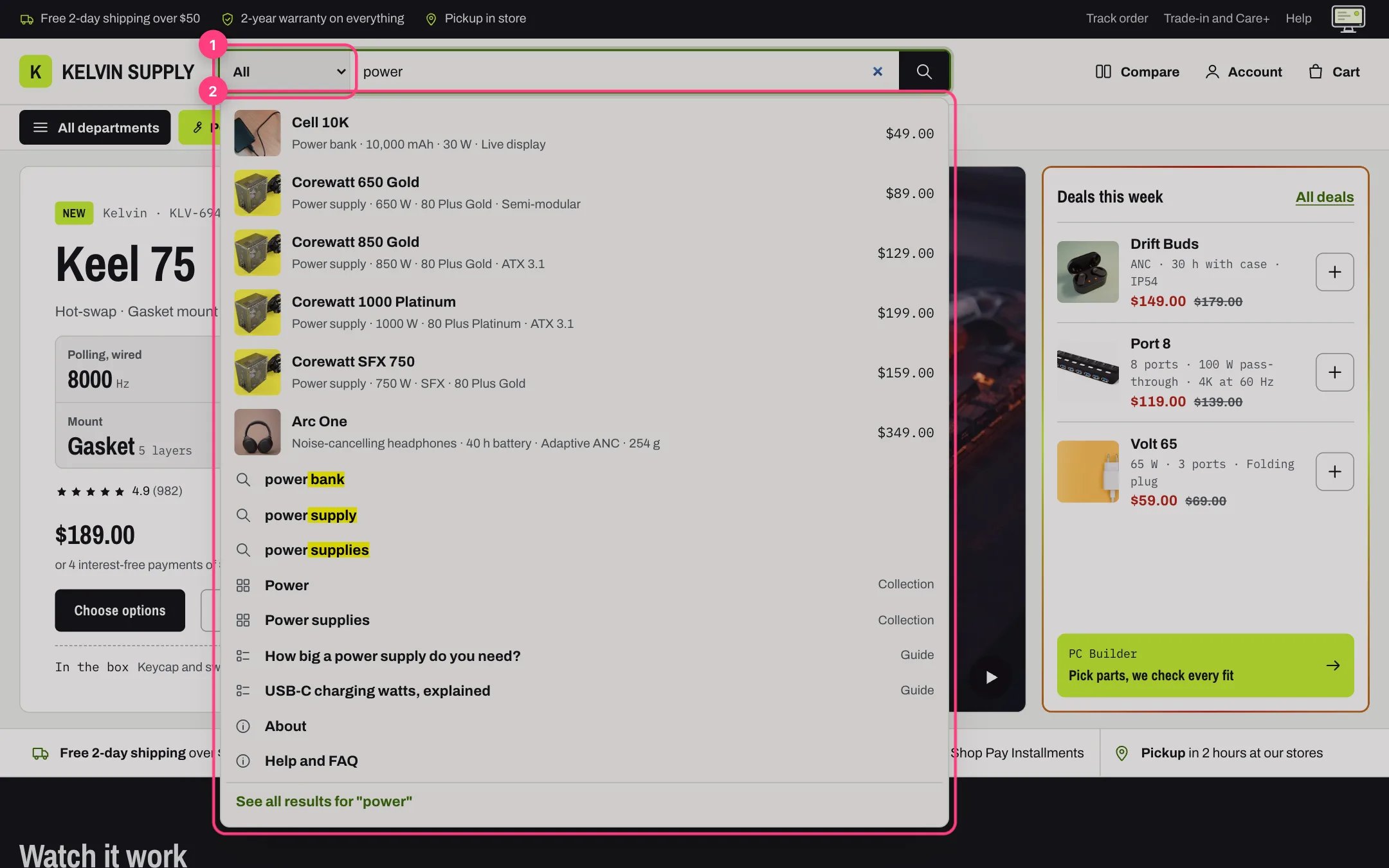
Suggestions while typing
How it works
- Show suggestions while typing lists products, suggested searches, collections, guides and pages under the search box as shoppers type; see Search suggestions. Off, the box opens the search page when the shopper presses Enter.
- Department choices lists product types separated by commas, and is empty on install. Once you fill it, on screens 750 px and wider they show in a Department menu at the start of the header search box, after All, and the search page then shows only products of the chosen type.
- The suggestions while typing do not narrow by department; only the full search page does.
- Leave Department choices empty to hide the menu.
Edit it
- Type each department exactly as the Product type field reads on your products, separated by commas, and keep the list short.
- The department uses Shopify’s product type filter, so add a Product type filter in the Search & Discovery app. See Filters with Search & Discovery.