
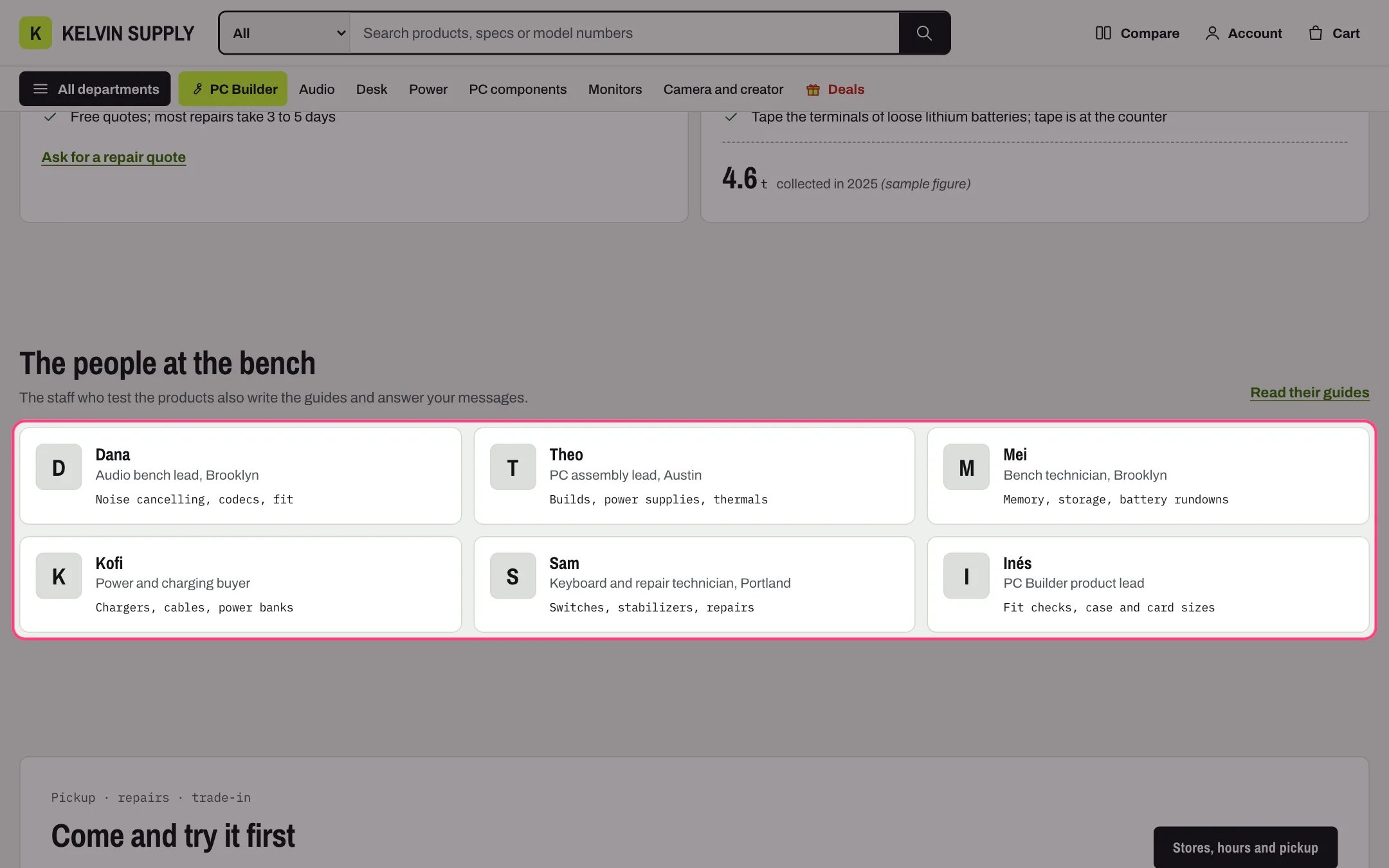
Team, highlighted with the demo content
Where to find it
The about template (page.about). Create a page in Online Store → Pages with Theme template about, then in the theme editor choose Pages, then about, and select Team.How it works
- Each Person shows a small square photo, or the first letter of the name when there is no photo.
- First name and Role show beside the photo, with Works on in the monospace font under them.
- People per row on desktop sets 2, 3 or 4 columns; under 1000 px two per row, under 750 px one.
- Link label and Link show a link beside the heading, such as to the guides your staff write.
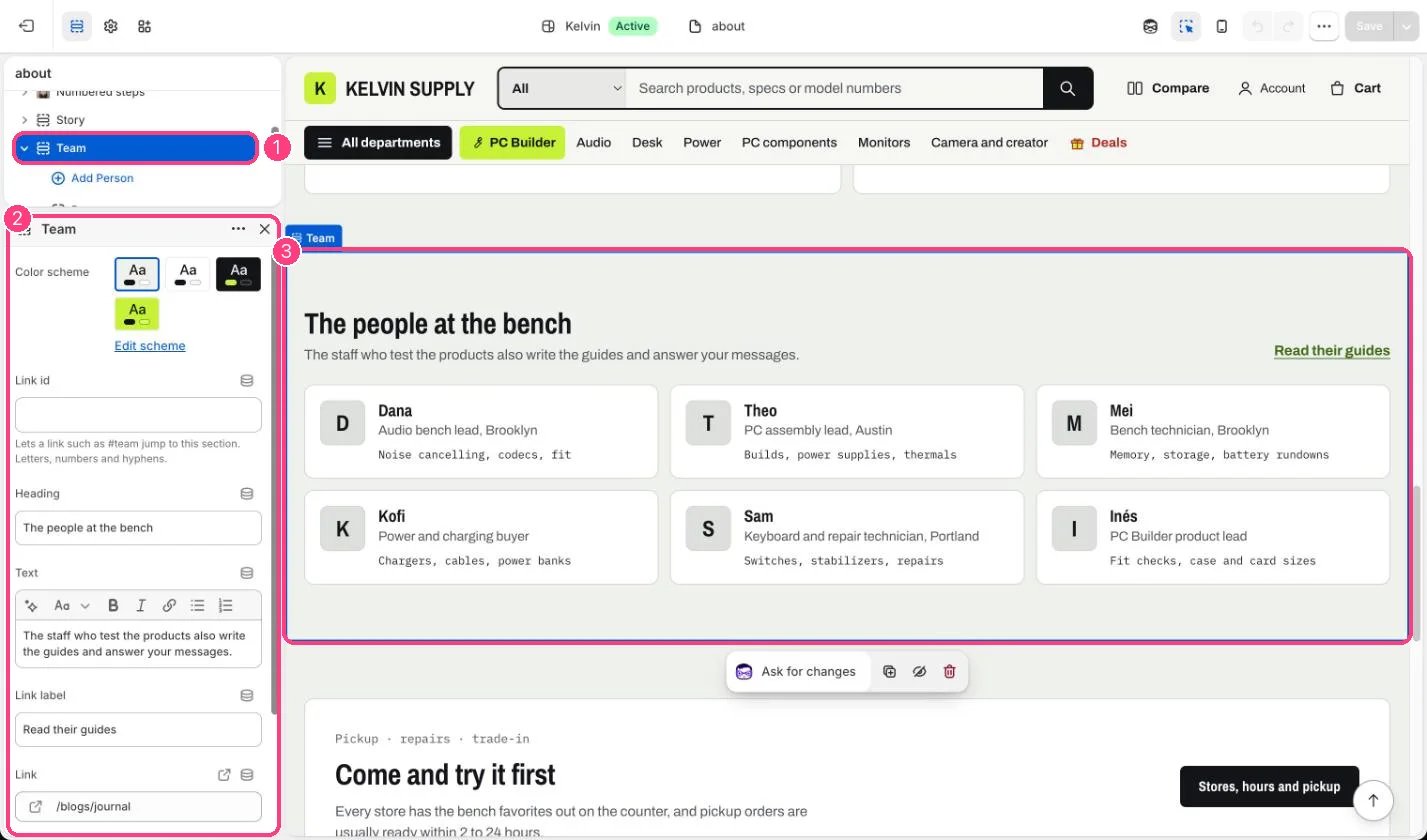
In the theme editor: 1 the section in the sidebar · 2 its settings · 3 the section in the preview
Edit it
- Add a Person block per person (up to 24) with First name, Role and Works on.
- Upload a square Photo of at least 200 x 200 px; it is shown small and cropped to a square.
- Edit Heading and Text, and choose People per row on desktop.
- Ask staff before you publish their photo and name.
Settings
Blocks
Add a block with Add block under the section in the sidebar; drag blocks to reorder them.Person (up to 24)
On install the about template lists three placeholder people, each with First name set to Name and Role set to Role at the store: replace them with your own staff.