
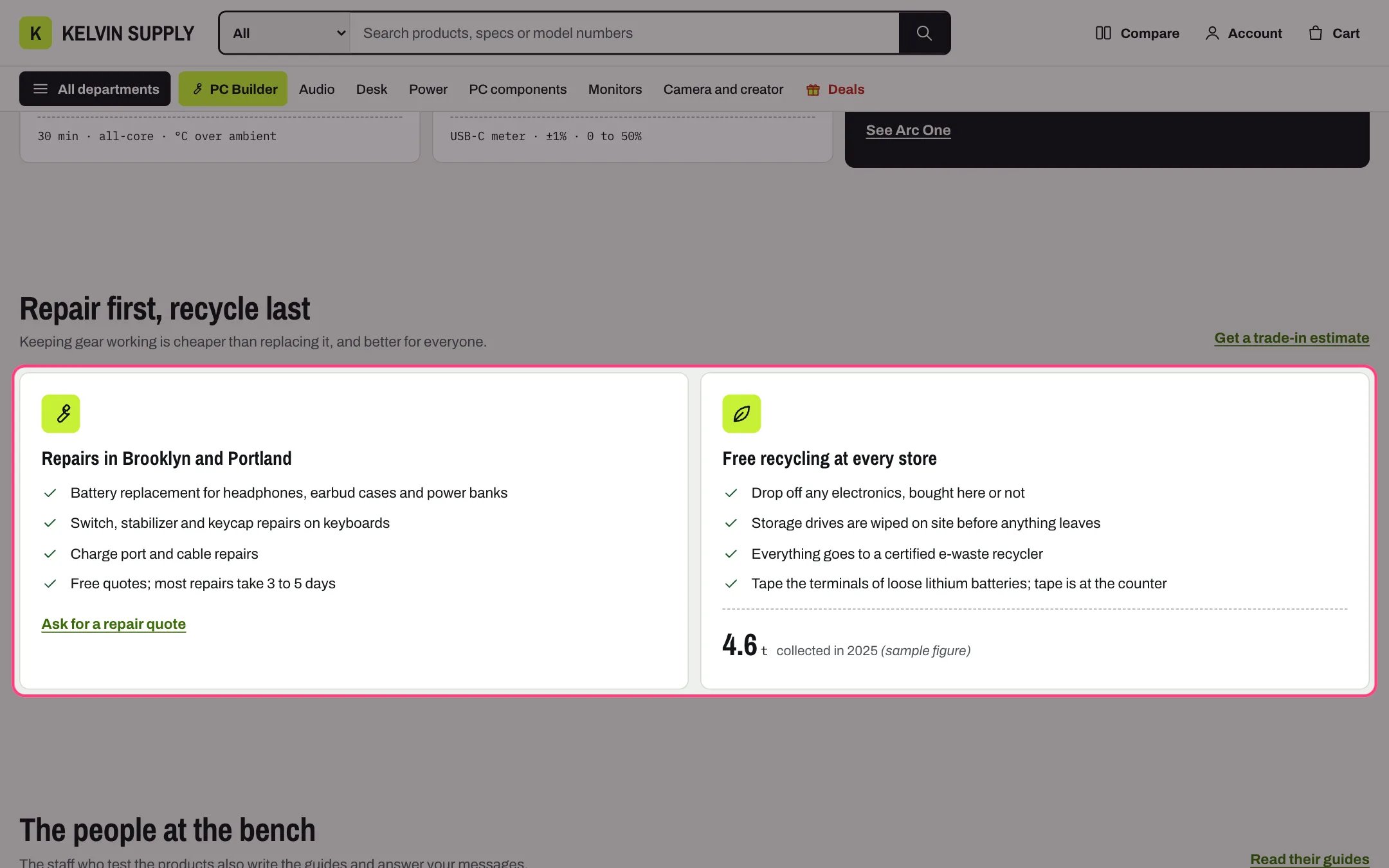
Story, highlighted with the demo content
Where to find it
On install it is on the about template (Repair first, recycle last) and the care template (What is covered). Create the page in Online Store → Pages with Theme template about or care, then in the theme editor choose Pages, then about or care, and select Story. Add it to other templates with Add section.How it works
- Layout Photo when one is chosen shows the text beside a photo once you pick one; without a photo the heading and text sit above the panels. Always text and photo keeps the photo area and shows a placeholder drawing until you choose one.
- In the photo layout, Link label and Link make a button under the text; without a photo they show as a link beside the heading.
- Panels sit up to three per row, so six panels make two rows. Under 750 px they stack.
- Each panel can show an Icon as a tile above the title, or small beside the title, then Text and a List with one item per line.
- List marks Check marks, for what is included shows green check marks; Crosses, for what is not shows gray crosses. The care template pairs a Covered panel with a Not covered panel this way.
- Figure, Figure unit and Figure text show one number large at the bottom of a panel, such as 4.6 t collected in 2025.
- Link id gives the section an anchor, so a link such as #coverage jumps to it.
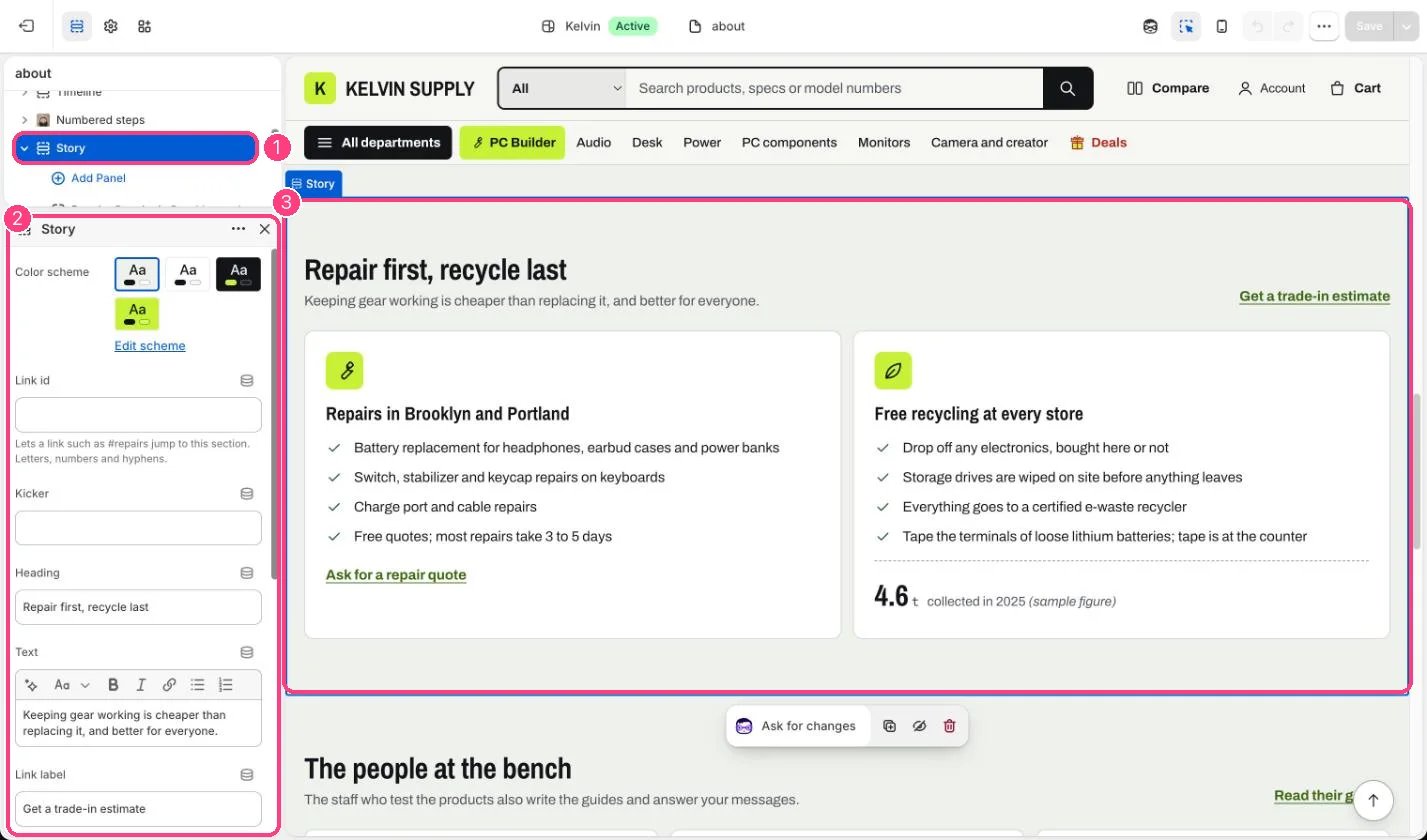
In the theme editor: 1 the section in the sidebar · 2 its settings · 3 the section in the preview
Edit it
- Edit Kicker, Heading and Text. Leave Heading blank and the panels’ headings become the section’s headings.
- For a photo story, choose Photo (landscape, at least 1600 px wide) and Photo position.
- Add a Panel block per point (up to 6) with Heading, Text and List. Choose Icon and Icon style, and List marks.
- Add Figure, Figure unit and Figure text to a panel only for a number you can stand behind.
- Add Link label and Link to a panel to send shoppers on, such as to the contact page for a repair quote.
Settings
Photo
Blocks
Add a block with Add block under the section in the sidebar; drag blocks to reorder them.Panel (up to 6)
On install the List in the about template’s Repairs and Recycling panels and the care template’s Covered panel is placeholder guidance, such as Say what you take back for recycling: replace it with your own services and terms.