
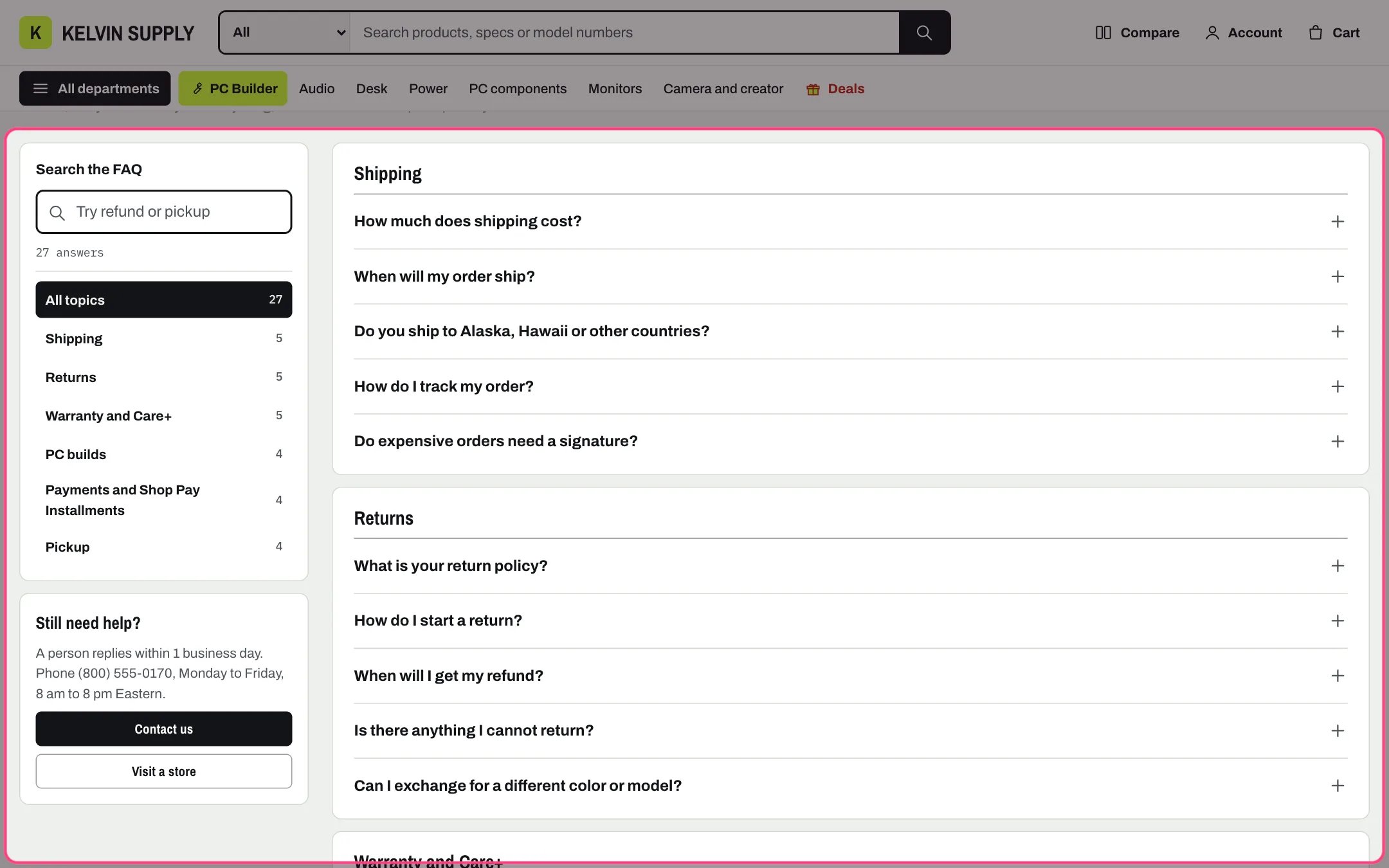
FAQ page, highlighted with the demo content
Where to find it
The faq template (page.faq), shown on the demo at /pages/faq. Create a page in Online Store → Pages, choose faq under Theme template and save. In the theme editor choose Pages, then faq, and select FAQ. The home page has its own, simpler FAQ section.How it works
- A Category block starts a group, and the Question blocks after it belong to it until the next Category. Questions before the first Category go under Heading for questions without a category.
- Answers open and close in place, and work without JavaScript.
- The search field filters questions and answers as shoppers type: every word must match, accents are ignored, and matching words are highlighted in the questions. An answer that matches only in its text opens so shoppers see why it is listed.
- A count line follows the search, such as 4 answers for refund; when nothing matches, an empty state offers Clear the search and your first contact button.
- Topic chips, one per category with its count, show when there are two or more groups.
- Links can open an answer or a topic: #faq- followed by the question in lower case with hyphens opens that answer, such as /pages/faq#faq-how-does-in-store-pickup-work; ?cat=pickup picks a category and ?q=refund fills in the search.
- The search and the contact panel sit beside the questions on wide screens. Under 1000 px the search moves above the questions and the contact panel below them.
- Add FAQ structured data describes every question and answer to search engines as an FAQPage. It is off on install.
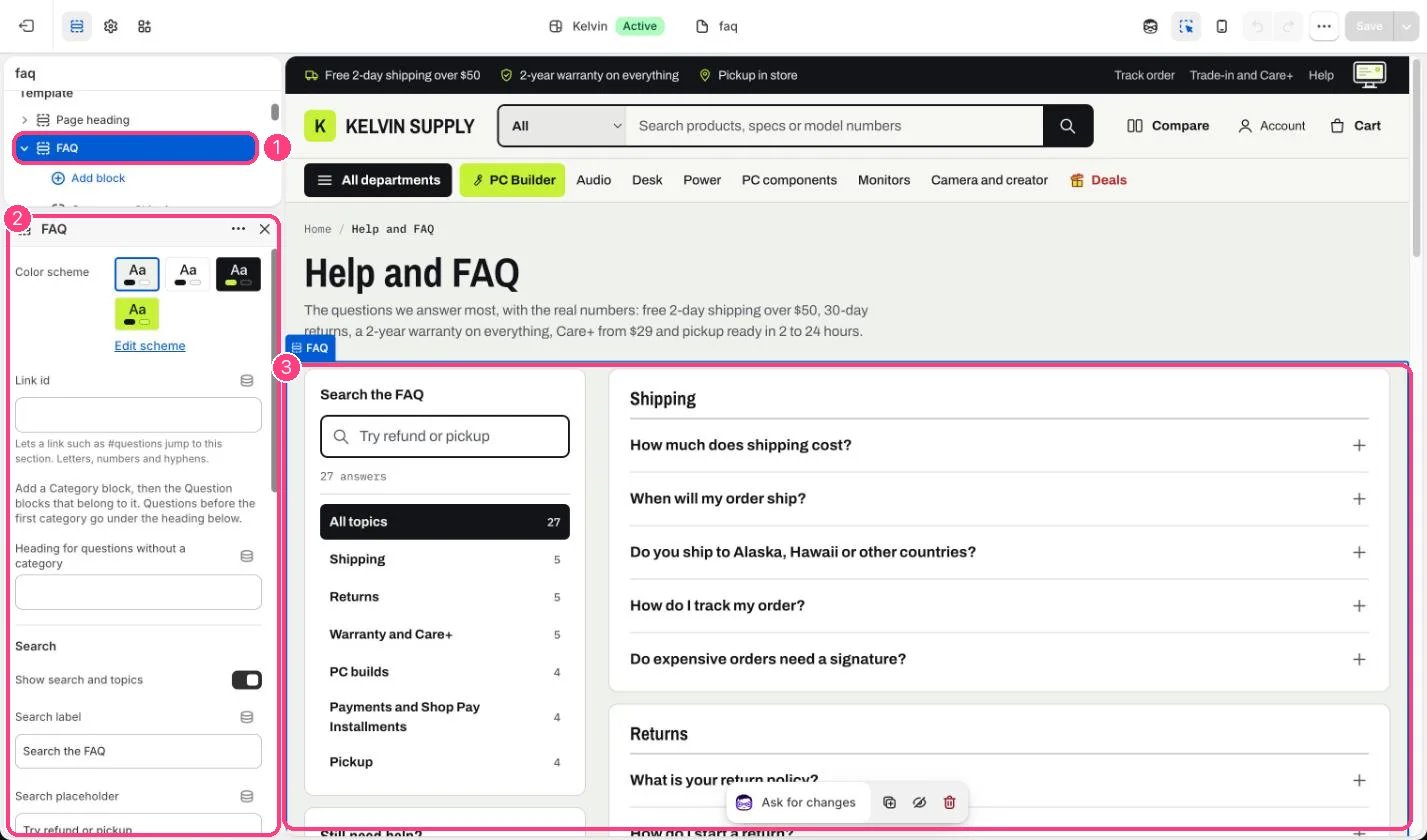
In the theme editor: 1 the section in the sidebar · 2 its settings · 3 the section in the preview
Edit it
- Add a Category block, then the Question blocks for it, and drag them into order.
- Write each Answer with the real numbers: costs, days and windows. Answers can contain links.
- Edit Search label and Search placeholder, or turn off Show search and topics.
- In the contact panel, edit Heading and Text and set First button link (such as /pages/contact); the button shows only with both its label and link.
- Turn on Add FAQ structured data only if no app already adds FAQ data to the page.
Settings
Search
Contact panel
Search engines
Blocks
Add a block with Add block under the section in the sidebar; drag blocks to reorder them.Category
Question
On install the six questions are placeholders that tell you what to write, such as Say what shipping costs: replace every answer. The contact panel’s Text is placeholder guidance too (Say how shoppers can reach you and how soon you reply).Changing a question’s wording changes its #faq- link, so update links that point to it.