
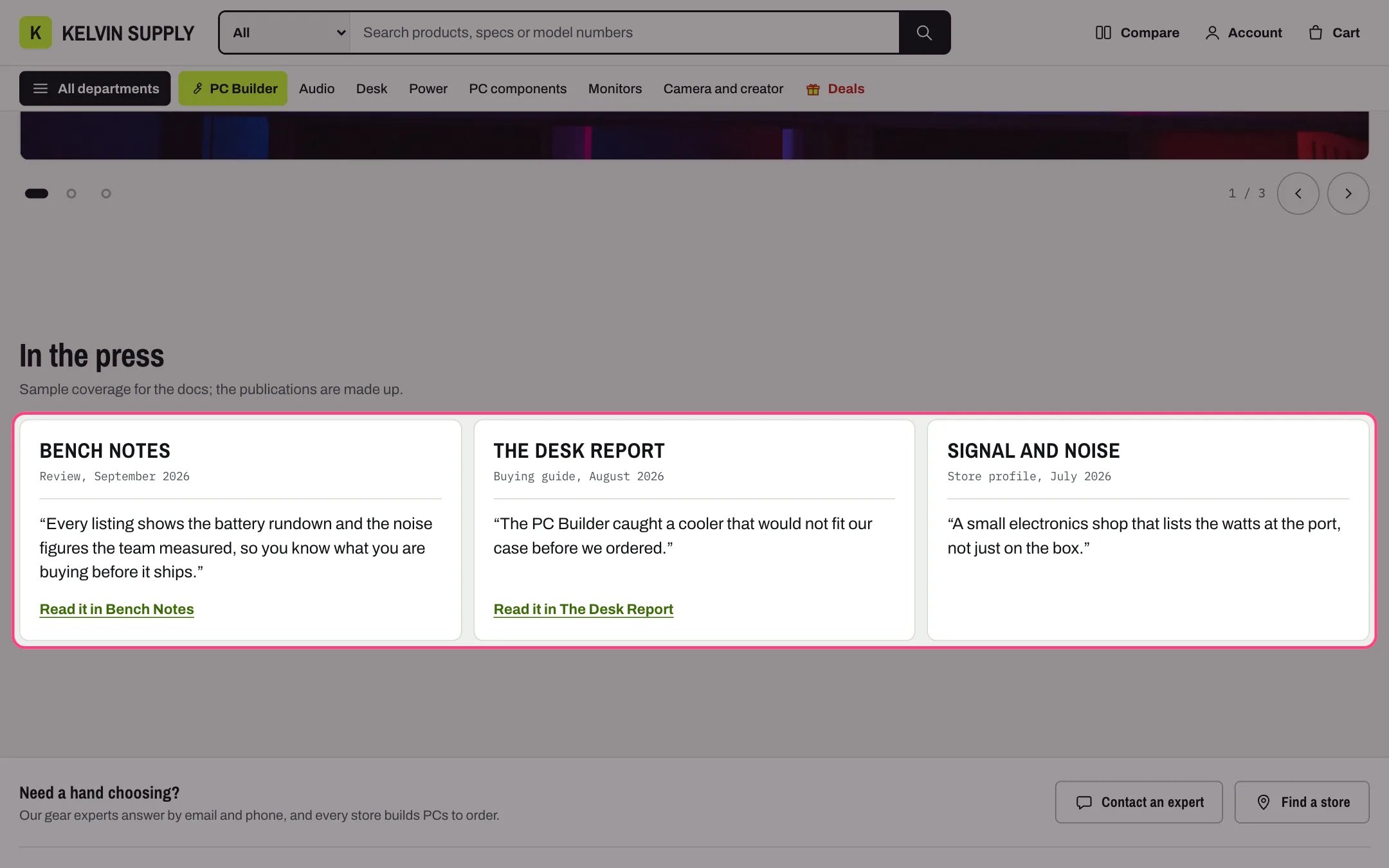
Press, highlighted with the demo content
Where to find it
On no template when the theme is installed. Add it to the home page or any other page with Add section, then choose Press; it comes with three Quote blocks.How it works
- Each Quote block is a card: the publication’s logo (or its name in large type when there is no logo), the Detail line, the quote, and Read it in followed by the publication’s name when the block has a Link to the article.
- Kelvin adds the quotation marks around the quote, so type it without them.
- Up to four cards share a row on desktop, and more wrap onto a second row. Between 750 and 1000 px two cards share a row; on phones the cards scroll sideways, with previous and next buttons as well.
- Logo for dark mode replaces the logo when the store is in dark mode. Logos are never recolored, and the Publication name is read out as the logo’s description.
- The section stays hidden until a block has a quote, a name or a logo.
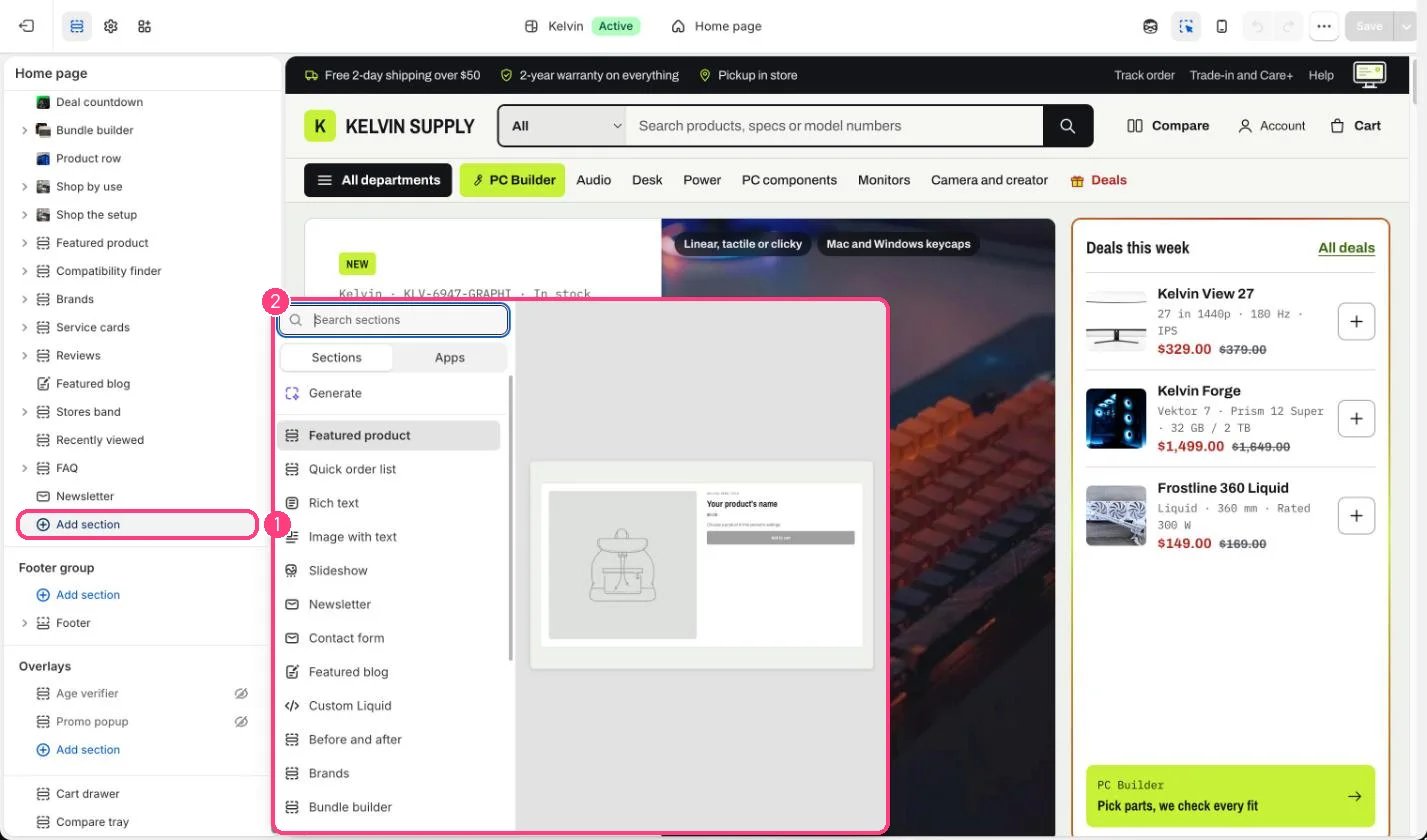
Not on the demo pages: add it with 1 Add section, then pick it in 2 the list
Edit it
- Replace or delete the three Quote blocks the section comes with before you publish: their placeholder text shows on the store.
- Upload logos on a transparent background, 320 x 64px recommended, and a light version as Logo for dark mode.
- Keep quotes to one or two sentences and fill in the Detail line, such as Review, March 2026.
- Add up to 8 quotes, newest or best known first.
Settings
Blocks
Up to 8 blocks. Add a block with Add block under the section in the sidebar; drag blocks to reorder them.Quote
Quote only real coverage, with the publication’s permission to use its name and logo.