
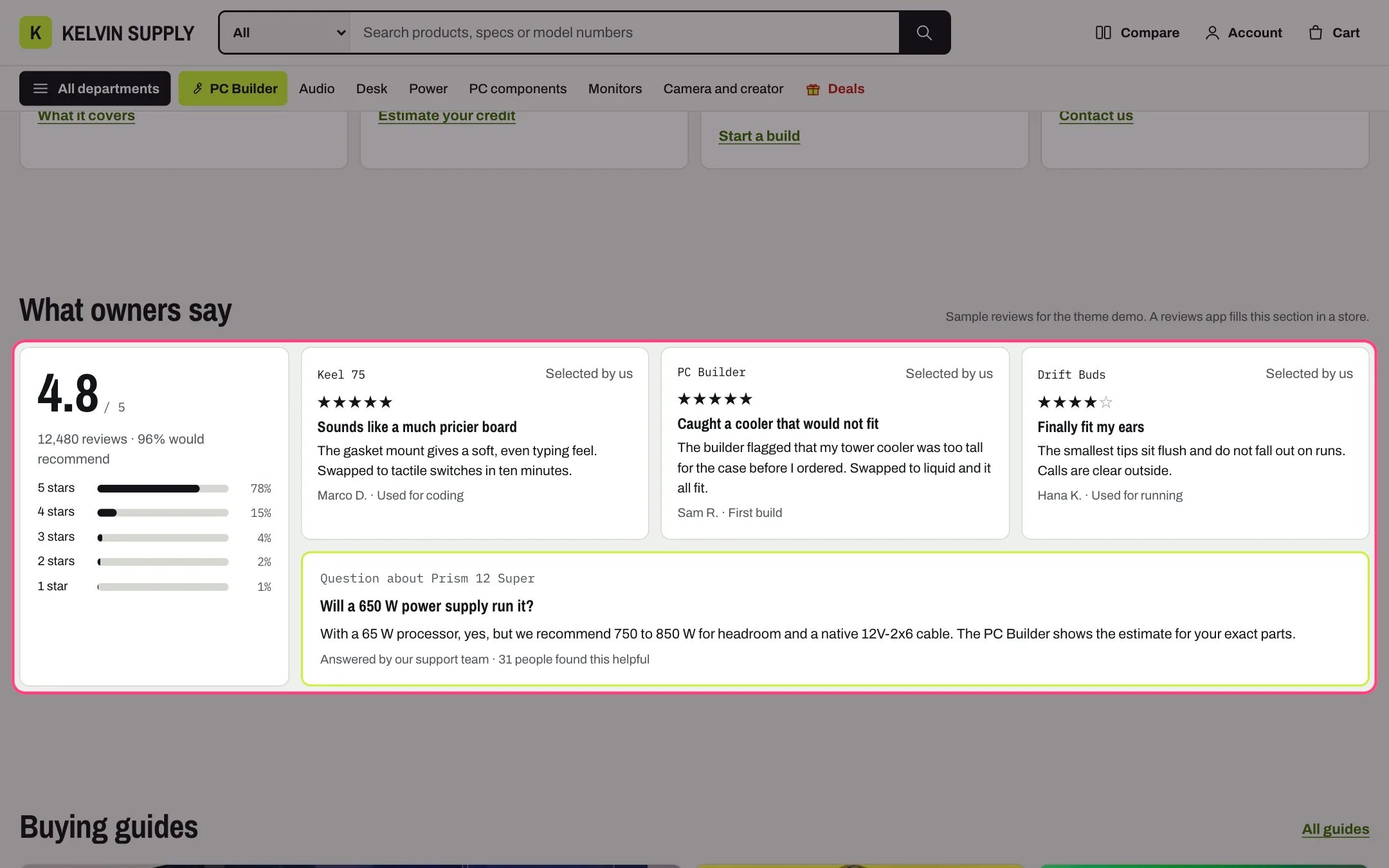
Reviews, highlighted with the demo content
Where to find it
Home page. In the theme editor choose Home page in the page selector, then select Reviews.How it works
- The section shows only what you type into it: the overall rating fields, Quote blocks and one Answered question block. It does not read product reviews, product metafields or a reviews app’s data, and it never calculates a rating.
- The overall rating box shows when Rating out of 5 is filled: the rating as typed, out of 5, your Review count text, and bars for Rating distribution when it holds exactly five percentages, 5 stars first.
- Each Quote block is a card with its Stars (1 to 5), heading, quote, reviewer name and what they use it for. Its top line links to the chosen Product, or shows Product label, and every card says Selected by us.
- Screen readers hear each rating as a number out of 5 stars rather than the star characters.
- The Answered question block (one per section) shows a question, its answer and who answered it, in a card with an accent border.
- App blocks from a reviews app (Add block, then the Apps tab) and Custom Liquid blocks, such as a reviews app’s snippet, show under the cards, in the order of the blocks. The theme does not read or style what they show.
- On desktop the rating box sits at the start with up to three cards per row. Between 750 and 1000 px the cards show two per row, and an odd last card spans both columns; on phones everything stacks.
- The section is hidden when it has no rating, quote, question, app block or Custom Liquid block. In the theme editor a note shows in its place.
- Product pages work differently: their Below: reviews block in Product information reads each product’s custom.reviews entries, shows Verified purchase badges and uses a reviews app’s rating metafields. See Product reviews.
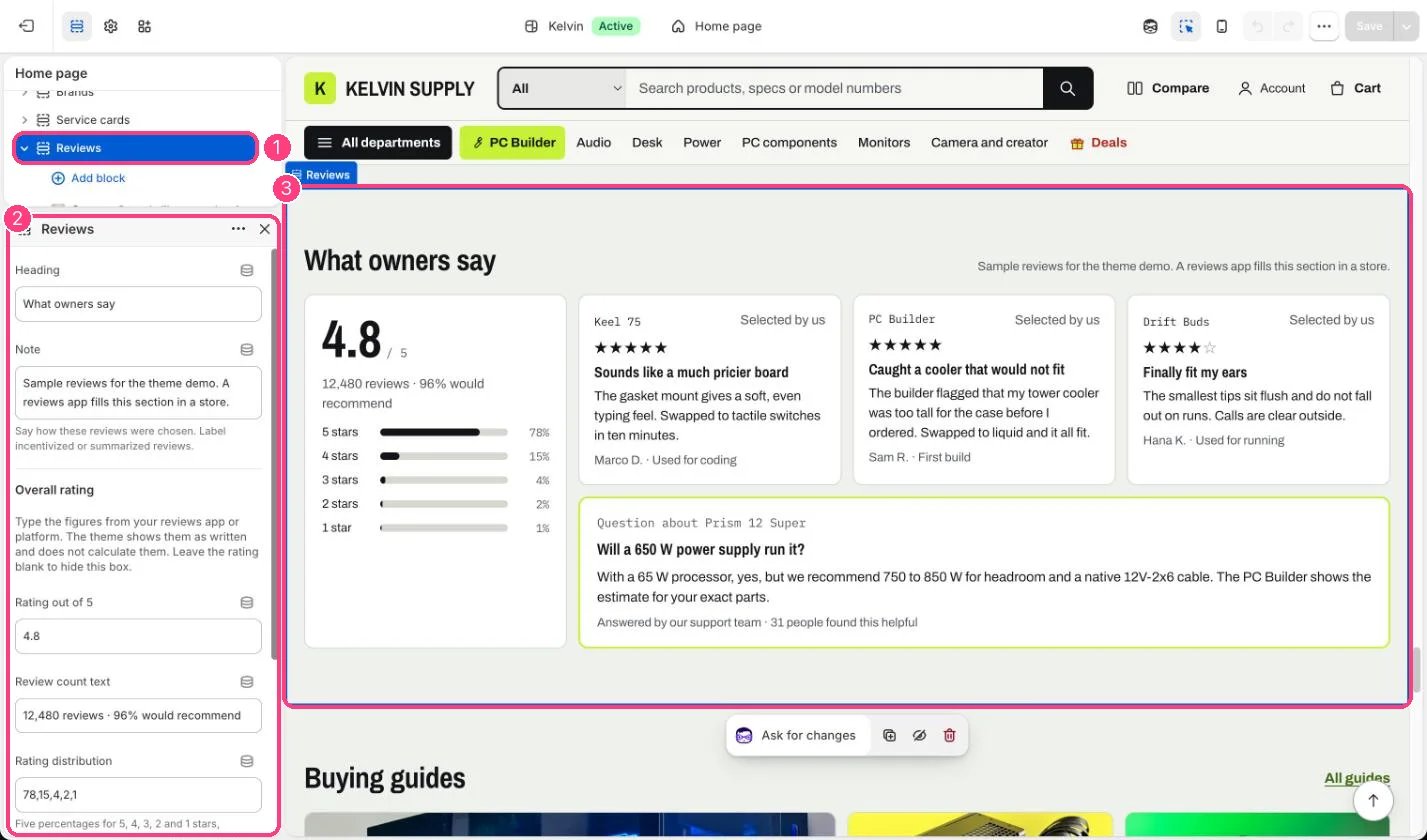
In the theme editor: 1 the section in the sidebar · 2 its settings · 3 the section in the preview
Edit it
- Copy Rating out of 5 and Review count text from your reviews app or platform, and the five percentages for Rating distribution, such as 78,15,4,2,1. Leave Rating out of 5 empty to hide the box.
- Add a Quote block per review you want to feature (up to 8 blocks in all). Paste the customer’s words into Quote, set Stars to their rating and add the Reviewer name, such as a first name and initial.
- Choose the Product the quote is about, or type a Product label such as PC Builder.
- Add one Answered question block for a common pre-sale question and your team’s answer.
- Edit Note to say how the quotes were chosen.
Settings
Overall rating
Blocks
Up to 8 blocks. Add a block with Add block under the section in the sidebar; drag blocks to reorder them.Quote
Answered question (up to 1)
App blocks
Blocks from apps you have installed, such as reviews or subscriptions. Click Add block and choose one from the Apps tab; its settings come from the app.Custom Liquid
On install the section has no quotes, so it shows nothing on your store until you add Quote blocks (the theme editor shows a note in its place). The demo store shows three sample quotes.Feature real reviews only, with their real star rating, and keep the Note honest: label incentivized or summarized reviews.