

Vertical films, highlighted with the demo content
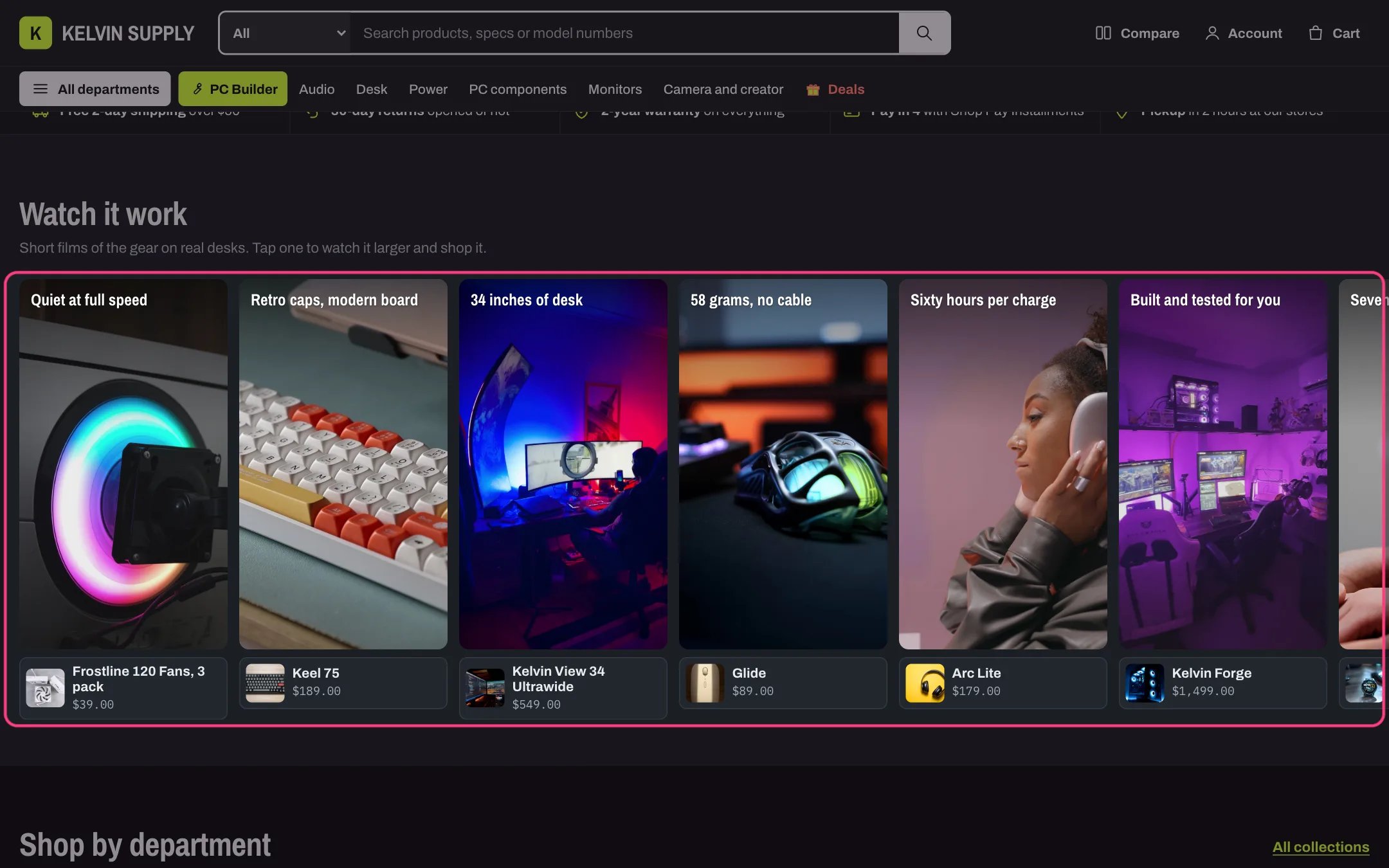
Vertical films in dark mode
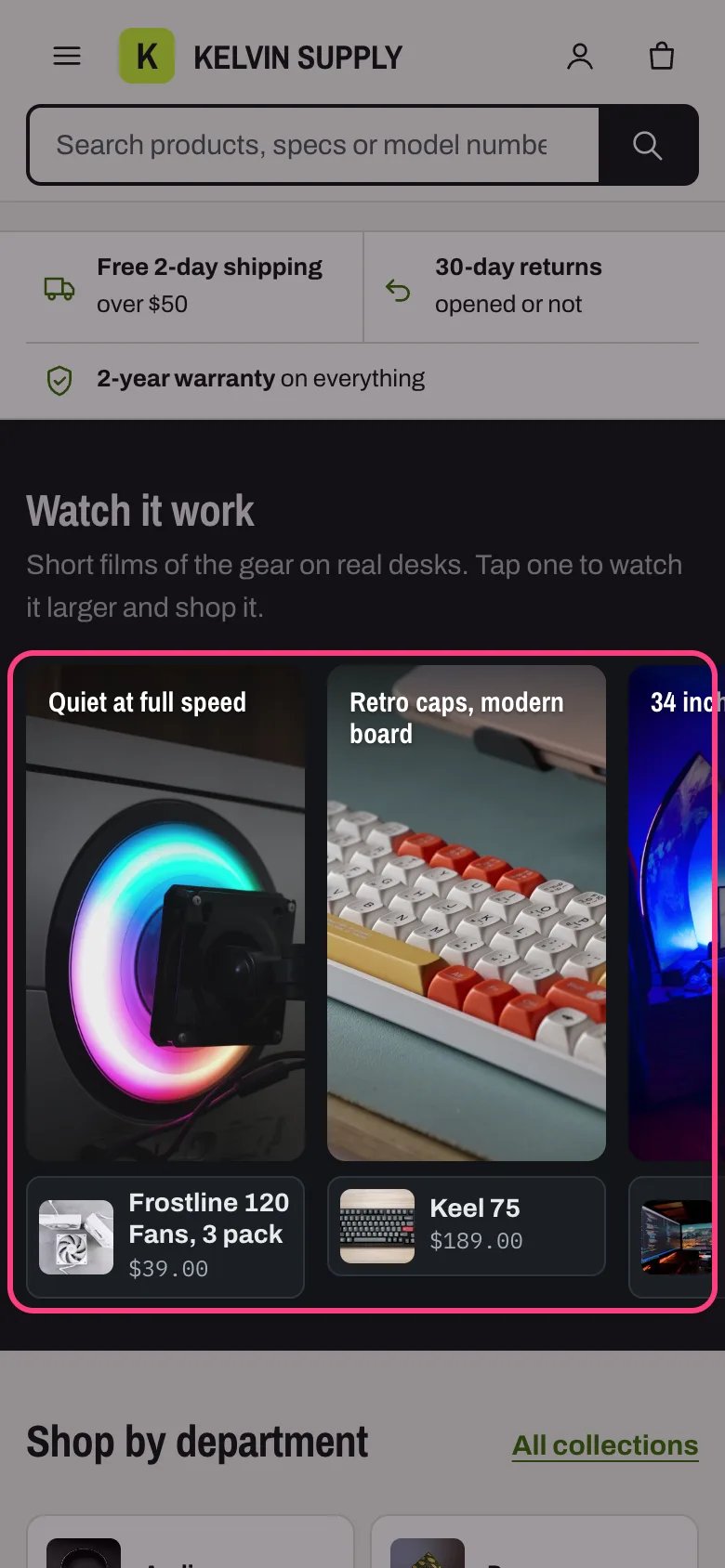
Vertical films on a phone
Where to find it
Third section of the Home page template, under the Trust strip. In the theme editor choose Home page in the page selector, then select Vertical films. Add it to other pages with Add section.How it works
- The strip loops sideways at the Loop speed (Slow 20, Medium 32 or Fast 48 px a second), and only while it is on screen.
- It holds while the pointer is over it, while anything in the section has keyboard focus, while a finger is on it (and for about 2.5 seconds after), while a shopper drags it, while the viewer is open and while you select a Film block in the theme editor.
- There is no Pause button, by design: the strip stops under the shopper’s pointer, focus or finger, and the films are muted.
- Films play muted, without controls, at most four at once on screens 750 px and wider and two on narrower screens. A film starts only when at least half of its tile is on screen, and its file loads only when the tile comes into view.
- Visitors who reduce motion or save data get a still row of posters they scroll by hand; nothing plays by itself. With fewer films than the screen is wide, the strip repeats them so the loop still fills the screen.
- Under each tile the first product shows with its photo, name and price, linking to the product page.
- A click (or Enter) on a film opens the viewer: the film larger with player controls, muted at first, a count such as 2 of 10, the title, the Description, and the first product with its price and Add to cart or Choose options. Other products are listed under Also in this film.
- In the viewer the previous and next buttons and the arrow keys move between films. Escape, the close button or a click outside closes it, and focus returns to the film.
- The loop is made of copies of the films (more of them when there are few films) that keyboard and screen readers skip, so each film is reached and announced once.
- Only films with a video or a Poster image are shown. With none, the section stays hidden on the store.
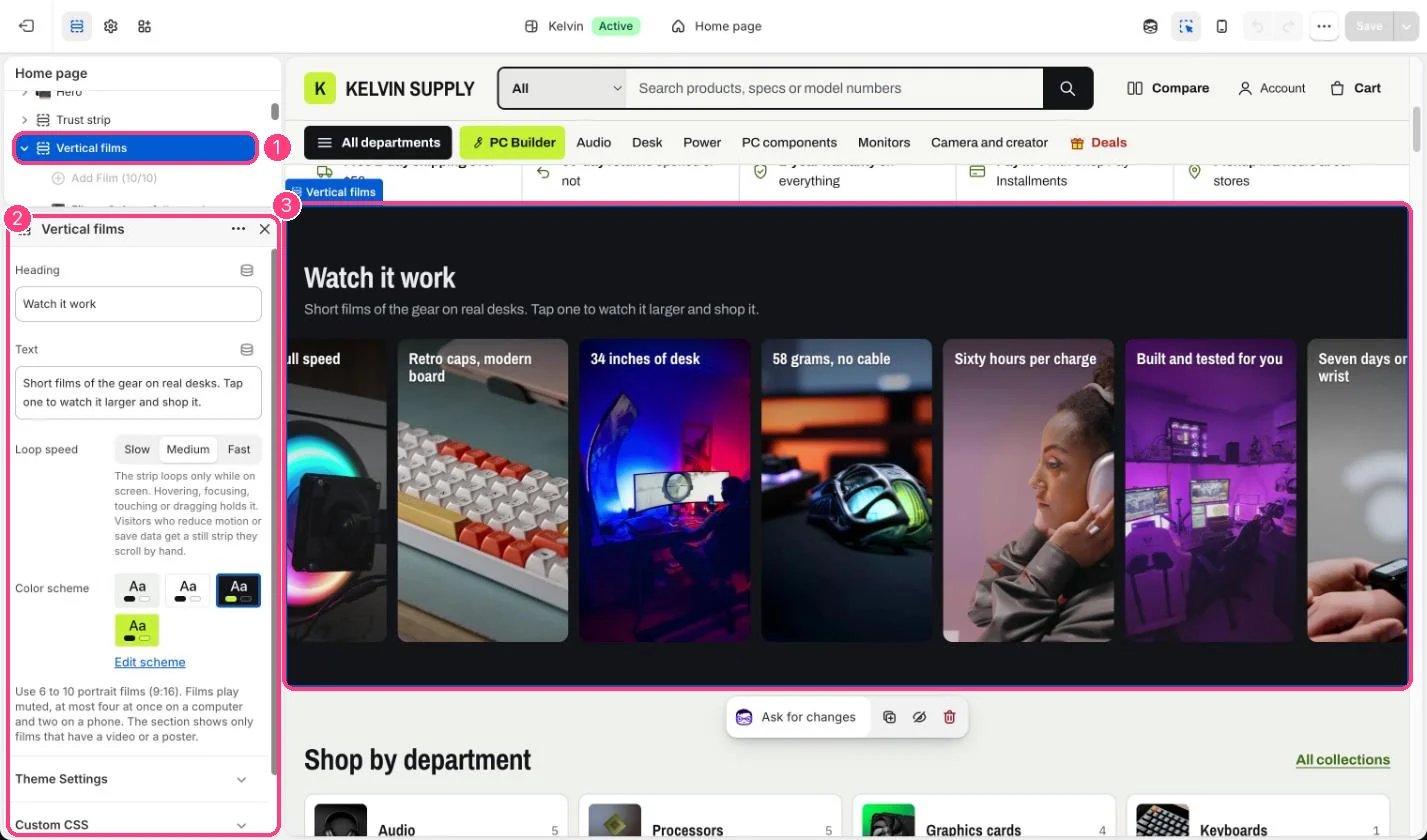
In the theme editor: 1 the section in the sidebar · 2 its settings · 3 the section in the preview
Edit it
- Add a Film block per film (up to 10) and upload a portrait video, 9:16 aspect ratio. Sizes and tips are in Vertical films.
- Add a Poster image to every film. It shows before the film plays, for visitors who reduce motion or save data, and if the film cannot load.
- Heading is written over the top of the tile: keep it to a few words. Empty, it uses the first product’s title.
- Write a one-sentence Description of what the film shows. The viewer shows it, and it is the film’s text alternative.
- Pick up to three Products per film. The first gets the tag under the tile and Add to cart in the viewer.
- Six to 10 films work best. With only a few, the strip repeats them to fill the screen, so the same film shows more than once.
- Loop speed: Slow suits calm product films, Fast suits many short clips.
Settings
Blocks
Up to 10 blocks. Add a block with Add block under the section in the sidebar; drag blocks to reorder them.Film
On install the section has no Film blocks, so it is hidden on the store. The theme editor shows example tiles with a note until a film has a video or a poster.There is no Pause button on this strip, a choice made for Kelvin: it holds on hover, focus, touch and drag, and stands still for visitors who reduce motion or save data.YouTube and Vimeo links are not used in this section: upload the films to Shopify.