
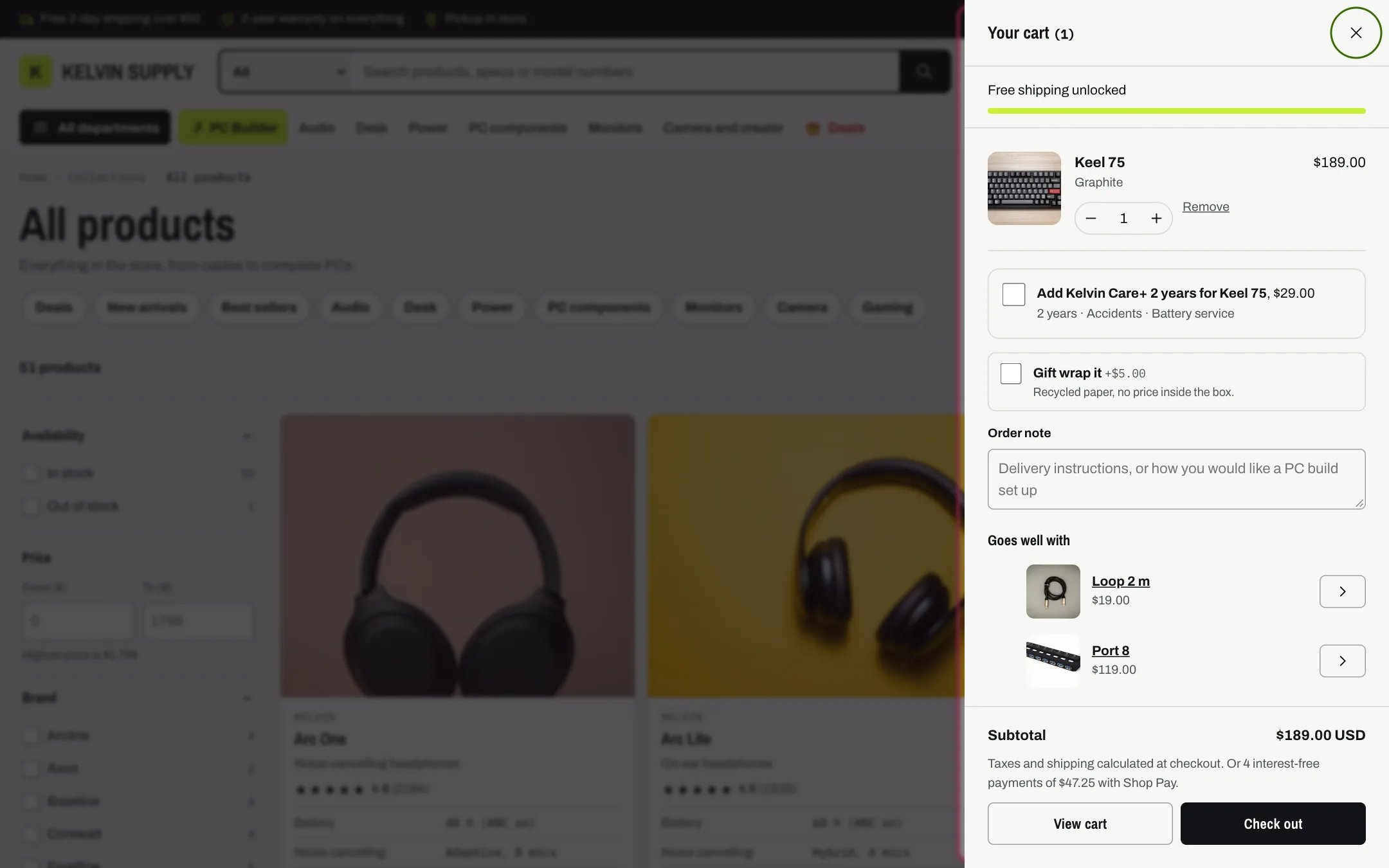
The cart drawer after adding a product
Where to find it
Kelvin adds it to every page except the cart page while Theme settings → Cart → Cart type is Drawer, the setting on install. It belongs to no template, so it cannot be moved or removed. In the theme editor, open any page except Cart and select Cart drawer in the sidebar for its Color scheme and Link when the cart is empty; everything inside it is set in Theme settings → Cart. Selecting it does not open it: click Cart in the preview’s header to see it.How it works
- Opens after every Add to cart (product page, quick view, product cards, the PC Builder) without leaving the page, and when the shopper clicks Cart in the header. A Ctrl-click or Cmd-click on Cart still opens the cart page.
- Slides in from the side, up to 440 px wide and full width on phones. The page behind is dimmed. Escape, the close button or a click outside closes it, and focus returns to the button that opened it.
- From the top: the free shipping bar, the lines, each PC build in its own outlined box with Edit build and Remove build, the Care+ offer, gift wrapping, the order note and Goes well with. The totals, View cart, Check out and the express checkout buttons stay pinned at the bottom while the rest scrolls.
- Quantity buttons, typed quantities and Remove update the cart in place. Shopify’s own message, for example when no more stock is left, shows under the line, and removals are announced to screen readers.
- Each line shows each option with its value (such as Color: Black), the line item properties that do not start with an underscore (such as Covers or Pre-order), the selling plan name, line discounts, and the price of one item after discounts followed by each, with the original price struck through when it is discounted. The line total sits at the end, with the unit price when the product has one.
- The totals list automatic discounts by name, Savings from line discounts, the Subtotal with the currency code, the tax and shipping note that matches your store’s tax settings, and the Shop Pay line when Show the Pay in 4 line allows it (Theme settings → Product cards).
- An empty drawer says Your cart is empty with a Continue shopping button, which goes to Link when the cart is empty, or to all products while it is blank.
- With Cart type set to Page the drawer is never used: Add to cart goes to the cart page.
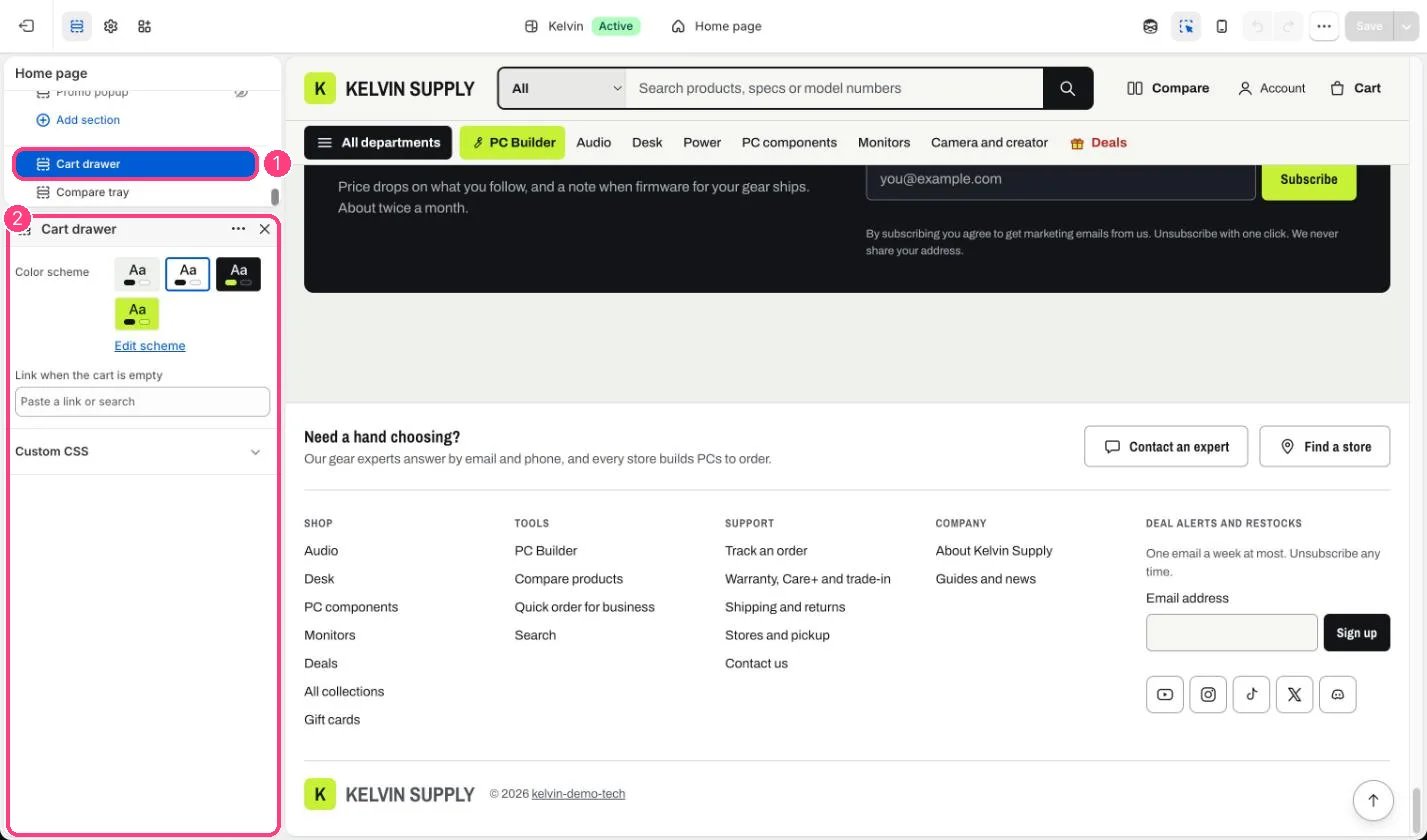
In the theme editor: 1 Cart drawer, at the bottom of the sidebar · 2 its color scheme and the empty-cart link
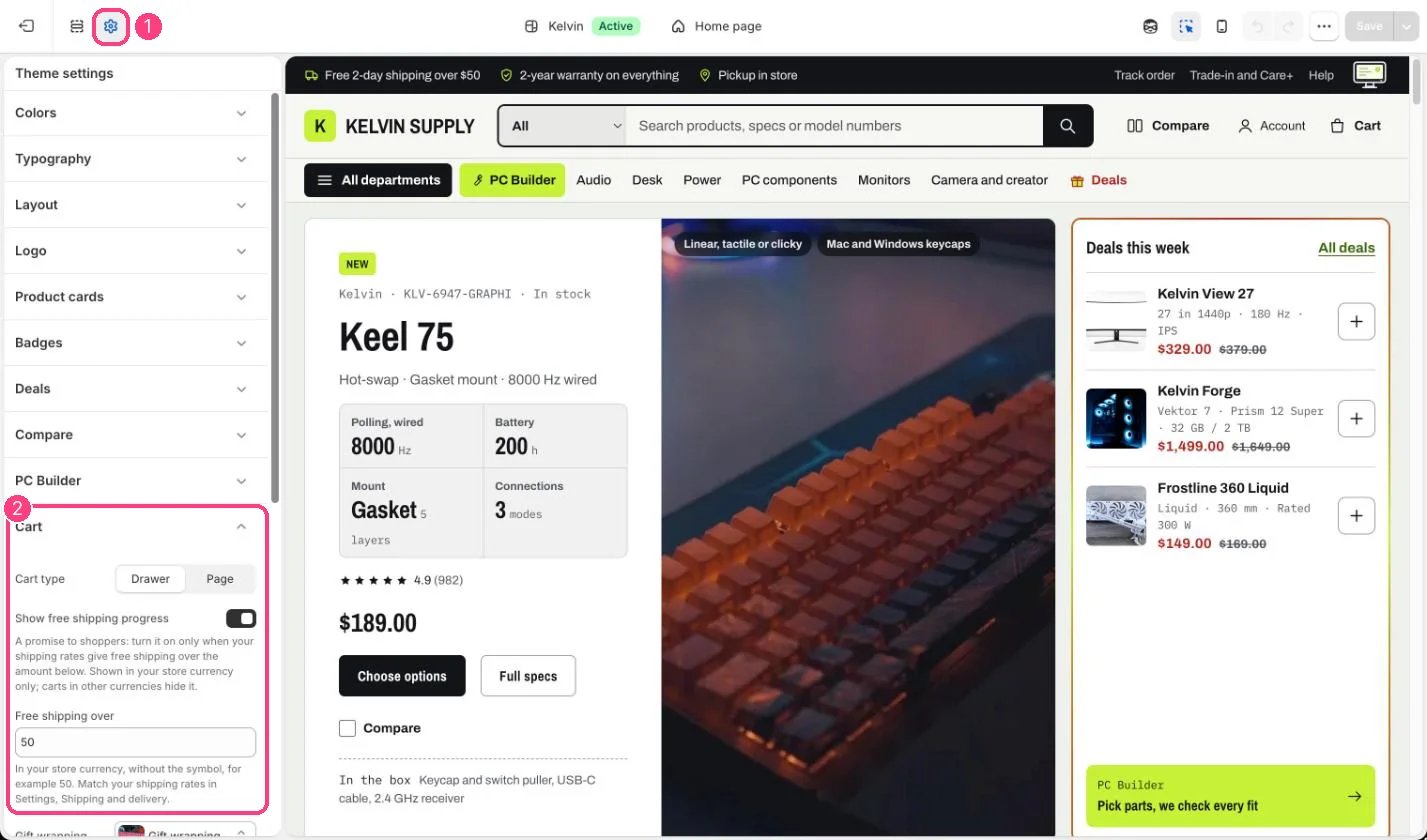
The rest is in 1 Theme settings · 2 Cart, starting with Cart type
Edit it
- Choose Drawer or Page with Cart type in Theme settings → Cart, where the free shipping bar, gift wrapping, gift message, order note, Suggested products and express checkout are set too.
- Set Link when the cart is empty to where shoppers should carry on, such as your best sellers collection. Left blank, Continue shopping goes to all products.
- Color scheme sets the drawer’s colors in light and dark mode. Scheme 2 (white, near-black in dark mode) is set on install.
Settings
Goes well with is the Cart suggestions part of the drawer; the cart page shows the same list.The Shop Pay line follows Show the Pay in 4 line and Pay in 4 minimum price in Theme settings → Product cards, and shows only to shoppers paying in your store currency; see Gift wrap, gift message and order notes.