
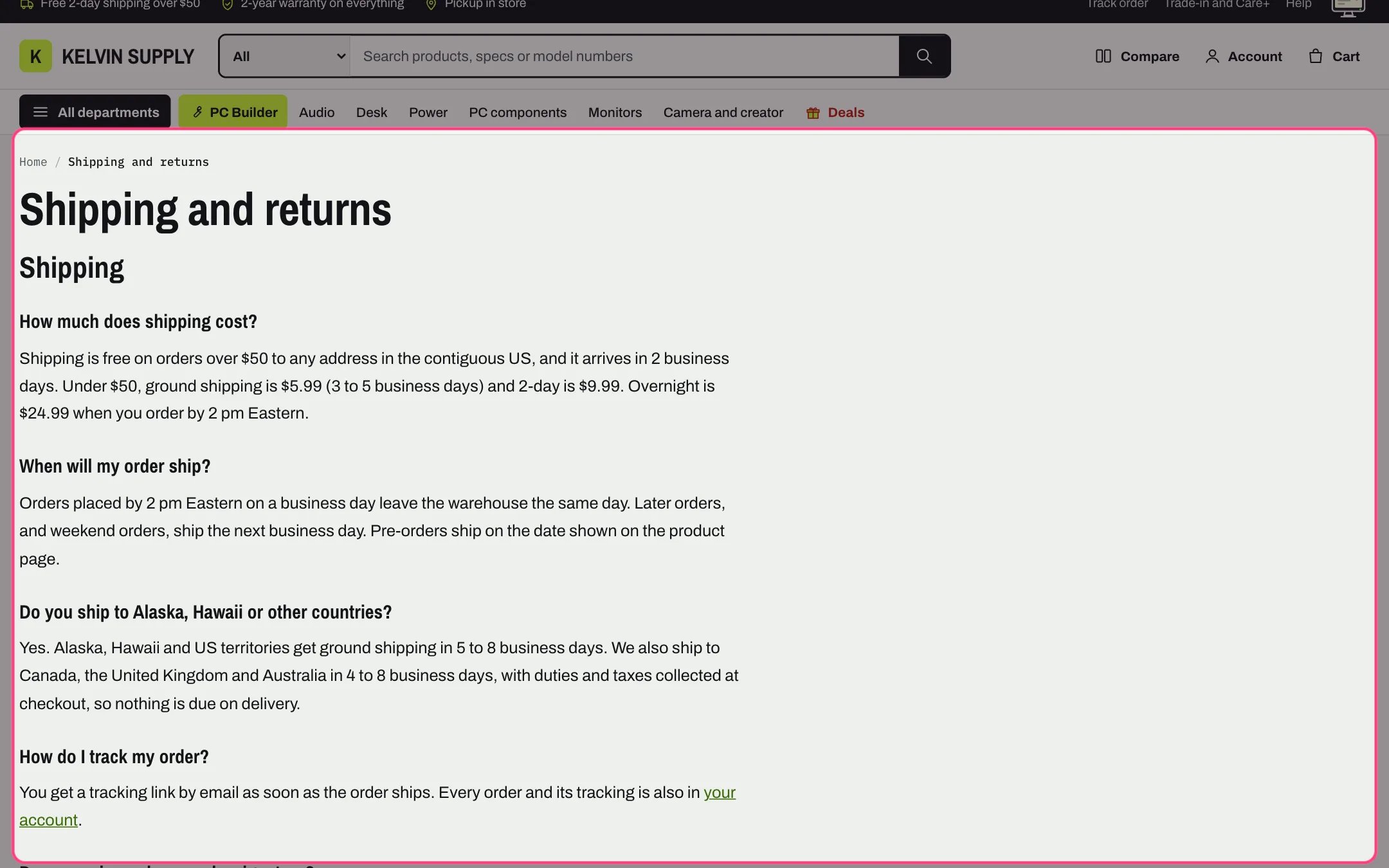
Page, highlighted with the demo content
Where to find it
Every page that uses the default page template (page.json), such as a Shipping and returns page. In the theme editor choose Pages in the page selector, then Default page, and select Page. The about, care, contact, FAQ and stores templates do not use it: their heading comes from Page heading.How it works
- Shows breadcrumbs, the page title as the main heading and the content written for the page in Online Store → Pages.
- Text width Narrow, for reading keeps the text to a column about 760 px wide; Page width uses the full width of the page.
- Headings 1 to 6, quotes, lists, tables and images in the content are styled to match the theme: headings in the heading font (Heading 6 in small monospace capitals), quotes in a bordered box and lists with muted bullets or numbers.
- With Show the title off, the title is hidden on screen but screen readers still read it as the page’s main heading.
- Apps can add blocks under the content: click Add block and choose one from the Apps tab.
- A Custom Liquid block adds your own code under the content, such as a snippet an app gives you to paste. App blocks and Custom Liquid blocks show in the order you drag them into.
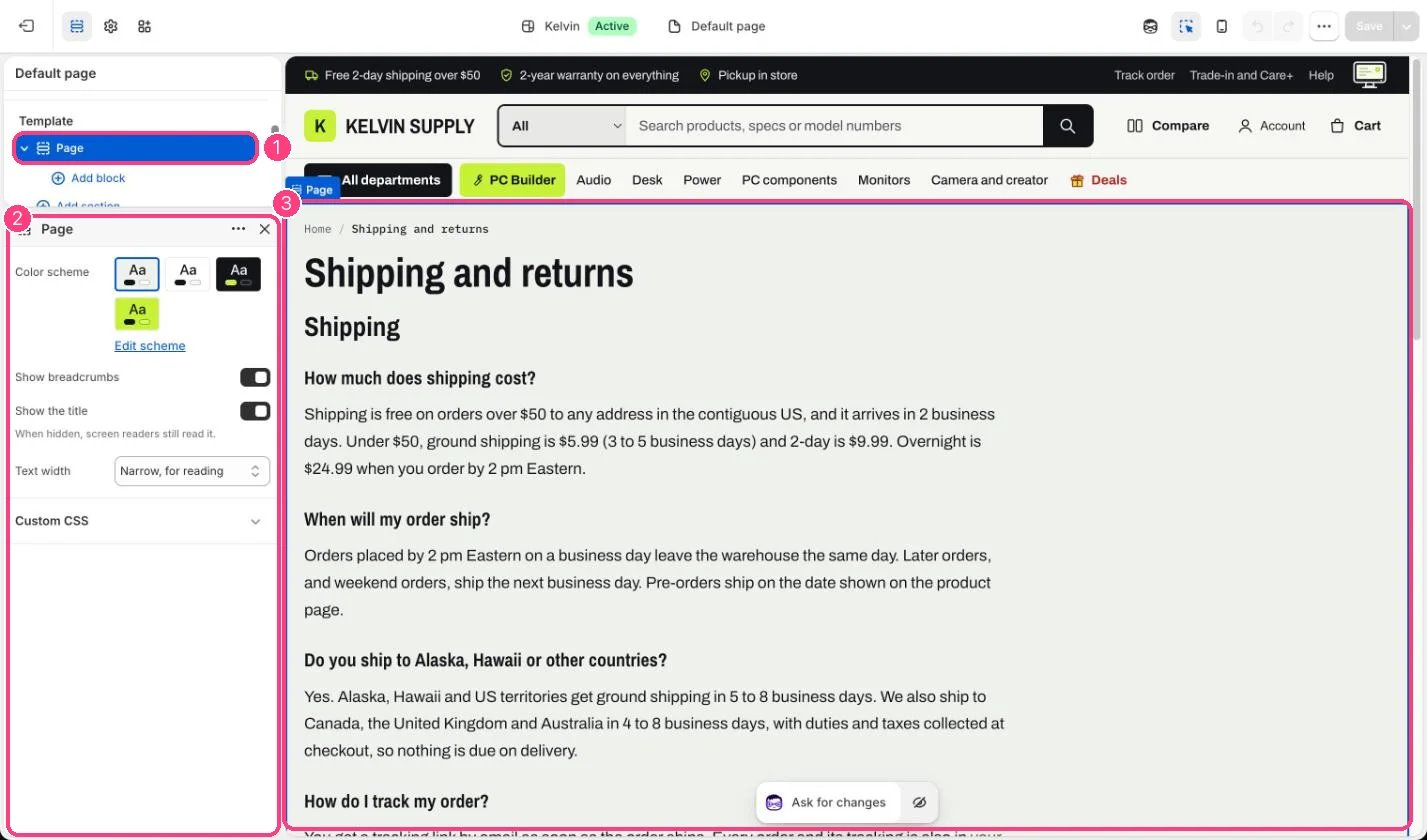
In the theme editor: 1 the section in the sidebar · 2 its settings · 3 the section in the preview
Edit it
- Write the text in Online Store → Pages. Break long pages up with Heading 2 and Heading 3 so shoppers can scan them.
- Choose Text width: Narrow, for reading for policies and guides, Page width for wide tables.
- Turn Show breadcrumbs and Show the title on or off.
- Pick a Color scheme if the page should sit on a different background.