
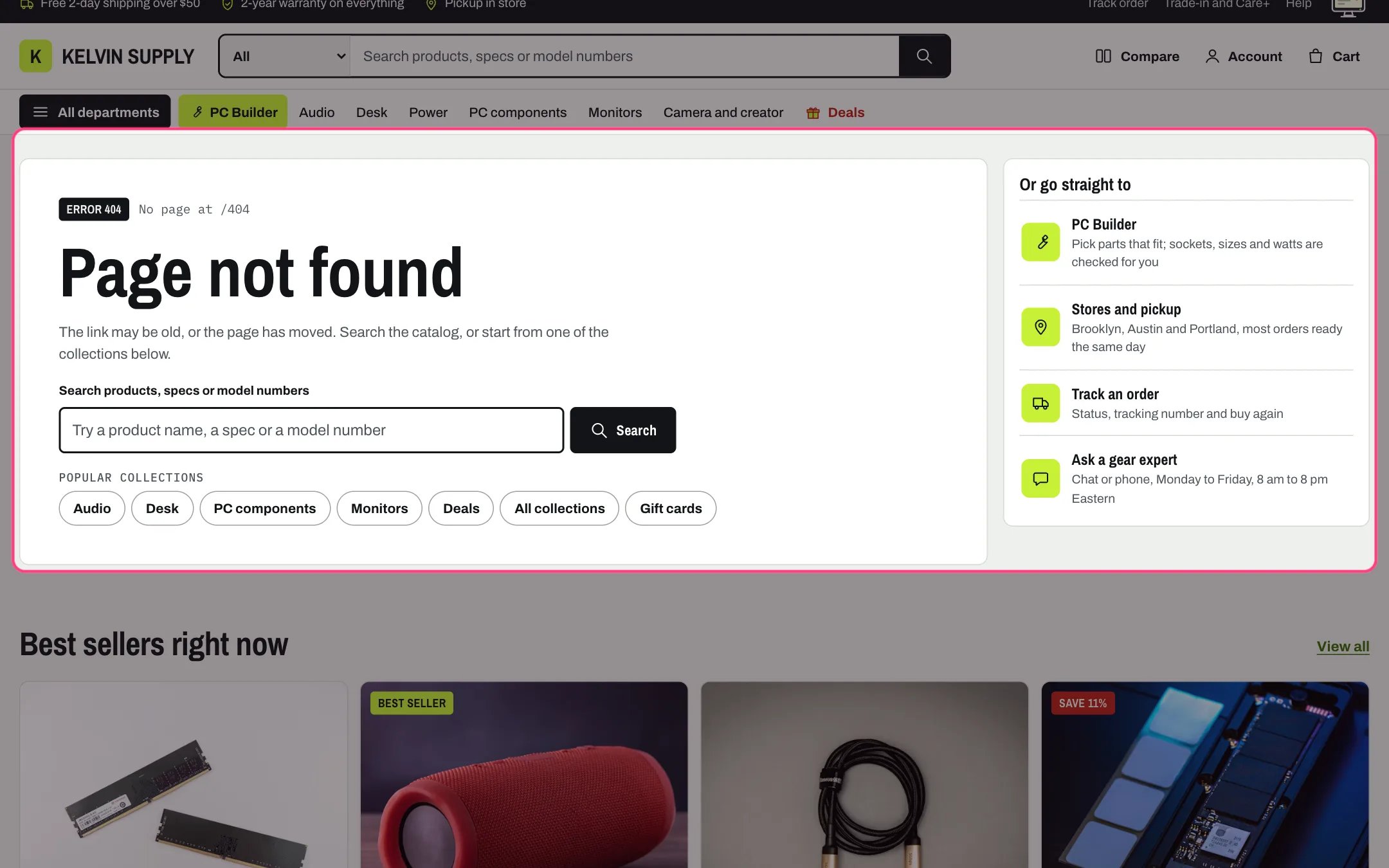
Page not found, highlighted with the demo content
Where to find it
The 404 template, used for any address that does not exist. In the theme editor choose 404 page in the page selector (under Others) and select Page not found.How it works
- A flag says Error 404 next to the address that was not found.
- Empty Heading uses Page not found. Empty Text uses a sentence about moved pages that points to the collections below when a Menu or a Collection is chosen, and to the home page when neither is.
- Show search adds a search field for products, specs or model numbers, with suggestions while typing when Show suggestions while typing is on in Theme settings → Search.
- Each link of the chosen Menu shows as a chip under Popular collections, or under your own heading. Without a menu the chips are hidden.
- Shortcut blocks sit in a panel beside the text, and under it below 1000 px. The PC Builder link shows once a page is chosen in Theme settings → PC Builder, the Account link hides when customer accounts are off, and Link blocks stay hidden until they have a Link.
- The products row shows the first products of the chosen Collection (Products to show, 2 to 8) with a View all link, and hides while no collection is chosen or it is empty.
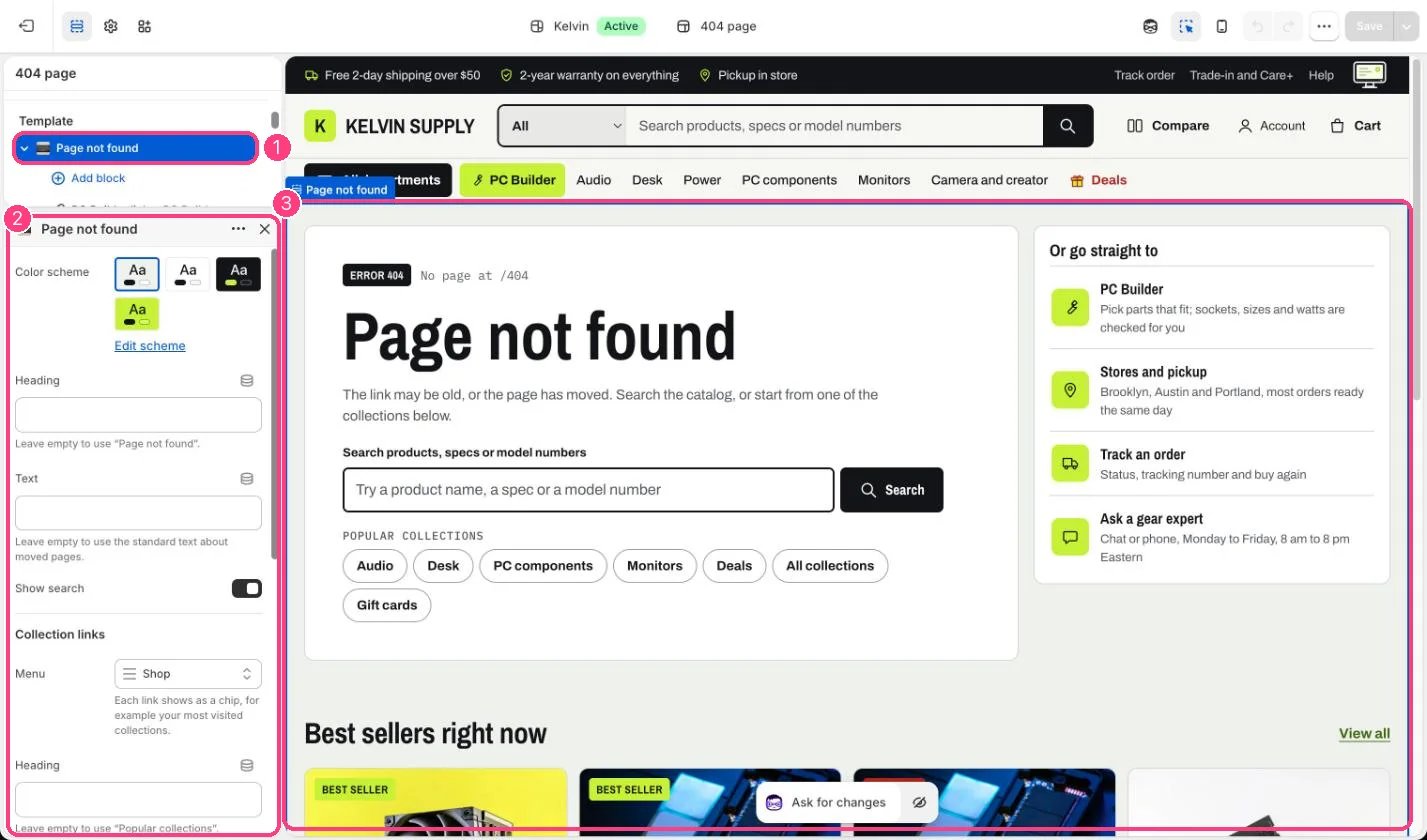
In the theme editor: 1 the section in the sidebar · 2 its settings · 3 the section in the preview
Edit it
- Choose a Menu of your most visited collections for the chips; five to seven links fit well.
- Give the Stores and pickup and Ask a gear expert blocks a Link (your stores and contact pages), or delete them.
- Choose a best sellers Collection and set Products to show to 4 or 8 so the row fills.
- Leave Heading and Text empty to keep the standard wording, which is translated and matches what the page shows.
Settings
Collection links
Shortcuts
Products
Blocks
Up to 6 blocks. Add a block with Add block under the section in the sidebar; drag blocks to reorder them.PC Builder link (up to 1)
Account link (up to 1)
Link
On a fresh install no Menu or Collection is chosen, so the page shows the search, the standard text pointing to the home page, and the Track an order shortcut (when customer accounts are on), plus the PC Builder shortcut once its page is set.